
Across the record · Rep rooms
Know what each rep owes you, on every project, without the email chase.
Open a room per project and manufacturer, add the units the rep supplies and invite the rep. Ship dates, submittals, requests, documents and startup visits live in the room, and a filed visit report lands on each unit’s service history. The rep sees that room and nothing else.
Available today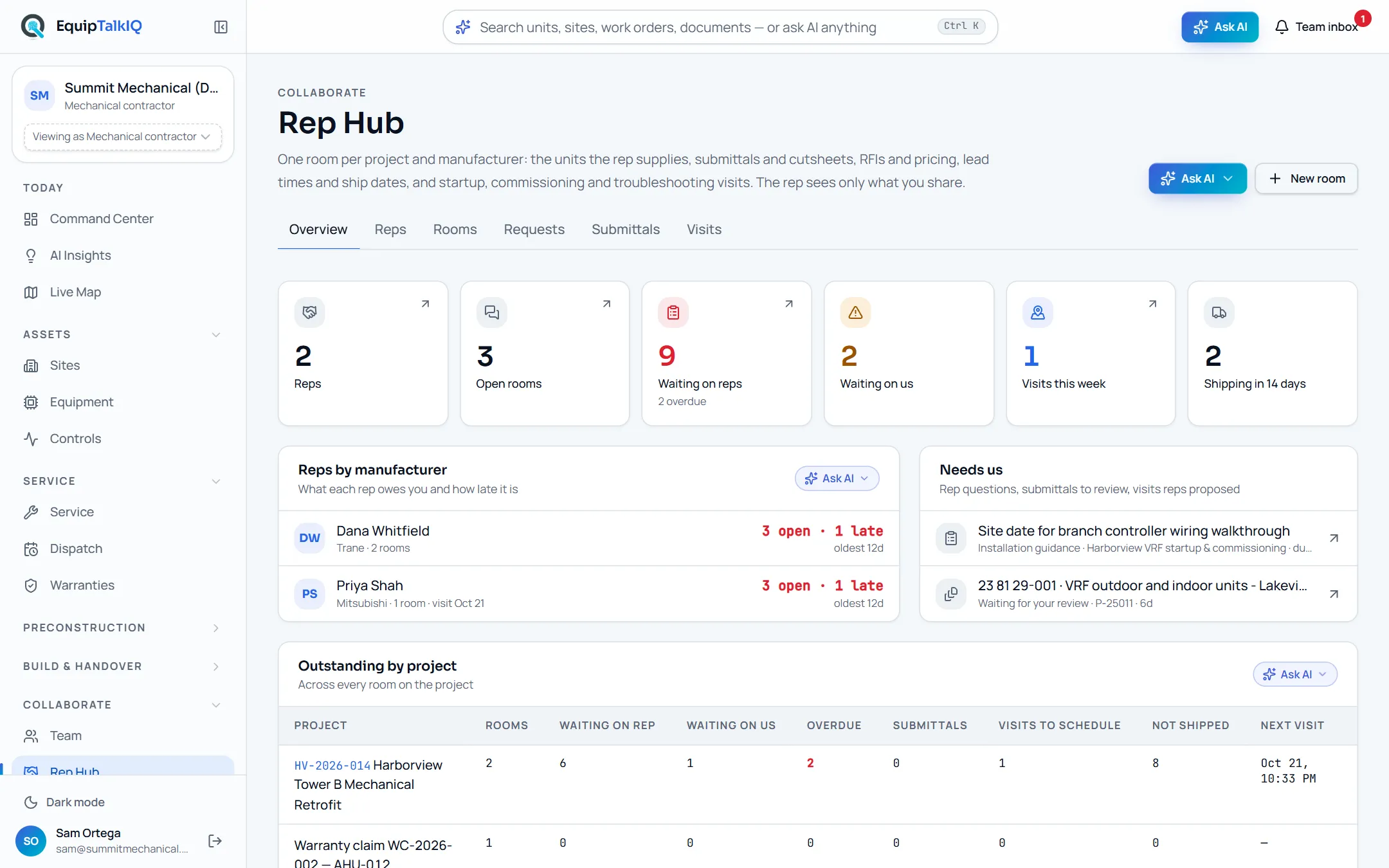
What changes
Today
- Lead times and ship dates live in a rep’s inbox and change without notice.
- Startup reports arrive as PDFs that never reach the unit’s record.
- Nobody can say which rep is late, on what, and by how long.
With EquipTalkIQ
- Each room carries the units in scope with status, lead weeks and ship date.
- A filed visit report becomes a completed service record on each unit.
- Rep Hub shows what each rep owes you and how late it is.
How it works
4 steps, in the app as it ships.
Open a room
Rep Hub · New roomPick the project and manufacturer, add the units the rep supplies from the site, then Invite rep with their email. When they sign in with that address they see the room only: its units, submittals, requests, visits and documents.
Work the room together
Room · Schedule · Requests · Documents · ThreadThe rep keeps lead weeks and ship dates current on the schedule. Either side raises a request (RFI, pricing, lead time, startup, troubleshooting) and the other answers it. Cutsheets and IOMs shared into the room are read so the AI can cite them.
Rep Hub · shared roomAPP SCREEN / SAMPLE DATA 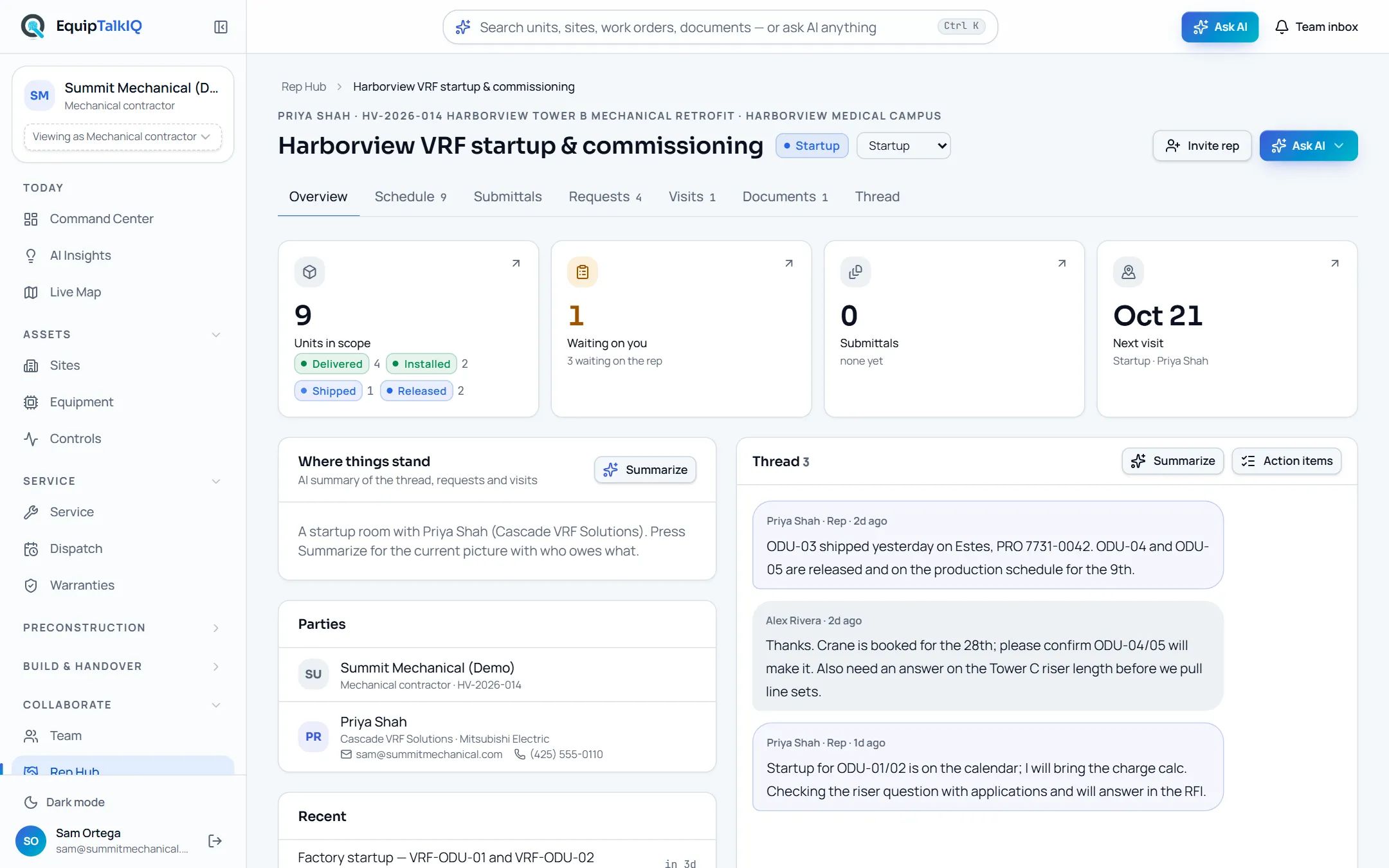
A room’s overview: units by status, what is waiting on you, the next visit and the thread
Request a visit
Room · VisitsAsk for a startup, commissioning, troubleshooting or installation guidance visit on the units you choose. The rep schedules it and names the technician.
Rep workspaceAPP SCREEN / SAMPLE DATA 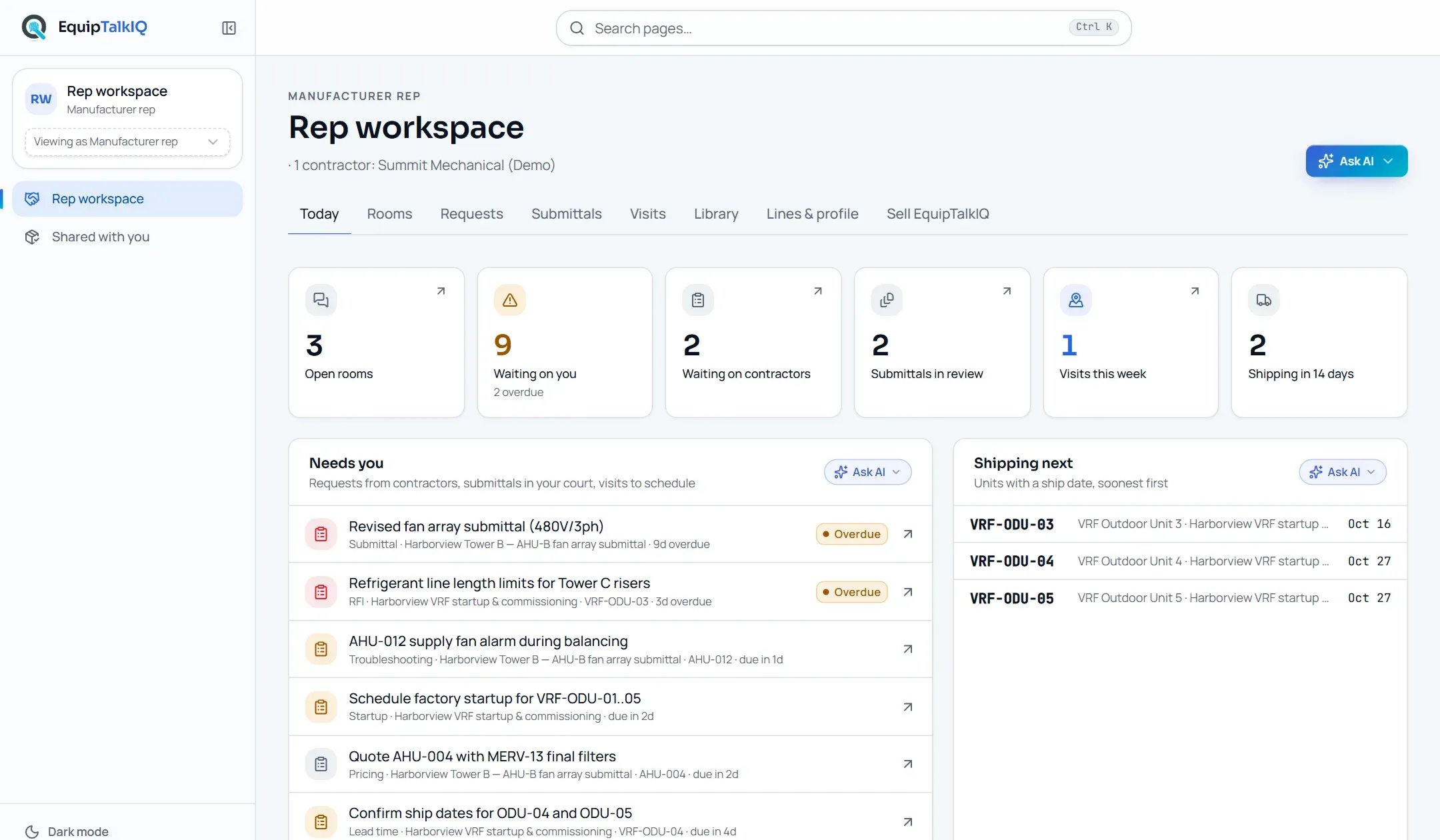
The rep’s workspace: Needs you, where a visit request waits to be scheduled
Get the report on the unit
Visit · Draft report with AI · File reportBefore the visit, the AI drafts a checklist per unit from the documents in the room. After it, the technician’s notes and photos become an AI-drafted report that the rep reviews, edits and files. Filing writes a completed service record on each unit.
Receipts
What you can check for yourself.
The rep sees one room
Rep access runs through the rooms you share. Nothing outside them is visible to the rep.
Invite the rep dialogReports land on the unit
A filed visit report writes a completed service record on each unit, so its history and your AI see it.
Visit · Units · “On record”AI drafts, the rep files
The checklist and the report are drafts marked “review before filing”. Nothing is filed until the rep presses File report.
Visit · Drafted reportLateness is counted
Waiting on reps, overdue and waiting on us are counted from the requests, submittals and visits in each room.
Rep Hub · OverviewWhat it won’t do
- Show the rep your other projects, pricing or service book.
- File a visit report the rep has not reviewed.
- Email the invite for you yet: tell the rep to sign in with the address you invited.
Every AI answer, finding and draft follows the same rules. How the AI earns trust · Security
Who it’s for
The people on this screen.
- Project managers
- Service managers
- Manufacturer reps
Works with
- Submittal logIn the app
Submittals the rep assembles show in the room with their status.
- Equipment recordIn the app
A unit’s page lists the rooms it is in and requests a rep visit.
- Warranty claimsIn the app
A claim can open its own room with the rep.
Questions
Worth asking.
Does the rep pay for an account?
No. Reps you invite are not seats and pay nothing; their access is part of your suite.
What can the rep see?
Only the rooms you invite them to: the units in scope, submittals, requests, visits, documents and the thread. They never see your other projects, pricing or service book.
What does the rep’s side look like?
A Rep workspace with what needs them today, units shipping next, their rooms, submittals and visits, a cutsheet library and their lines. They have their own assistant over their rooms.
Who writes the visit report?
The rep’s technician types or dictates notes and adds photos, the AI drafts the report with findings, readings and punch items, and the rep edits and files it. Filing puts a completed service record on each unit.
Can my team ask about the reps?
Yes. The Rep Hub assistant answers which reps are late and on what, what is outstanding per project and which units have not shipped, from the rooms only.
Keep exploring
Related on the same record.
Submittal log and check
A submittal log written from the spec, and a compliance check per requirement.
ServiceWarranty claims
Coverage on every unit, and claims drafted from the job that found the failure.
ConstructionTurnover packages
An owner-ready package per project, shared by a link you can revoke.
See it on your own work.
We load your sites, units and documents during the pilot, so the walkthrough is on your own kind of work. The 90-day pilot is $9,000, credited to your first year if you continue.