
EquipTalkIQ vs. document-only tools
Same preconstruction answers. Then twenty more years of the building.
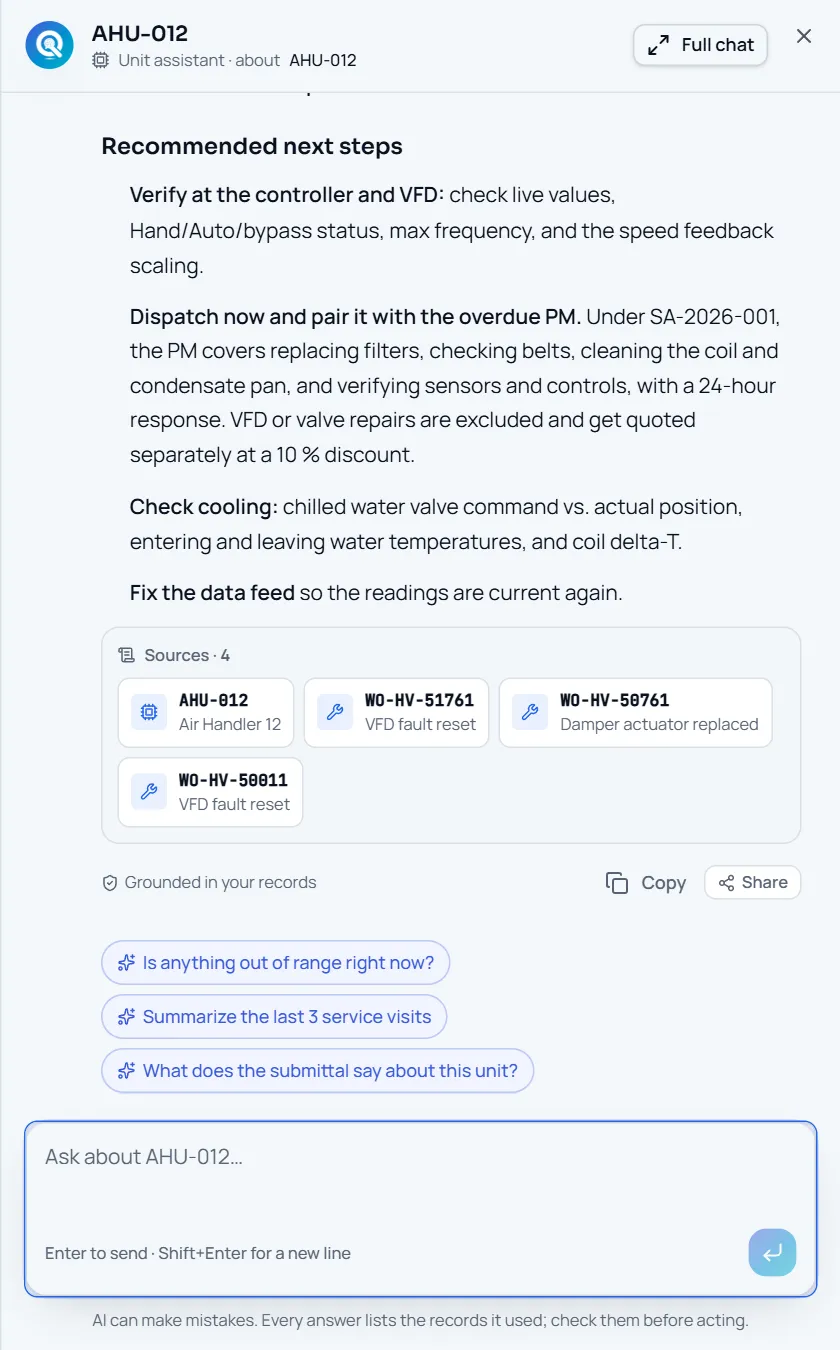
Document-intelligence tools for MEP contractors are good at one thing: reading drawings, specs and contracts and answering with citations. They stop when the job is won. EquipTalkIQ does the preconstruction work and keeps the same record alive through construction, turnover, service, dispatch and controls, with sources on every answer.
Book a demoEQUIPTALKIQ / THE CONNECTED MECHANICAL PICTURE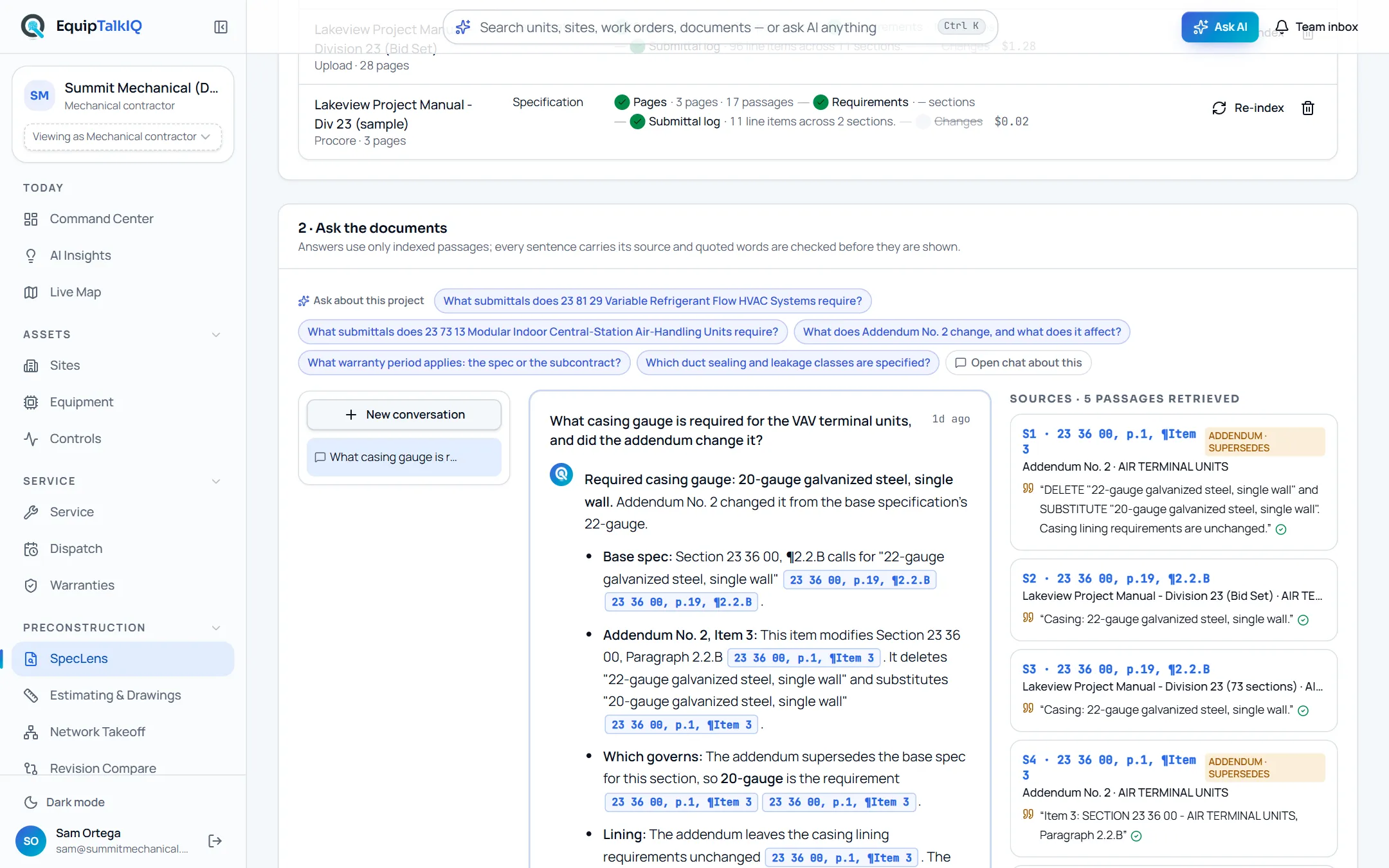
FEATURE BY FEATURE
What each kind of tool does.
The left column describes the document-only category as a whole, not any one vendor. The right column lists what exists in EquipTalkIQ today, as walked in the app on 19 October 2026.
“Available” means you can use it in the app today. “Coming” means it is being built now and is not in the demo yet. Demo telemetry and map movement are simulated; live source-system feeds are scoped per customer.
PRECONSTRUCTION PARITY
Where we match, and what comes after.
Cited Q&A
SpecLens indexes specs, contracts and addenda page by page, retrieves matching passages under your company’s access rules and answers only from them. Each sentence cites section, page and paragraph with a verified quote, and an addendum that changes the answer is shown as superseding.
Revision compare
Upload the next revision of a drawing set and Revision Compare matches every sheet to its prior version, overlays them, lists each change in words and flags the takeoff quantities that need another look.
Spec-linked submittal logs
After indexing, SpecLens writes the submittal log itself: one line per required deliverable with type flags for product data, shop drawings, samples and certificates, the paragraph that requires it, inline status and an .xlsx export. Addenda flag the lines they change.
Quantity takeoff
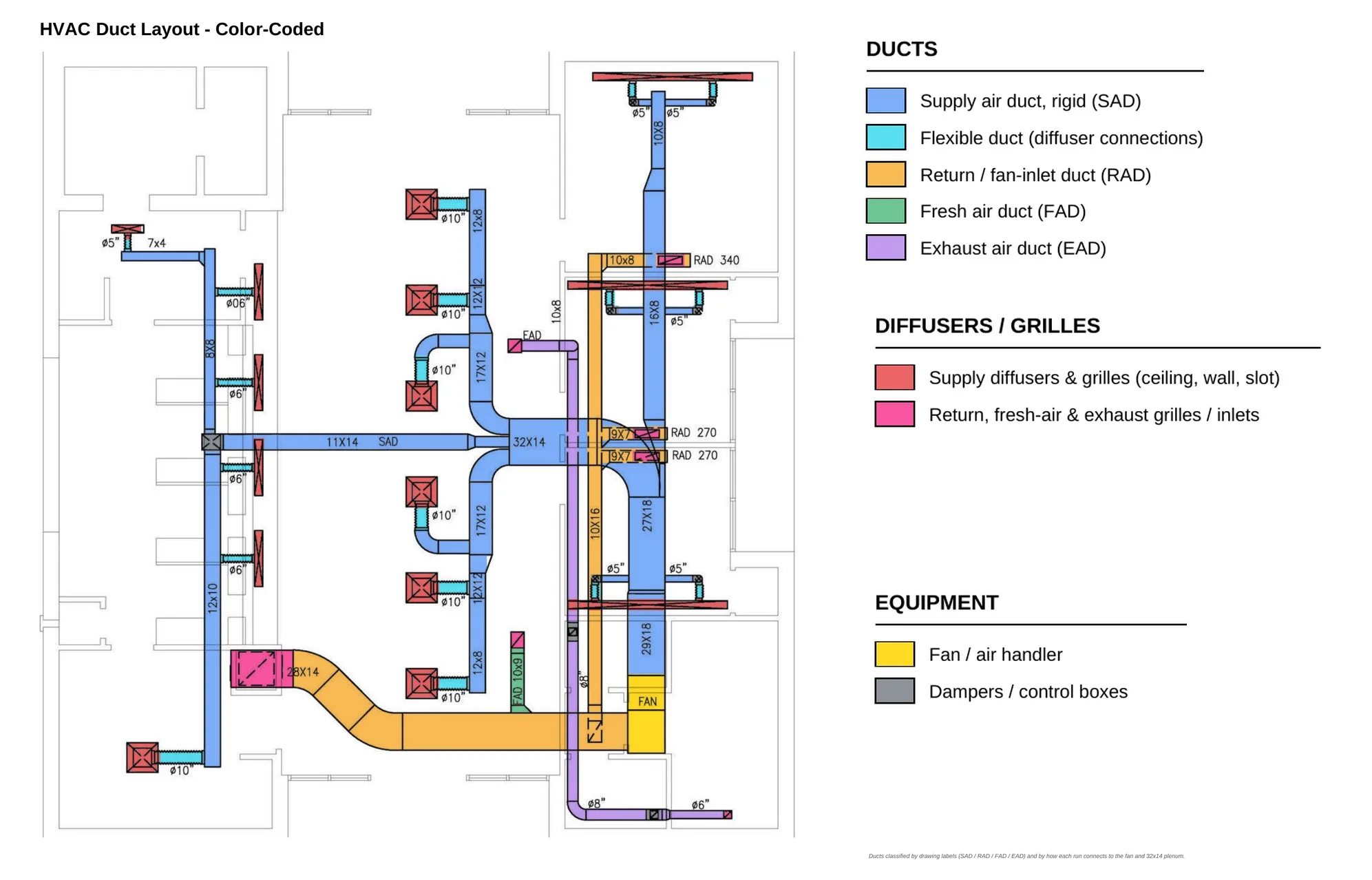
Most document tools stop at reading. EquipTalkIQ measures: duct and pipe networks from the drawing’s own linework, exact symbol counts, legend and schedule reads and an estimate on top. AI names things; estimators approve every quantity.
After award: service and dispatch
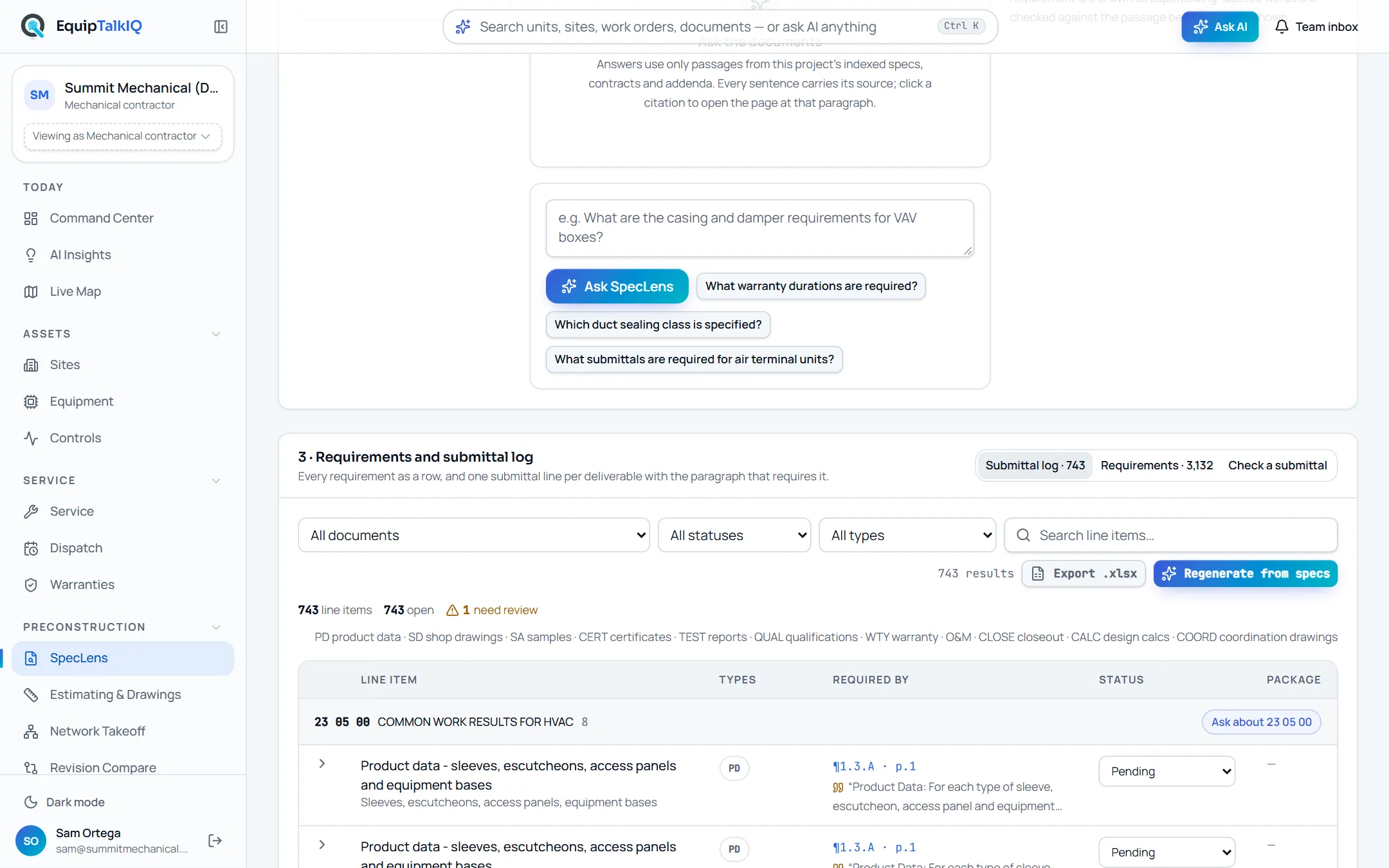
The same units you counted carry their service board, dispatch, warranties, agreements and live points for the next twenty years. No document tool follows the record past award.
ONE RECORD. SIX CHAPTERS.
The same unit, from the first drawing to the next service call.
Document tools help you win the job and stop at award. EquipTalkIQ keeps the record going: the unit you counted on the drawing is the unit you build, hand over, service and watch, and the AI cites the record at every step.
- 01Preconstruction
Takeoff & revisions
Quantities come from the drawing’s own linework. AI reads the legend and names what it sees; estimators accept every count. A new revision is matched sheet by sheet and every change is listed.
Sources: Sheet, scale and the mark behind each quantity.Estimating & Drawings · Network Takeoff · Revision Compare - 02Preconstruction
Specs & submittals
Upload a spec set once. SpecLens indexes it, writes the submittal log, tracks what addenda change and answers in plain language with the paragraph it came from.
Sources: Section, page and paragraph on every answer, with the verbatim quote.SpecLens · Rep Hub submittals - 03Construction
Build, plan & coordinate
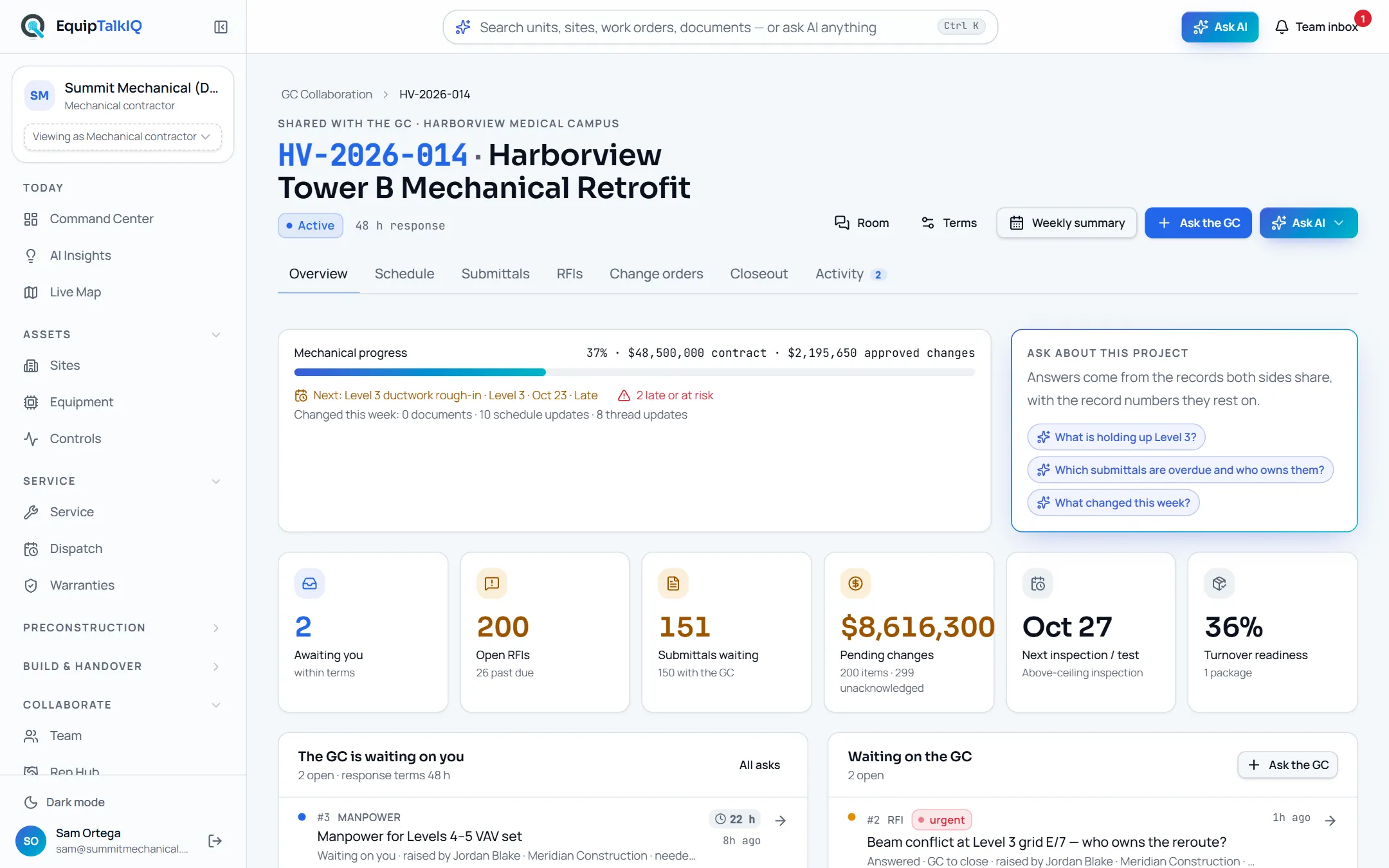
Projects, documents, crews, materials and budget in one plan; the GC gets a project workspace with the schedule, submittals, RFIs, change orders and tracked asks both sides see.
Sources: Which plan rows, milestones and asks an answer rests on.Construction · Planning · GC Collaboration - 04Handover
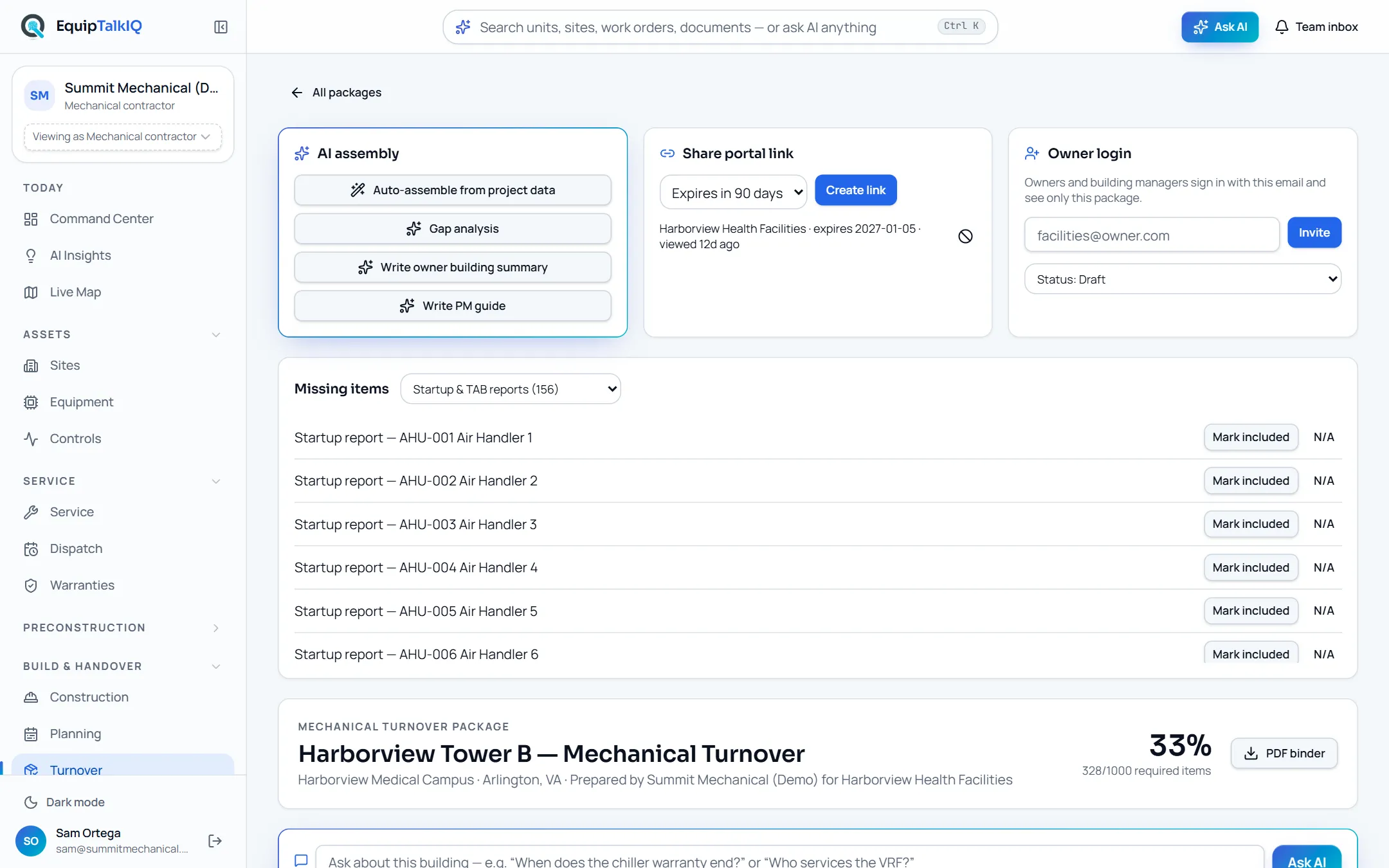
Turnover
An organized handover package: equipment, manuals, warranties, training and service information, as a portal, owner logins or a PDF binder.
Sources: The package sections and records each answer draws on.Turnover · Owner portal - 05Operations
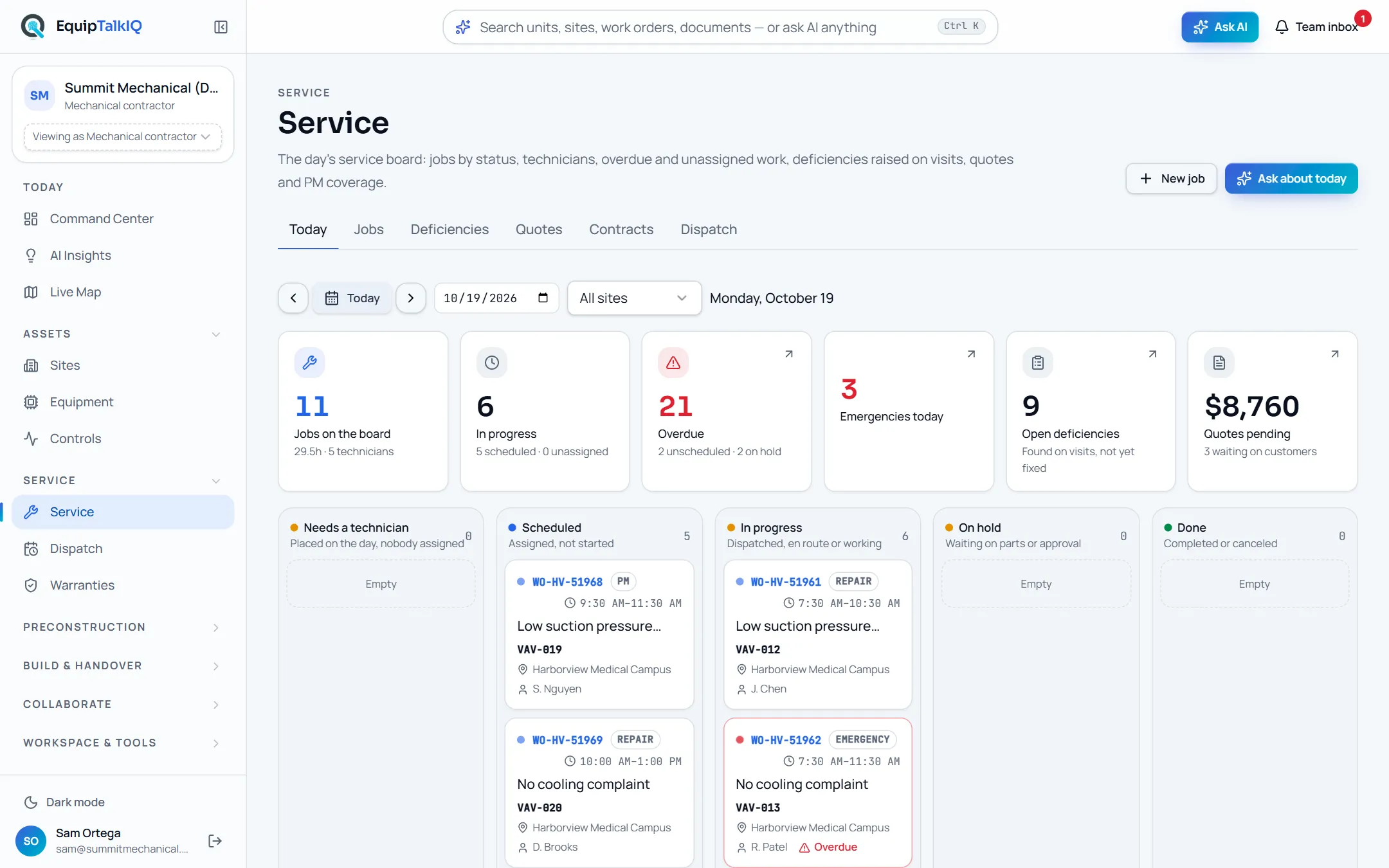
Service, dispatch & warranties
The day’s board, a dispatch calendar per technician with AI-drafted schedules you approve, deficiencies, quotes and warranty claims drafted from the job that found the failure.
Sources: Work orders, agreements, warranties and documents by number.Service · Dispatch · Warranties - 06Operations
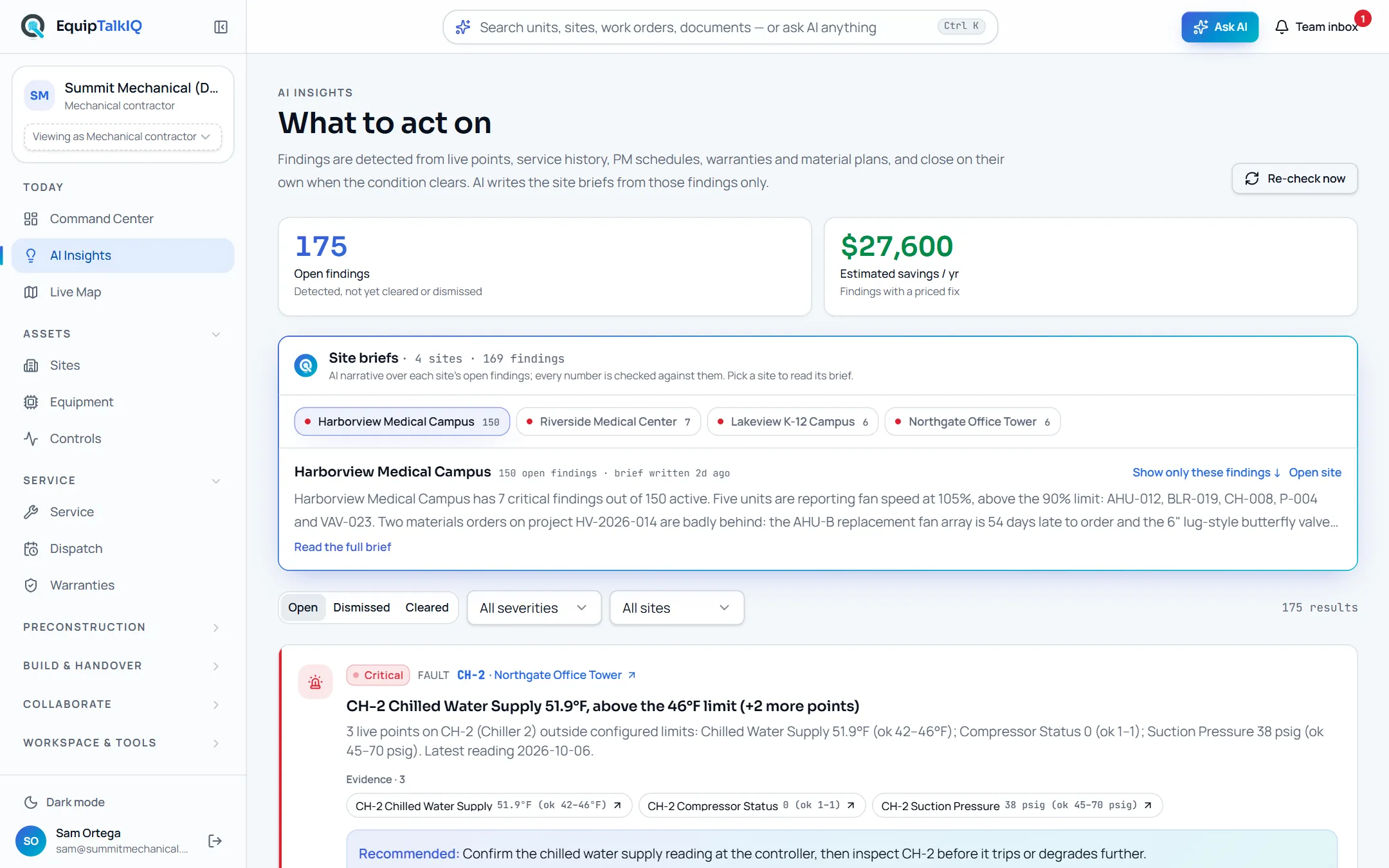
Controls & insights
Points are checked against expected ranges and feed findings that carry their evidence and close themselves when the condition clears.
Sources: The points, visits and plans behind each finding.Controls · AI Insights · Live Map
THE RECORD OUTLASTS THE PROJECT
Win the job with cited answers.
Then keep the building talking.
Explore EquipTalkIQ with sample project data: takeoff, specs, planning, turnover, service, dispatch and controls.
Bring your questions. Follow the sources.