
For general contractors
Mechanical status you can read in one page. Without the sub’s books.
Your mechanical subcontractor gives you a workspace per project: the schedule they share, submittals, RFIs, change orders, closeout, tracked asks with response terms and a weekly summary, with a project assistant that answers only from that view. Never their labor, rates, internal costs or notes.
Book a demoEQUIPTALKIQ / THE CONNECTED MECHANICAL PICTURE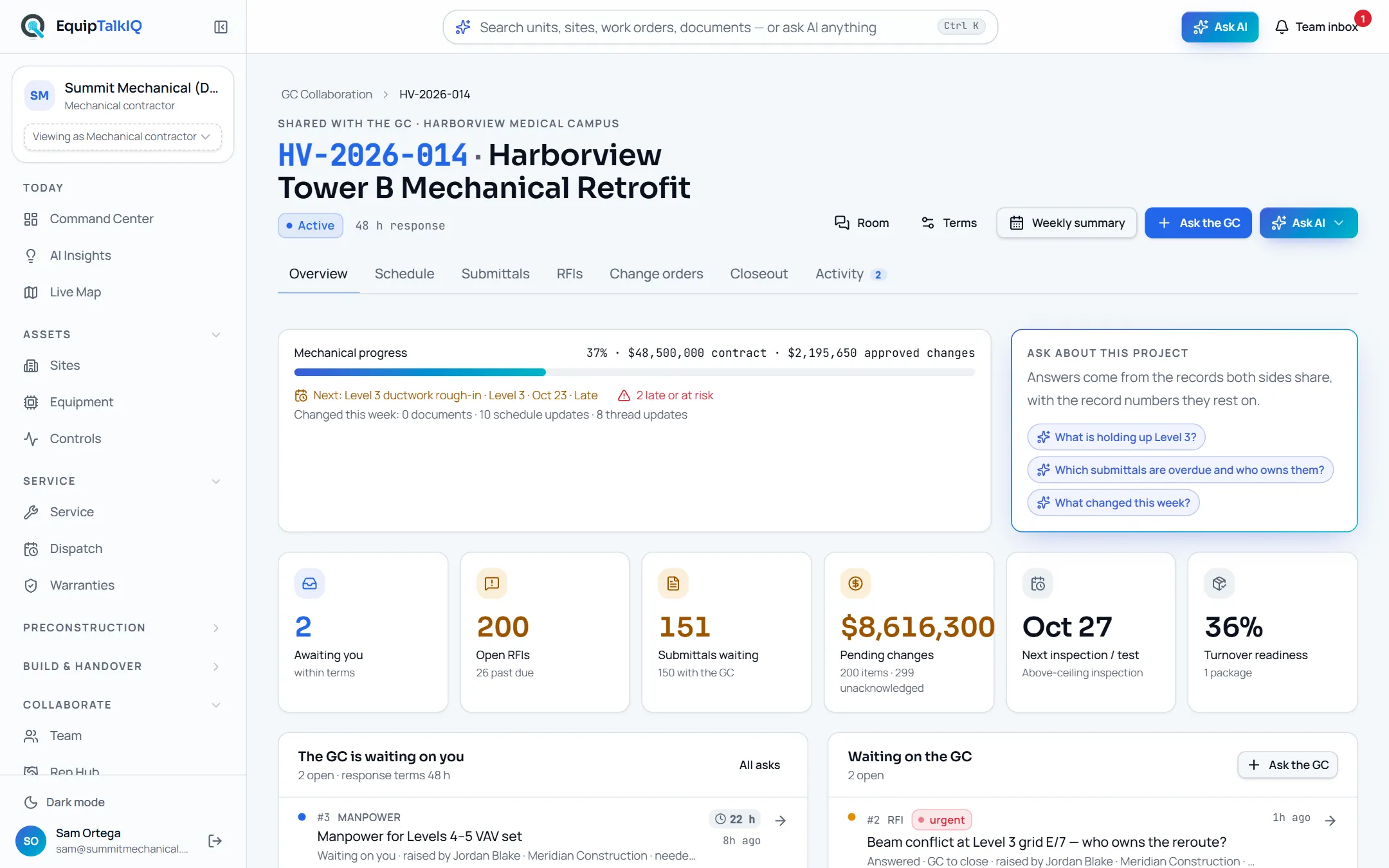
THE GC FLOW
From invite to closeout.
This is the path a GC account walks in the app. Every step is a page in the demo.
- 01
Get invited to a project
Invite from the mechanical sub · Sign up as General contractorYour mechanical subcontractor invites your email to one project from their GC Collaboration page. Sign up as a general contractor with that email and the project, plus a shared coordination room, is granted to you. No access exists before the email is confirmed.
- 02
Open My projects
My projectsEvery mechanical project shared with you: status, progress, next milestone, what is awaiting you and what is awaiting the sub, and a “Needs your response” list across projects. The contractor’s workspace is never in your navigation.
- 03
Read the project the way you need it
Project · Overview · Schedule · Submittals · RFIs · Change orders · Closeout · ActivityOne workspace per project: mechanical progress against the contract and approved changes, the next milestone and what is late, awaiting-you and open-RFI counts, pending changes, the next inspection and turnover readiness. The Schedule tab lists milestones, inspections and tests with planned, forecast and actual dates; Submittals lets you approve or return; Change orders lets you acknowledge or dispute; Closeout shows readiness by section.
- Milestones, inspections and tests shared by the sub
- Approve or return submittals; acknowledge or dispute COs
- Turnover readiness by section and the package itself
GC project workspaceAPP SCREEN / SAMPLE DATA - 04
Raise an ask and track the response
Project · Raise an ask · ActivityEither side raises an ask: RFI, schedule request, three-week look-ahead, manpower, change order, submittal, closeout item or question. Each ask is one record both parties see with its own thread, and the ball flips sides when someone responds. Every project carries response terms, so open asks show their age against the SLA on both sides. AI drafts the RFI (title, question, affected areas, suggested due date) and your next reply; you edit before sending.
- One ask, one thread, both sides
- Age against the response terms, on both dashboards
- AI-drafted RFIs and responses you edit
- 05
Ask the project assistant and read the weekly summary
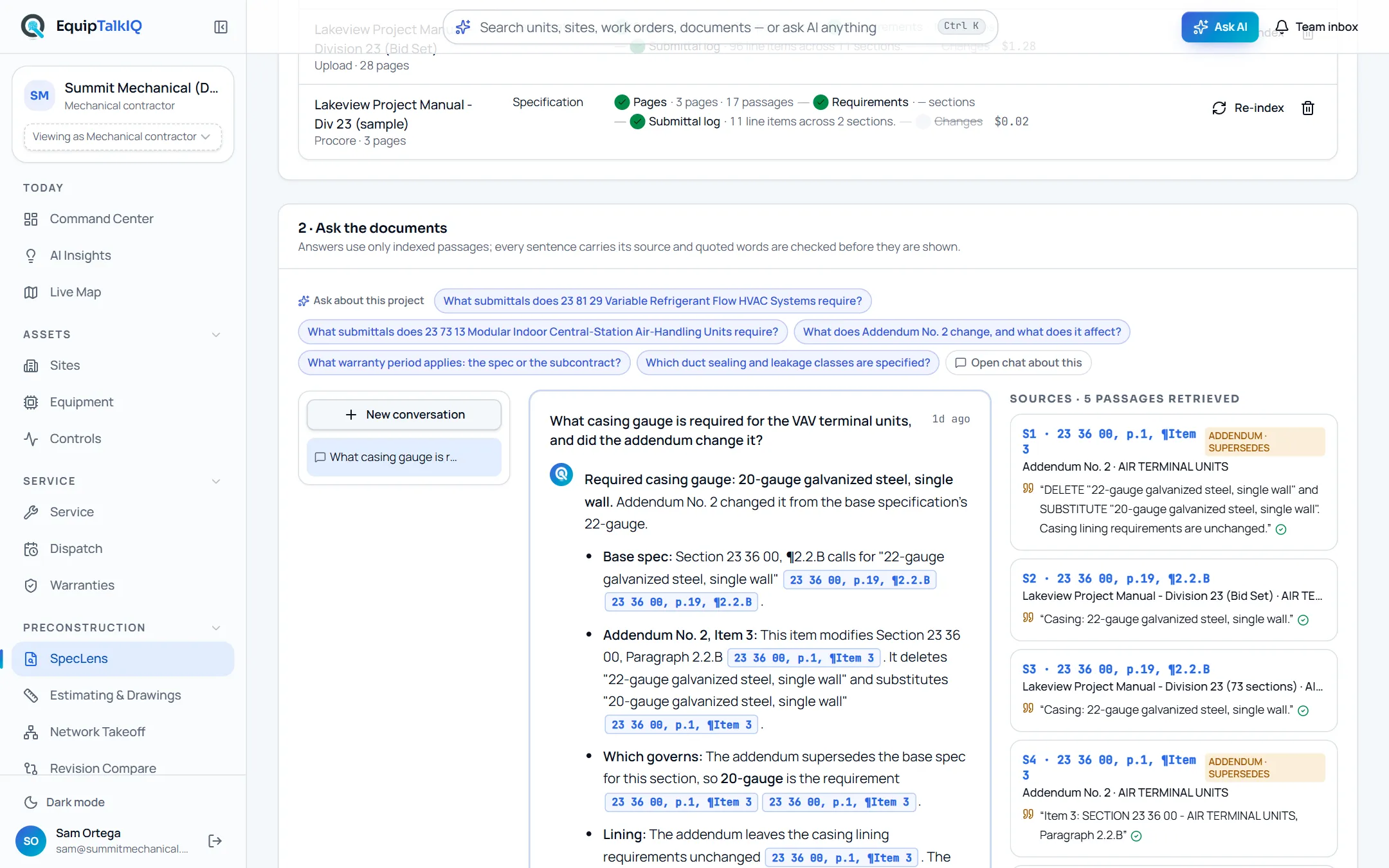
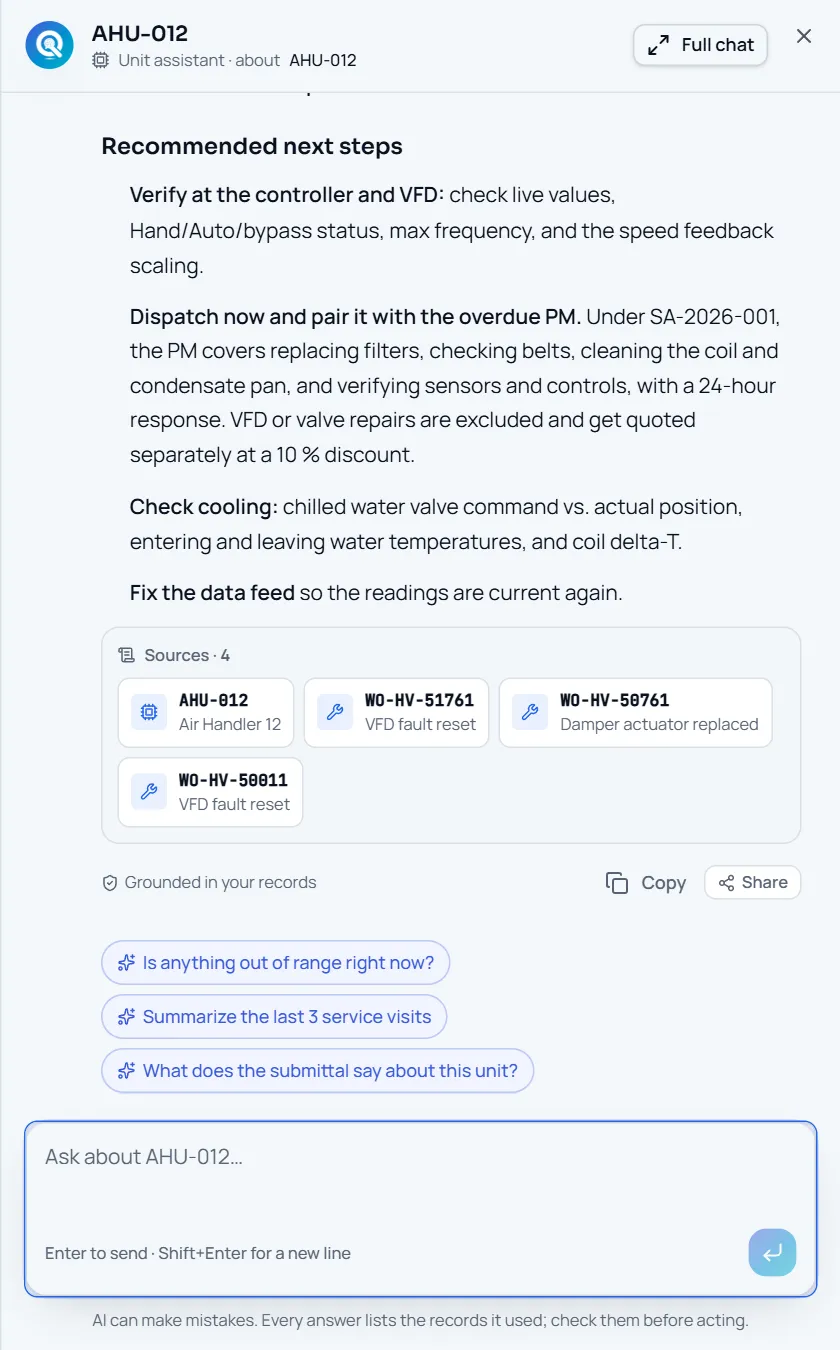
Project · Ask AI · Weekly summaryThe Ask menu offers questions about this project (what is holding up Level 3, which submittals are overdue and who owns them, what changed this week) plus “Open chat about this”. Answers come from the records both sides share and name the record numbers they rest on, checked against the data before they are shown. Weekly summary drafts the owner-meeting update: headline, progress, schedule, RFIs, submittals, changes, closeout and your asks of the sub.
AI panel · answer with SourcesAPP SCREEN / SAMPLE DATA - 06
Coordinate in the shared room and receive the turnover package
Coordination room · Shared with youThe invite also opens a coordination room between your team and the mechanical sub: messages, requests with due dates and the records in question. When the mechanical scope closes out, the package the sub assembled for the owner can be shared with you too: equipment, manuals, warranties, training and service information, as a portal or a PDF binder.
BOUNDARIES
GCs see the project. Not the business.
Sees
- Project status, progress, contract value and approved changes
- Milestones, inspections, submittals, RFIs and change orders the sub shares
- Tracked asks, their threads and response terms
- Turnover readiness, shared packages and the coordination room
Never sees
- Labor, rates, budgets or internal costs
- Internal notes, planning, dispatch or crews
- Other projects the sub has not shared
- The sub’s company chat or equipment records
FOR THE MECHANICAL SUB
Give your GC their own view in one click.
From GC Collaboration, pick a project and an email. The GC gets an account for that project only, plus a shared coordination room, and you see the same workspace with the other side’s verbs: respond, start, close, edit milestones, set the response terms. GC writes land in your Team inbox; your own assistant tells you which asks are overdue and where you are slow to respond.
THE RECORD OUTLASTS THE PROJECT
Win the job with cited answers.
Then keep the building talking.
Explore EquipTalkIQ with sample project data: takeoff, specs, planning, turnover, service, dispatch and controls.
Bring your questions. Follow the sources.