
Built for the people doing the work
Mechanical intelligence. From bid to building.
The work doesn’t stop at award, and neither should your intelligence. EquipTalkIQ connects the estimator, the project manager, the dispatcher, the technician, the controls engineer, and the building owner to the context their next decision needs.
Book a demoEQUIPTALKIQ / THE CONNECTED MECHANICAL PICTURE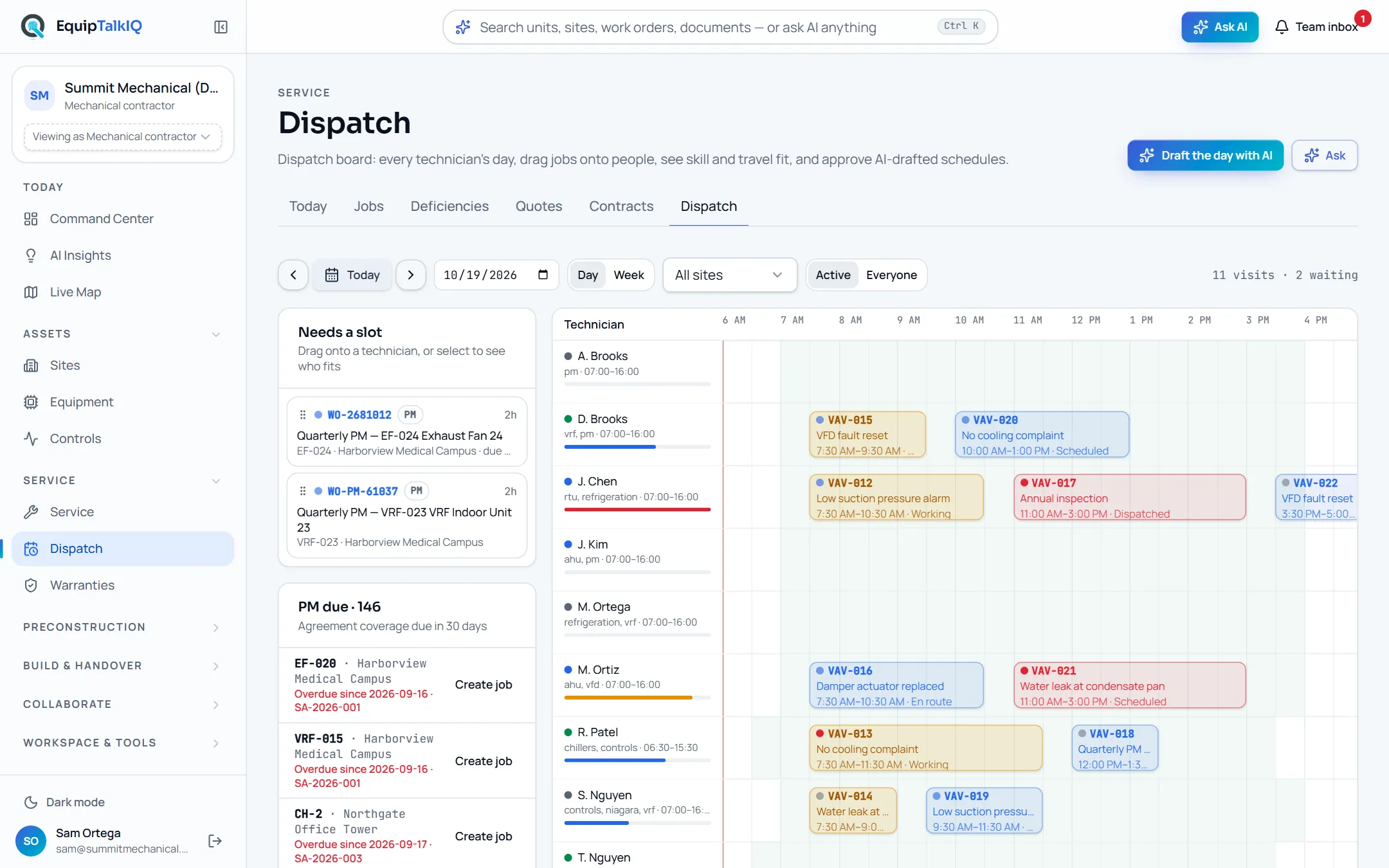
Four disciplines, one record
Construction & preconstruction
Keep the drawing connected to the decision.
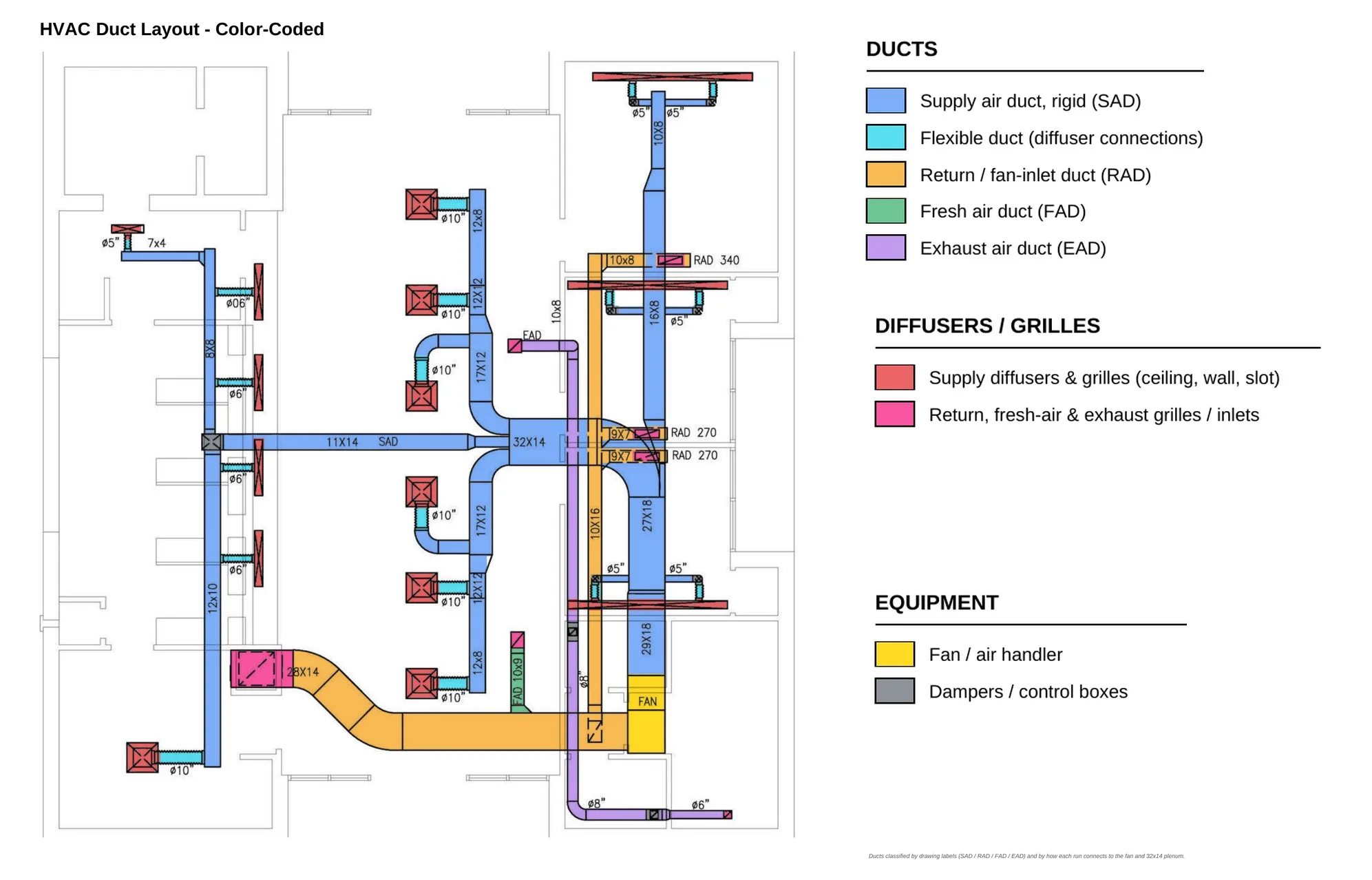
The design, scope, and plan belong in the same conversation. Combine calibrated PDF marks with geometry-first assistance, AI proposals, and legend and schedule cross-checks. Use SpecLens for cited answers, generated submittal logs, addenda tracking and RFI drafts; compare drawing revisions before accepting changed quantities. Draft labor and material plans, then review explicit risks and approve changes. Automated takeoff accuracy remains an evolving capability that needs estimator validation.
- Calibrated mechanical takeoff and Revision Compare
- SpecLens: cited answers, submittal logs, addenda, RFI and QA/QC drafts
- Editable labor & material plans
Service & maintenance
Arrive with the full equipment story.
HVAC service software that starts from the unit, not the ticket. The day’s board shows jobs by status, overdue and unassigned work, deficiencies, quotes and PM coverage; Dispatch lays out every technician’s day with skill and travel fit and AI-drafted schedules you approve. Each job page carries its timeline, forms, parts, photos and an AI brief; each unit carries its history, manuals, warranty coverage and agreement scope, and claims are drafted from the job that found the failure.
- Service board, jobs, deficiencies, quotes, contracts
- Dispatch by technician and day, AI-drafted schedules
- Warranty coverage, registration and AI-drafted claims
Controls & operations
A point value is only the beginning.
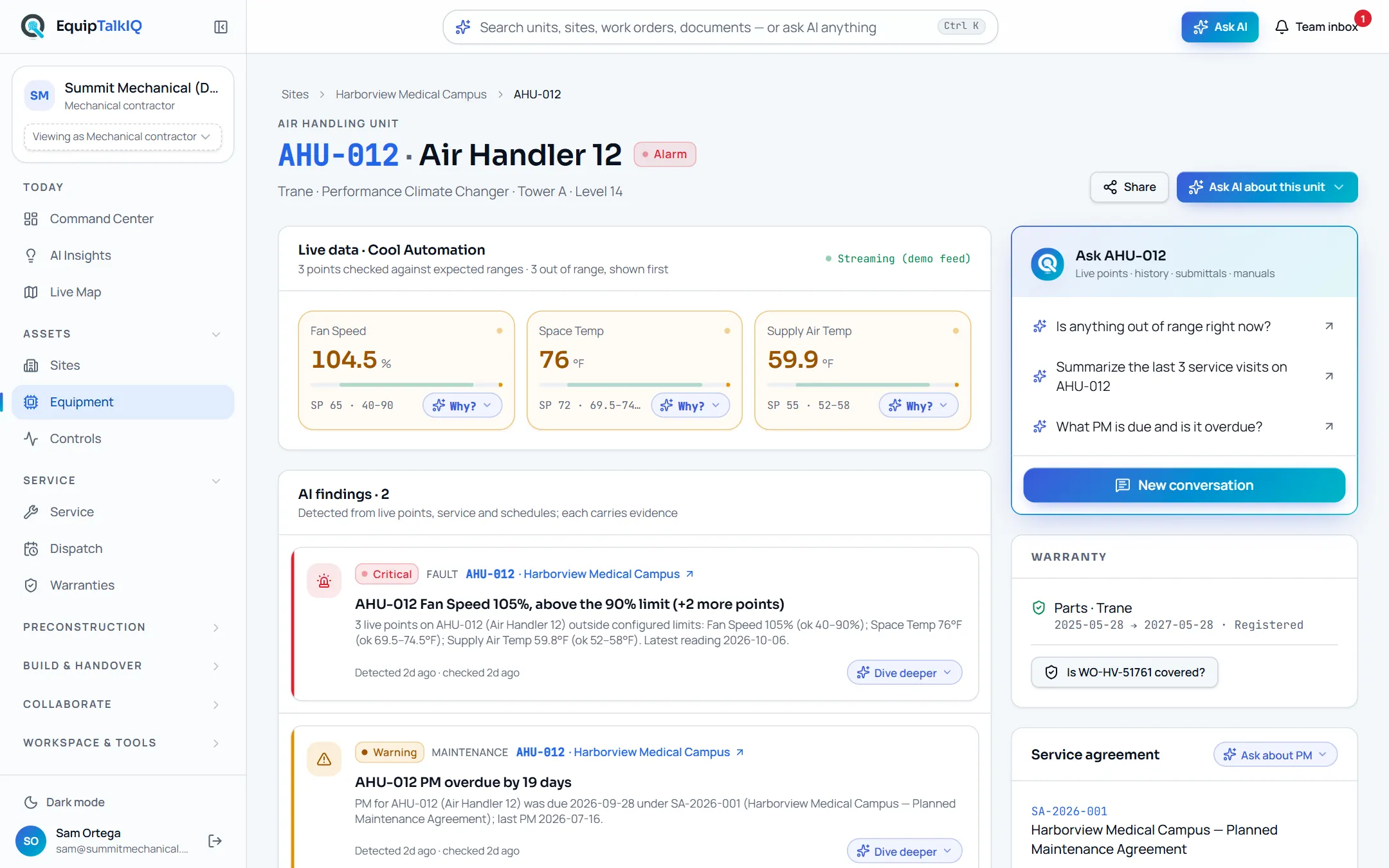
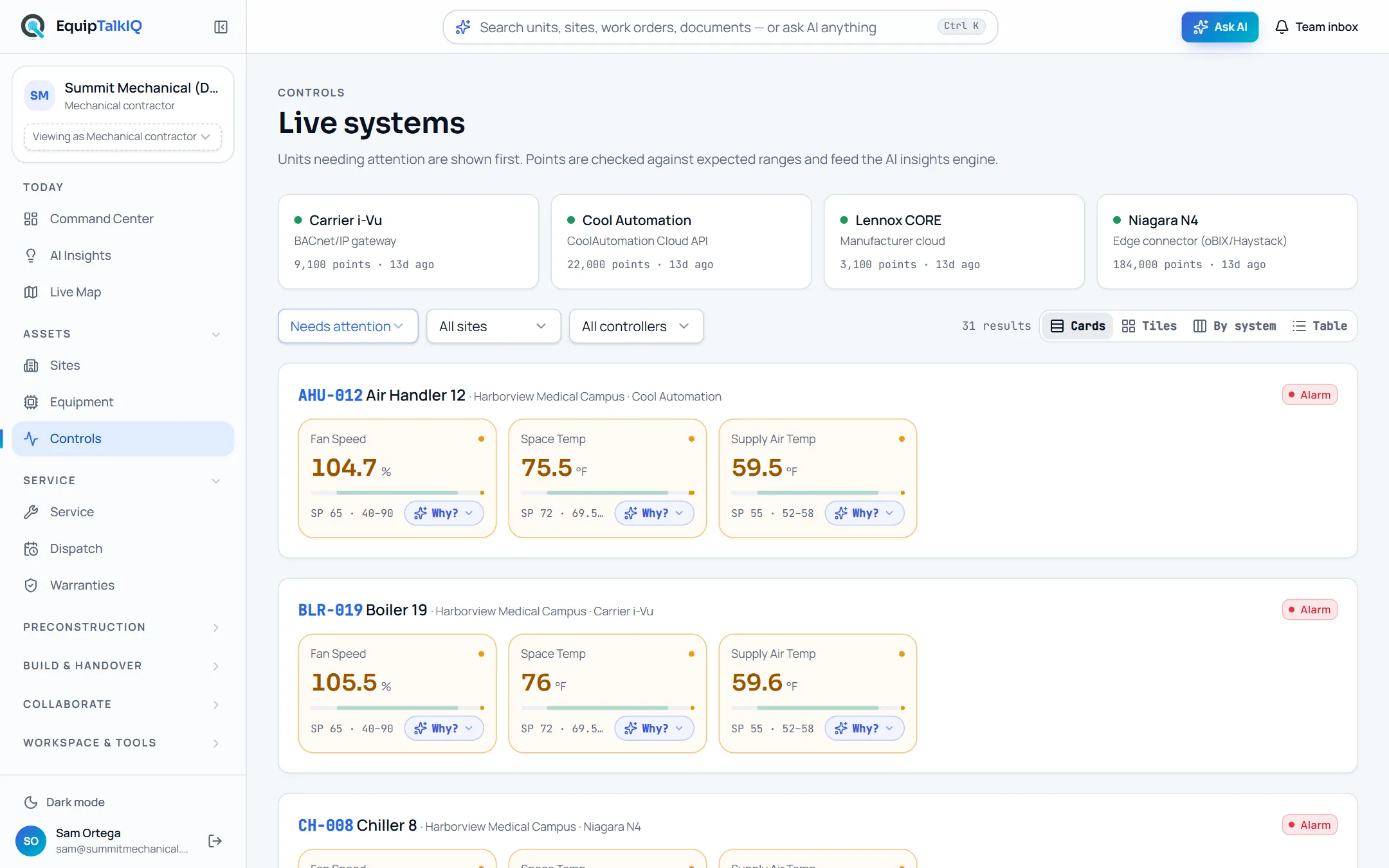
Temperature, status, and alarms become more useful beside the equipment story. BAS points are checked against expected ranges and feed findings with evidence that resolve when the condition clears; AI writes site briefs from those findings alone. Review controls context alongside service records and project documentation, then ask AI to go deeper. Explore simulated telemetry today; Niagara N4, Carrier i-Vu, central controllers, and Cool Automation connections are scoped per customer.
- Site and equipment controls views
- Findings with Evidence · n and AI site briefs
- Niagara and controller integration roadmap
Teams, reps, GCs & owners
A stronger handover. A lasting connection.
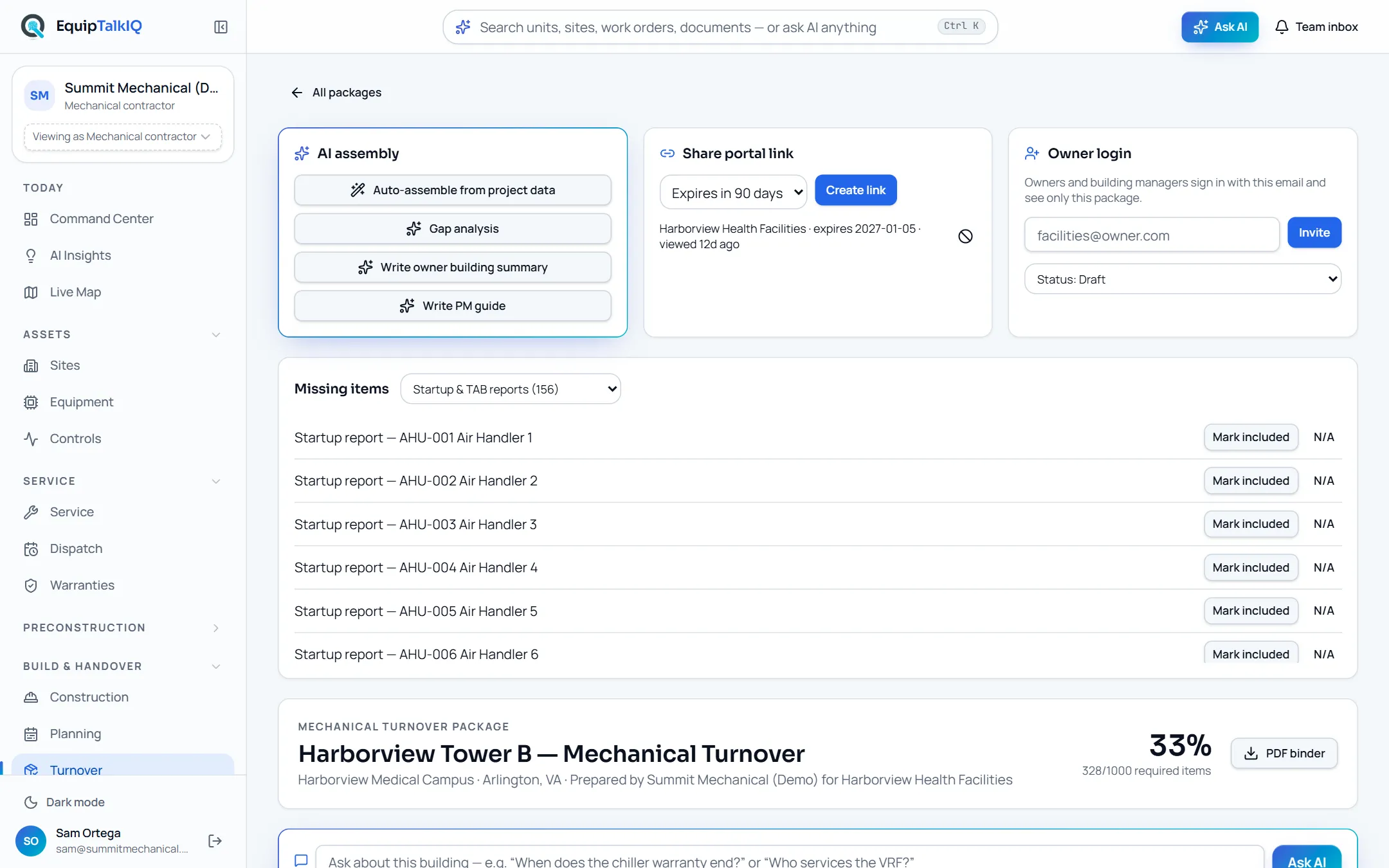
Send teammates an AI answer or record with a snapshot, priority, replies, and follow-up tasks. Bring manufacturer reps into rooms with the equipment schedule, submittals, documents and site visits. Give the GC a workspace per project with tracked asks and a weekly summary. Then organize an owner handover across equipment, documents, service information, training, and more, with portal access, owner logins and a PDF binder.
- Team inbox: shares, replies, tasks and AI follow-up
- Rep rooms and GC project workspaces
- Owner portals and PDF turnover binders
One lasting handover.
INTELLIGENCE THAT TRAVELS
Ask. Understand.
Bring the team.
From a question at the unit to a conversation that moves the work forward.
Not a chatbot. The unit’s own assistant.
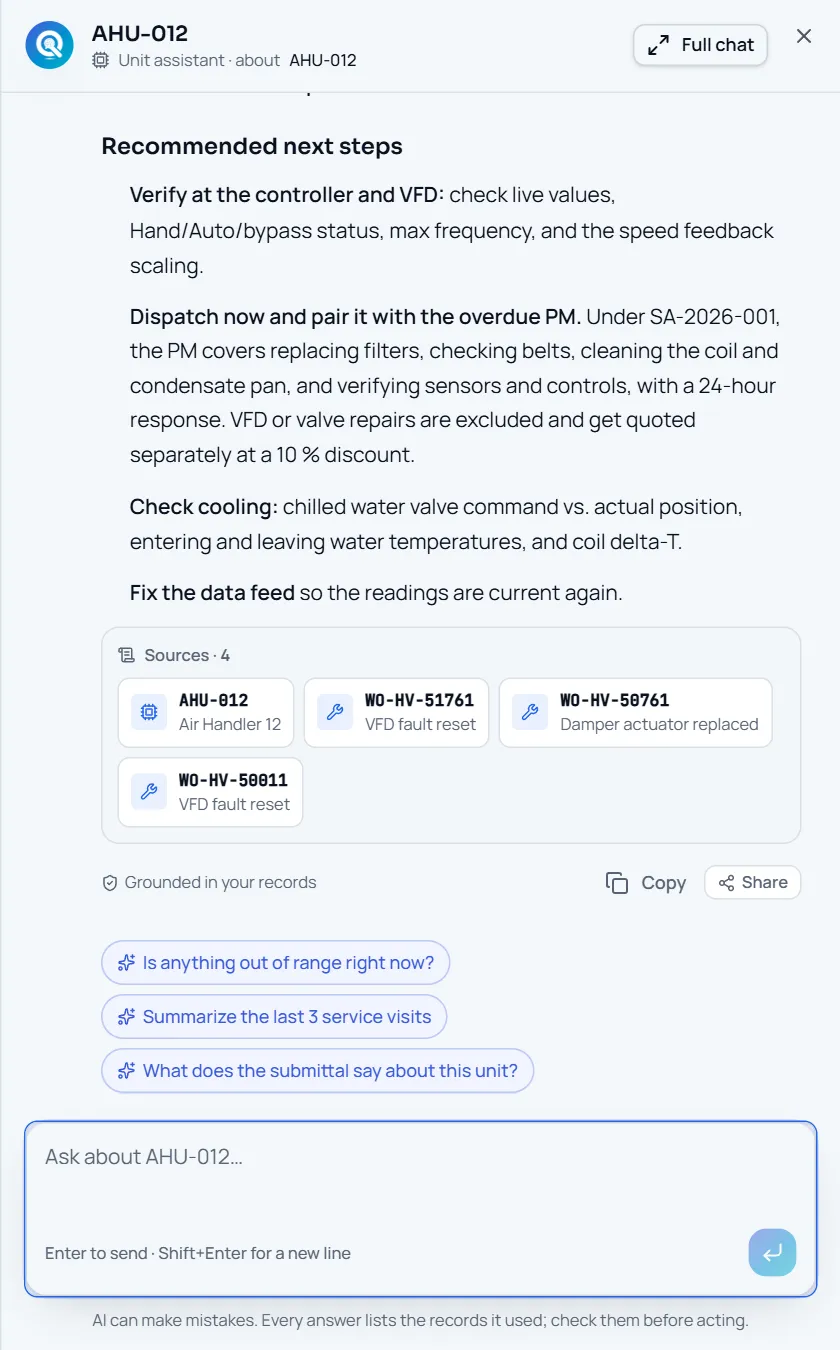
Every Ask button is a menu of questions about the record you are on, plus “Open chat about this”. The assistant retrieves service history, agreements, warranties and documents through scoped tools and ends with a Sources strip naming the records it used.
- Ask menus with 2–5 context questions on every page
- Working summary, then the answer, then Sources · n
- Follow-up chips and “Grounded in your records”
Captured app screens with sample records. No external message is sent.
ONE BUILDING. DIFFERENT RESPONSIBILITIES.
A shared picture. Thoughtful boundaries.
Contractors, reps, owners, and GCs see the work they need. Their AI uses the context they’re allowed to access, not somebody else’s private information.
Collaboration without
the information free-for-all.
Give reps a room with the equipment schedule, submittals and site visits. Give GCs a project workspace with tracked asks. Give owners the equipment and maintenance context. Keep internal costs, margins, and private notes out of the wrong conversation.
- Account-specific AI context
- Room, project, and package access
- Intentional sharing instead of broad access
The right information.
The right boundary.
Only this company’s accessible records.
Editorial sample. This switch does not change real permissions or call AI.
THE OPERATION, IN FOCUS
More than an answer. A way forward.
A useful insight should lead back to the people, plans, and assets that can act on it.
A portfolio when you need it. A single unit when you don’t.
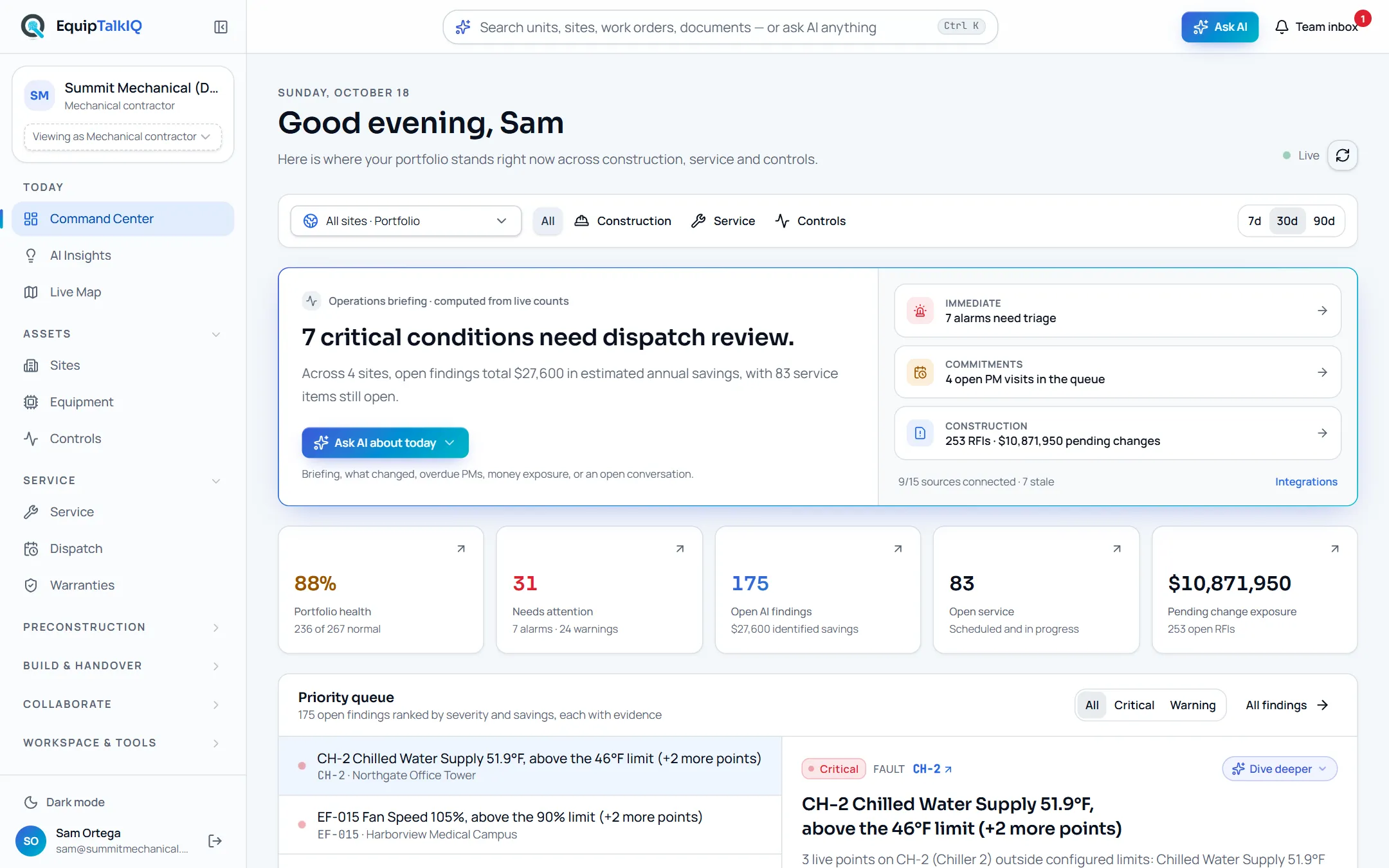
Go from your sites to equipment, from a VRF outdoor unit to its indoor units. Combine construction, service and controls focus. The briefing is computed from live counts; the priority queue ranks findings by severity and savings, each with its evidence.
- Site and equipment drill-downs in the URL
- Priority queue with Evidence · n
- One Ask bar and ⌘K for search or a portfolio question
Less scrolling past.
More figuring things out.
Mechanical ideas worth exploring. Evidence you can follow. Perspectives you can switch. A journal that puts the work in your hands.
Interactive readOne equipment tag. A whole building story.
Why a service note, a submittal, and an operating point tell a better story together—and where AI should stop.
Explore the storyInteractive readWhat should happen before AI answers?
Follow a question from account access to relevant records, a grounded response, and the next team action.
Explore the story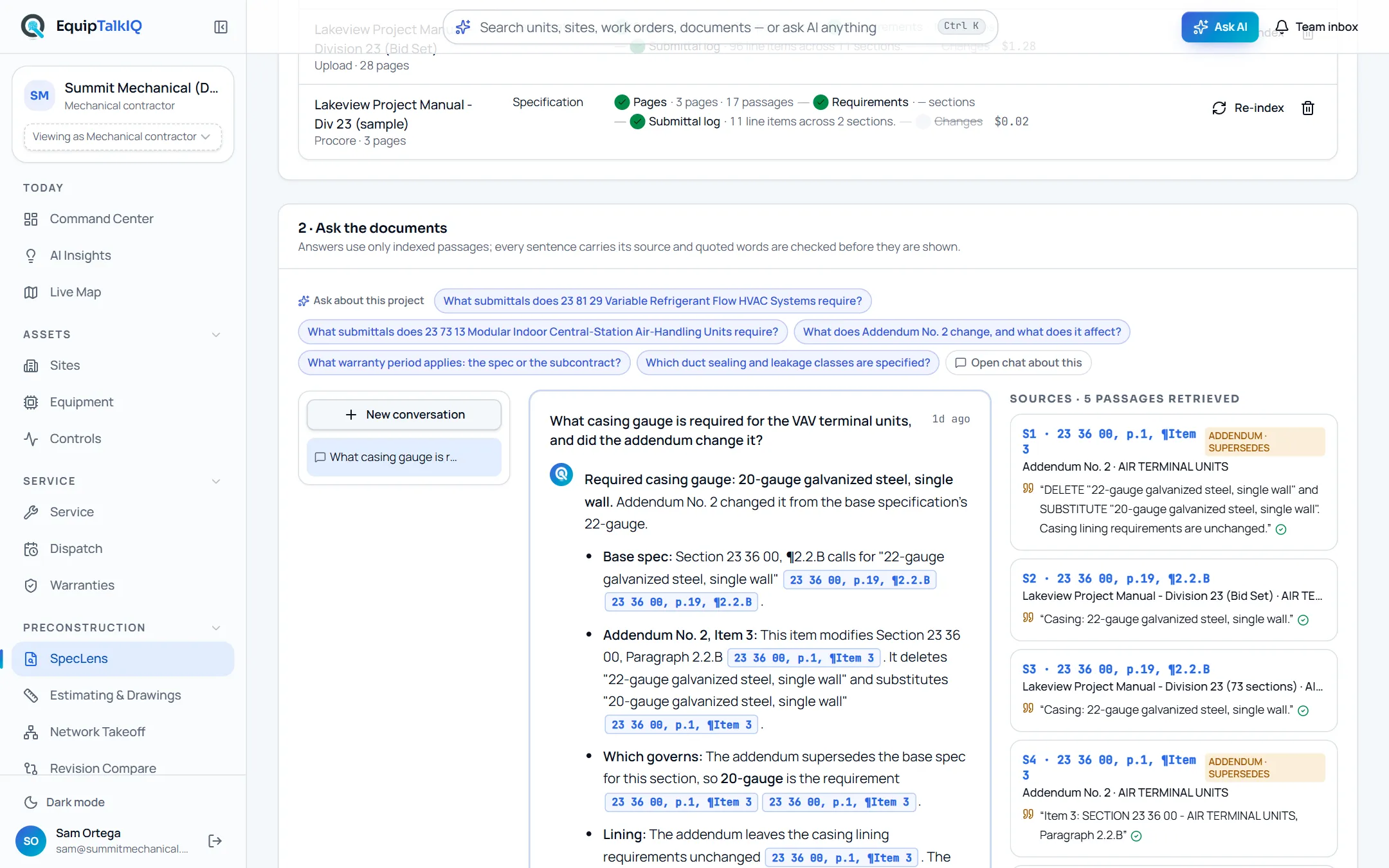 Interactive read
A takeoff number needs a chain of evidence.
Explore drawing revisions and the difference between recognized symbols, measurable geometry, and reviewed quantities.
Explore the storyTHE RECORD OUTLASTS THE PROJECT
Win the job with cited answers.
Then keep the building talking.
Explore EquipTalkIQ with sample project data: takeoff, specs, planning, turnover, service, dispatch and controls.
Bring your questions. Follow the sources.