
For building owners & property managers
Your building, finally explained.
Every air handler, chiller, boiler and VAV box, with its live readings, warranties, service history and turnover documents in one owner view. Ask a question in plain English and get an answer grounded in your building's own records.
Book a demoEQUIPTALKIQ / THE CONNECTED MECHANICAL PICTURE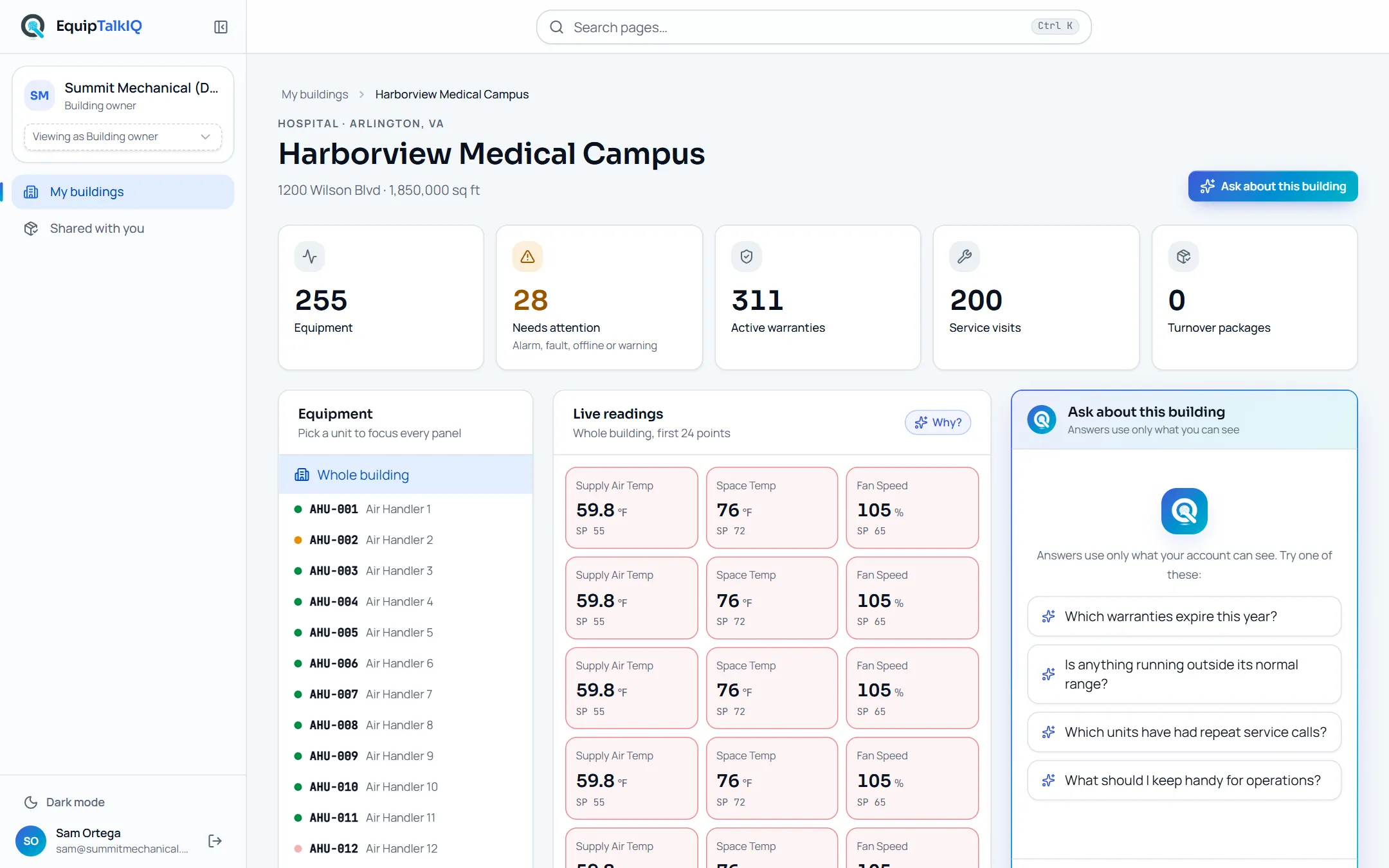
place for every building's mechanical record
plain-language answers about your equipment
contractor pricing, labor or internal notes shown to owners
building memory that stays when the team changes
Illustrative product commitments, not customer results.
What owners get
A building that can answer for itself.
Most owners inherit a binder, a login to a controls system they never open, and a service vendor's invoices. EquipTalkIQ turns all of it into one record you can actually use.
THE BUILDING DIGITAL TWIN
Every unit.
One screen.
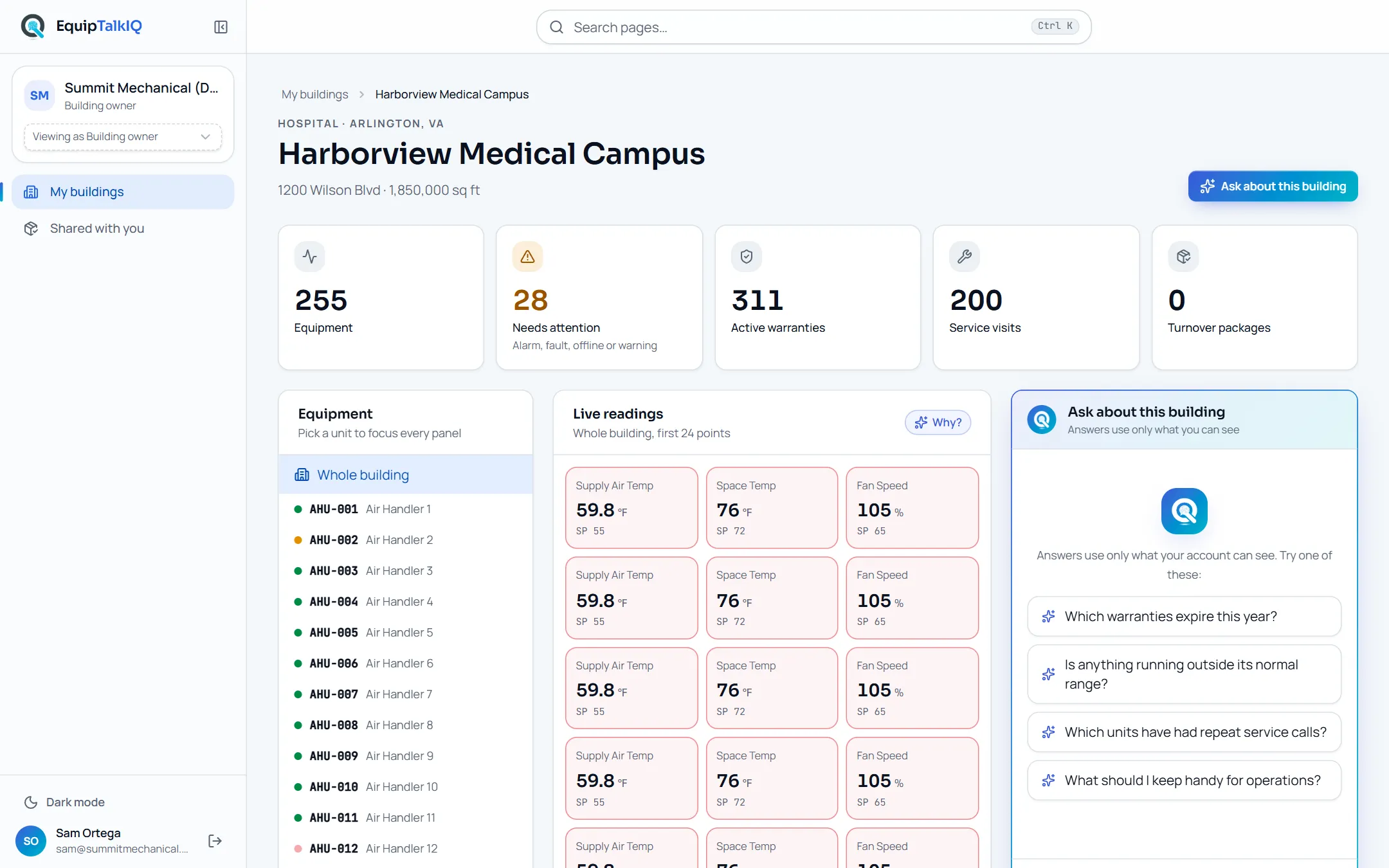
Open a building and see equipment count, what needs attention, active warranties, service visits and turnover packages at a glance. Drill into any unit for its readings, history and documents. Every number has a Why? button that explains where it came from.
- Equipment register for the whole building
- Live readings against setpoints
- Warranties, service visits and documents in one place
OWNER AI ASSISTANT
Ask the building.
Get a straight answer.
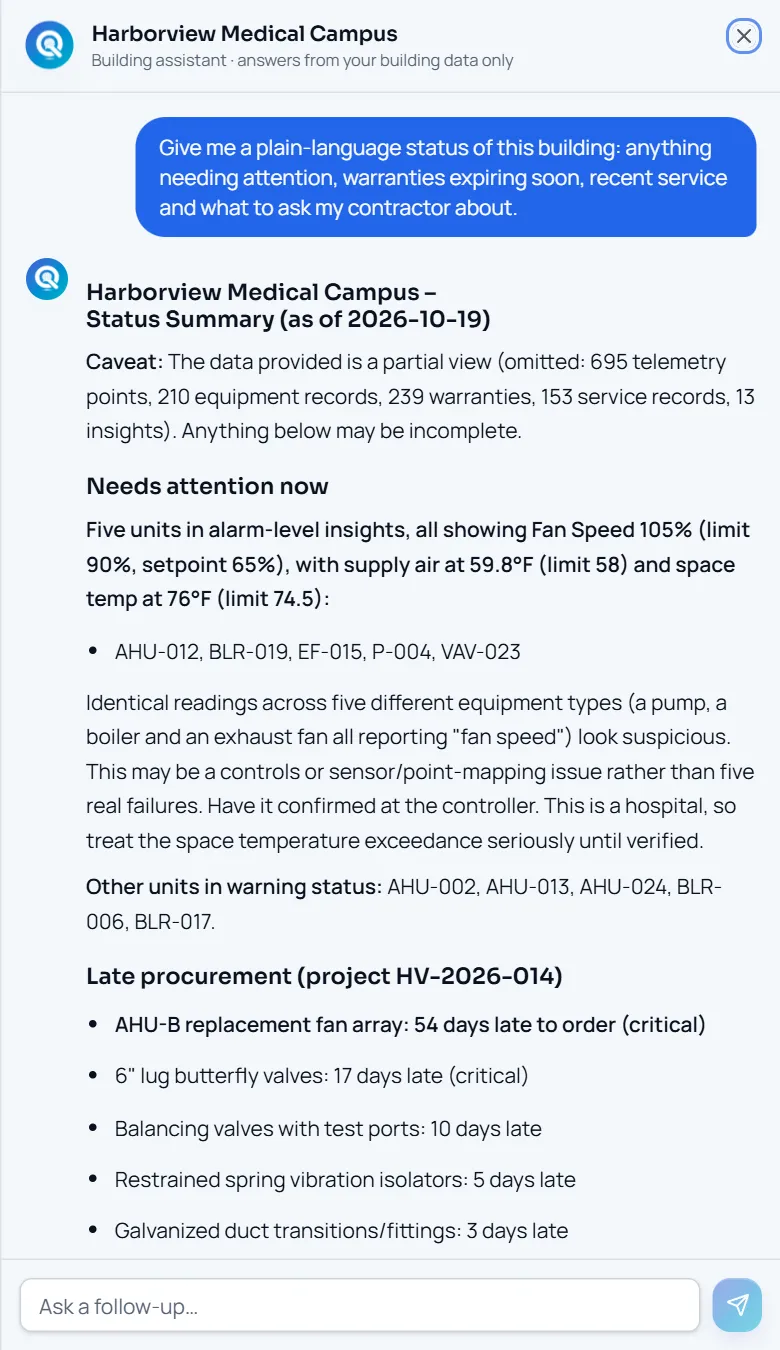
Owners and property managers don't need to read trend logs. Ask what needs attention, why, and how urgent it is. The assistant ranks problems, names the equipment and location, and recommends next steps using only data your account can see.
- Plain-language answers with tables
- Ranked by urgency
- Scoped strictly to the owner's buildings
READINGS AND WARRANTIES
Problems found
before tenants call.
Live readings are shown against their setpoints and units outside their expected range are flagged, each with a Why? button that explains the reading from the building’s own records. Warranties list coverage, the manufacturer, the end date and whether the unit was ever registered, so you can act before coverage lapses.
- Out-of-range readings flagged against setpoints
- Why? explanations from the owner assistant
- Warranty end dates and registration status per unit
SERVICE TRANSPARENCY
Know what was
actually done.
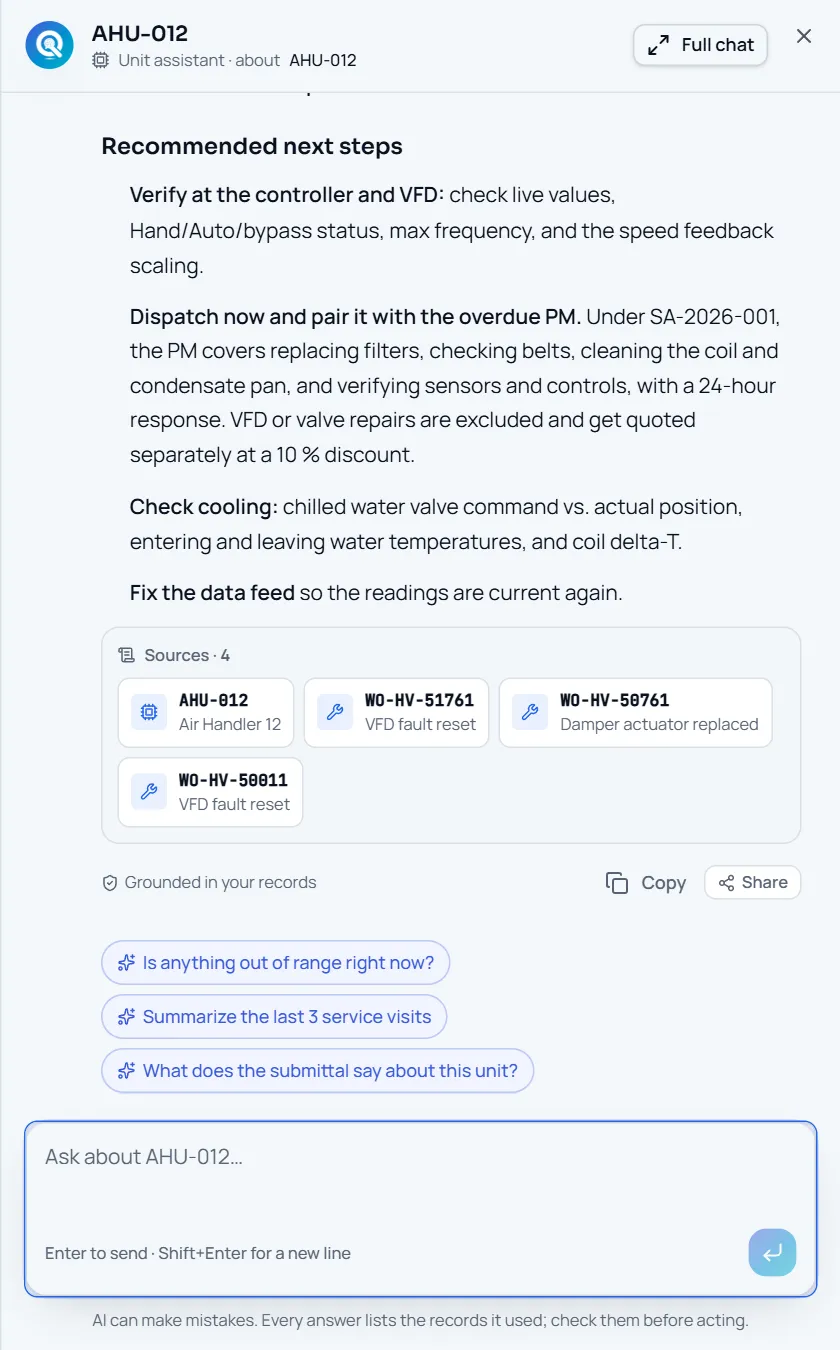
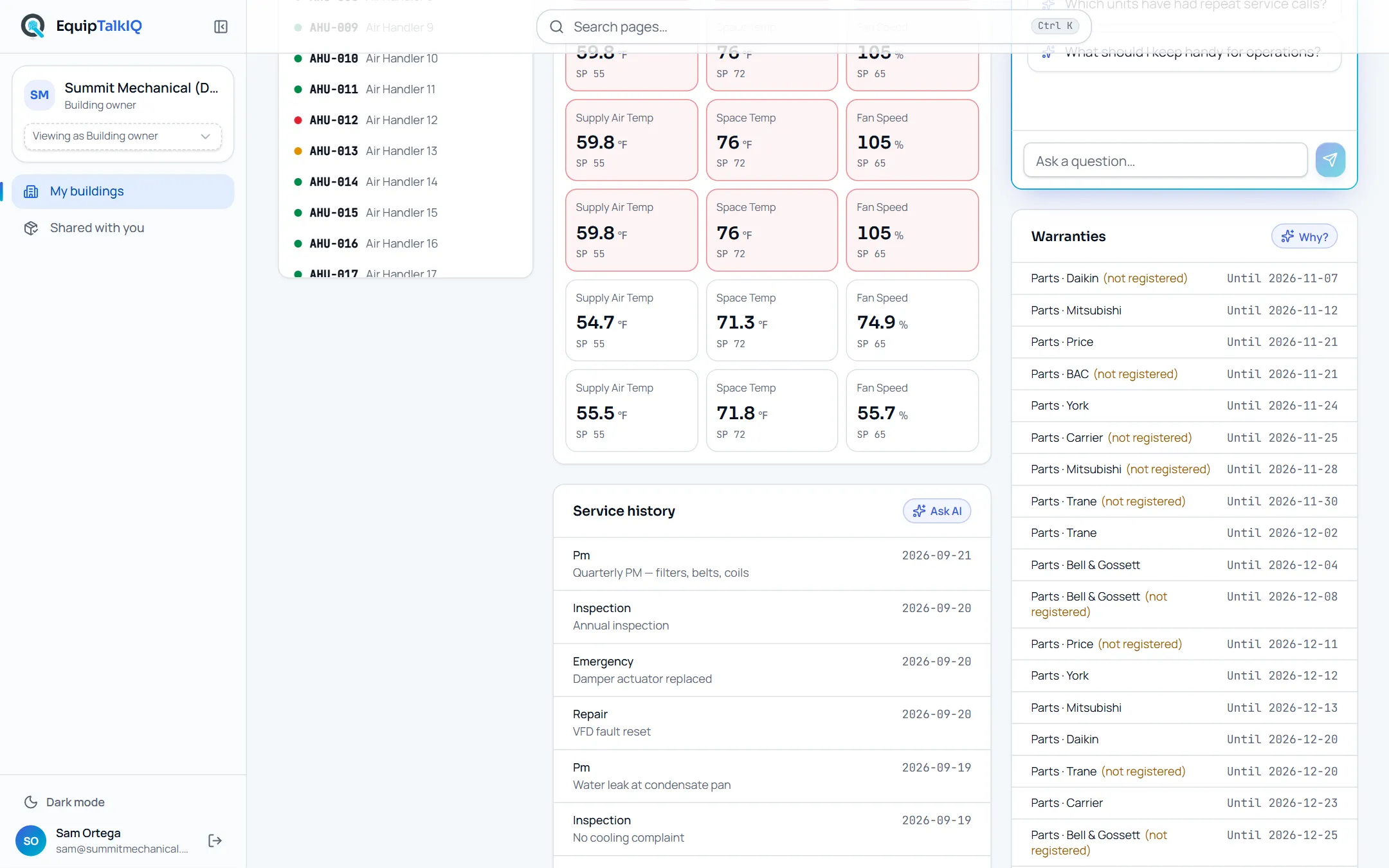
Quarterly PMs, inspections, repairs and emergency calls are recorded against each unit with dates and descriptions. See repeat failures, verify contract work and hold every vendor to the same standard.
- Dated service history per building and unit
- Repeat issues easy to spot
- Proof of PM for insurance and audits
TURNOVER THAT LASTS
The handover
becomes the record.
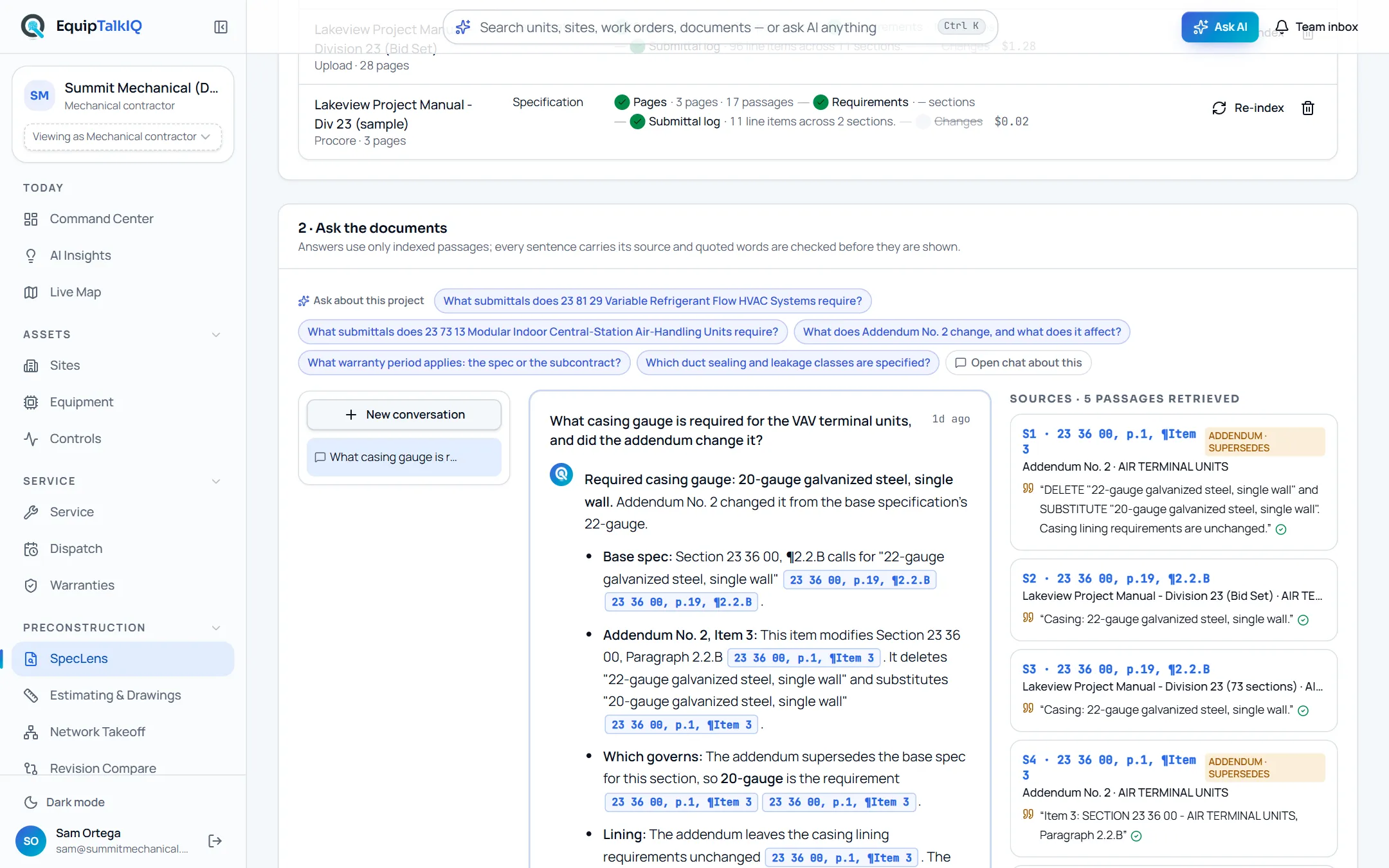
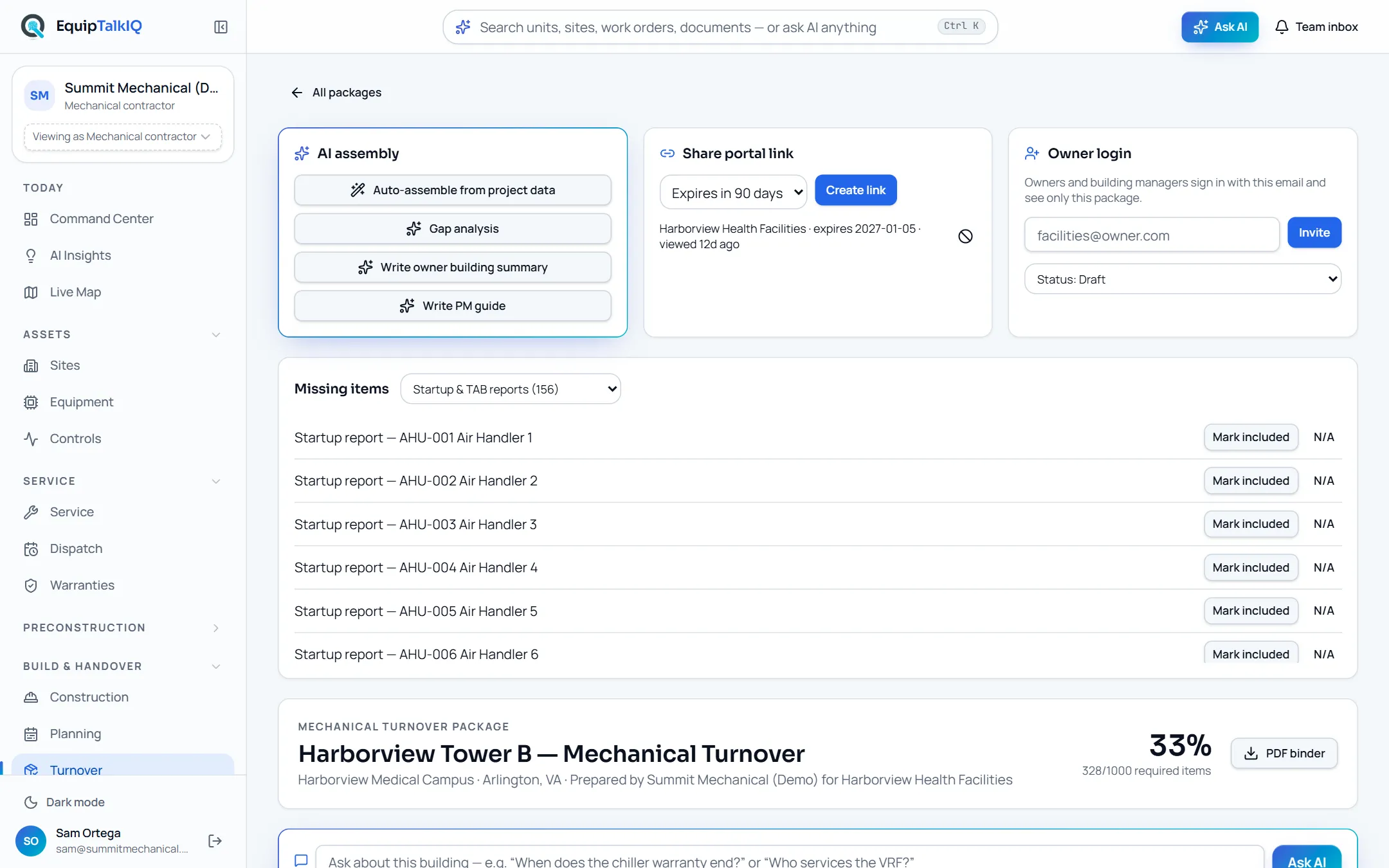
When construction ends, the contractor delivers an organized turnover package with equipment, manuals, warranties and training. It stays attached to the building for the life of the asset, not lost on a shared drive.
- Owner-ready package sections
- PDF binder or secure link
- Revocable, expiring access
PORTFOLIO VIEW
One building or
the whole portfolio.
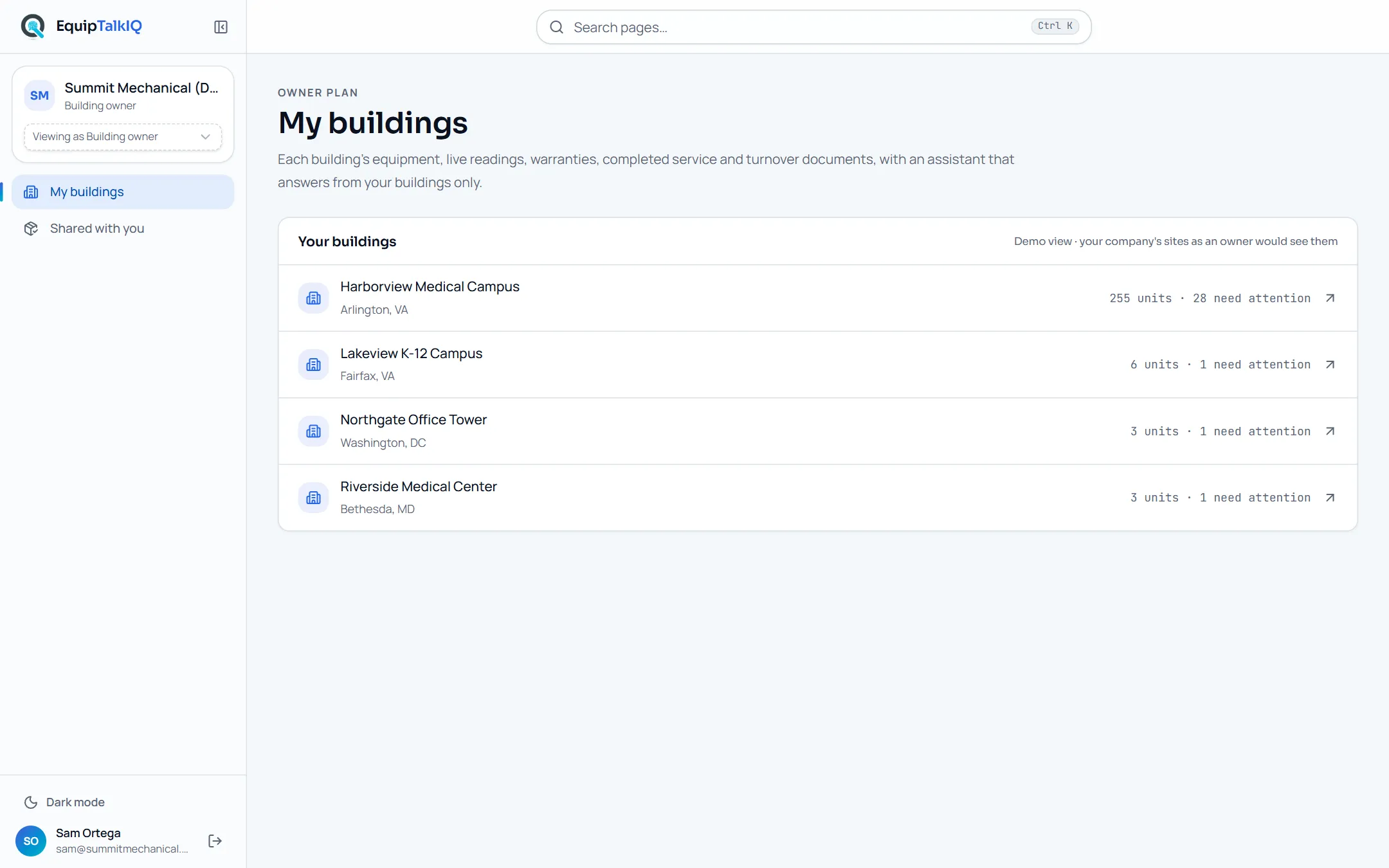
Hospitals, campuses, office towers and schools in one list. Property managers move between buildings without switching tools, and invited owners see only the buildings shared with them.
- Multiple buildings per account
- Invite owners per building
- Consistent view across every site
Try it
Questions owners actually ask.
Pick a question to see the kind of answer the owner assistant gives from sample building data. In the app the assistant also offers these as an Ask menu on every building.
Which equipment needs attention right now?
Six units are flagged critical (operating outside expected range) and 19 more have warnings. The assistant ranks them by urgency, names the unit and location, and recommends dispatching a technician to the critical items first.
Summary of sample-data behavior. Answers depend on the records connected to your building.
Built for every seat at the table
Who uses the owner view.
Building owners
See the condition, risk and warranty position of the assets you own. Make capital decisions with real equipment history, not guesses.
Property managers
Answer tenant comfort complaints faster, know what service was done, and keep vendors accountable without chasing paperwork.
Facility directors
Live readings, open findings and manuals per unit. Your engineers start every call with the context the last technician left behind.
Asset & portfolio managers
Compare buildings side by side. Spot aging equipment, expiring warranties and repeat failures across the portfolio.
The building lifecycle
From the last day of construction to the next twenty years.
Turnover
At project close the contractor delivers an organized package: equipment register, O&M manuals, warranties, training and as-builts.
Live twin
That package becomes a living building twin with equipment, readings and recommendations instead of a binder on a shelf.
Service
Every PM, repair and emergency call your service partner completes is added to the unit it belongs to.
Decisions
Budget, replace or repair with the full history in front of you, and ask AI to explain it in plain language.
Privacy by design
Owners see the building. Not the business behind it.
The owner view is a firewall, not a filter. Owners are excluded from the contractor's company workspace and read only what has been granted to them.
- Equipment, readings, warranties and completed service
- Delivered turnover documents and manuals
- Never pricing, budgets, labor, internal notes or rep data
- AI answers only from what the owner can see
Fewer emergency calls
Catch out-of-range equipment early.
Warranty value kept
Register and claim before coverage lapses.
Better vendor relationships
Shared facts instead of disputed invoices.
Smarter capital plans
Replace with history, not hunches.
For reps and service partners
Bring more value to the buildings you already serve.
Manufacturer reps and mechanical contractors can introduce the owner view to the owners and property managers they work with. The owner gets a clear picture of their building; you stay connected to the equipment you sold, installed or service.
Owner FAQ
Questions from owners and property managers.
No. Owners see a dedicated view of their buildings only: equipment, readings, warranties, completed service and delivered turnover documents. Pricing, budgets, labor, internal notes and rep information are excluded, and the AI assistant can only answer from what the owner is allowed to see.
THE RECORD OUTLASTS THE PROJECT
Win the job with cited answers.
Then keep the building talking.
Explore EquipTalkIQ with sample project data: takeoff, specs, planning, turnover, service, dispatch and controls.
Bring your questions. Follow the sources.