
Receipts before confidence
How the AI earns trust.
Every answer ends with the records it used. Every finding links its evidence. Numbers that were computed say so, and only things a model produced wear the AI colour. Your company’s data is one tenant, each audience gets an assistant that can see only its own view, and every model call is metered. This page describes those components as they are built.
Book a demoEQUIPTALKIQ / THE CONNECTED MECHANICAL PICTURE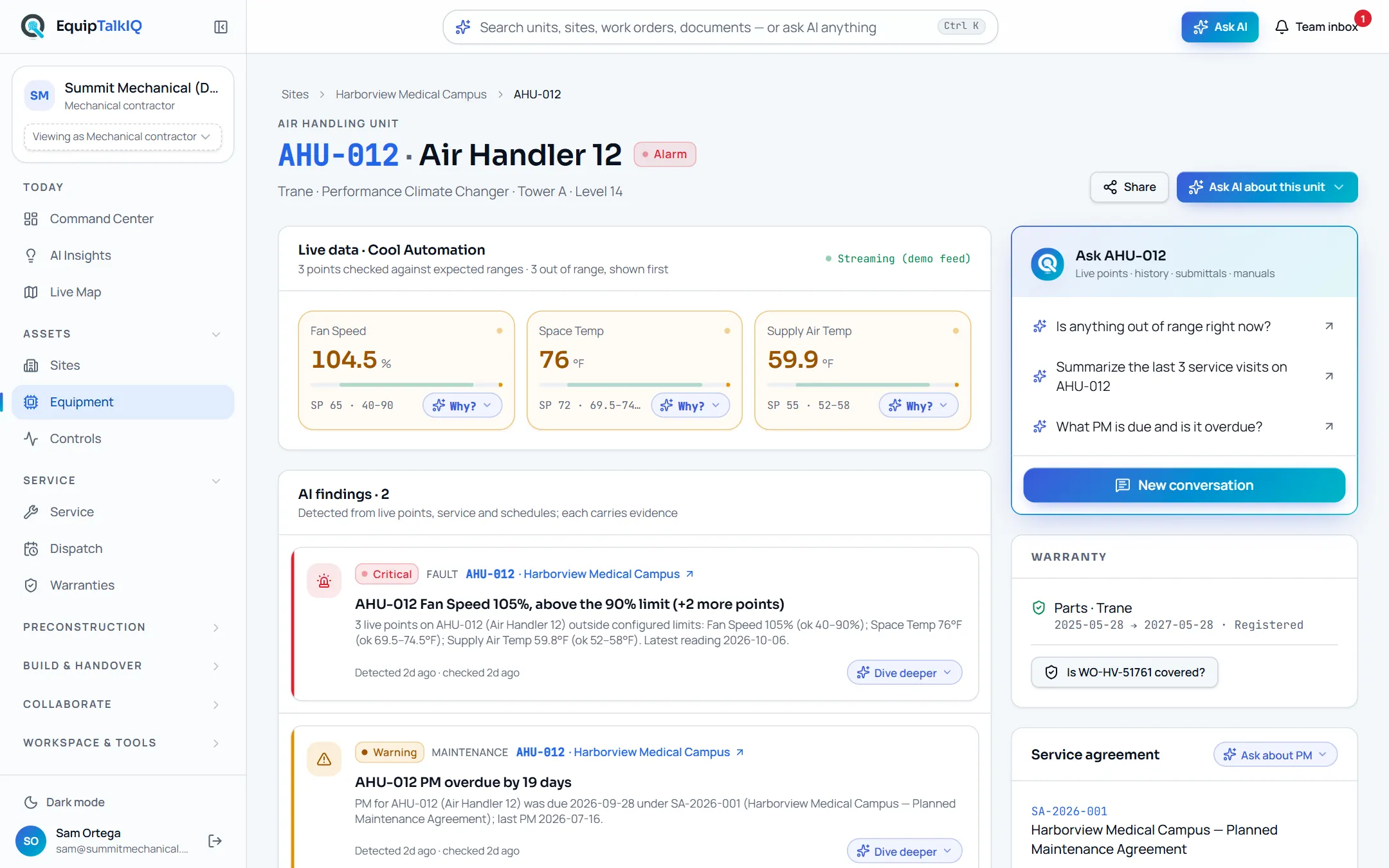
SIX COMPONENTS, NOT SIX PROMISES
What you see on screen, and why it is there.
SOURCES ON EVERY ANSWER
The answer ends
with its receipts.
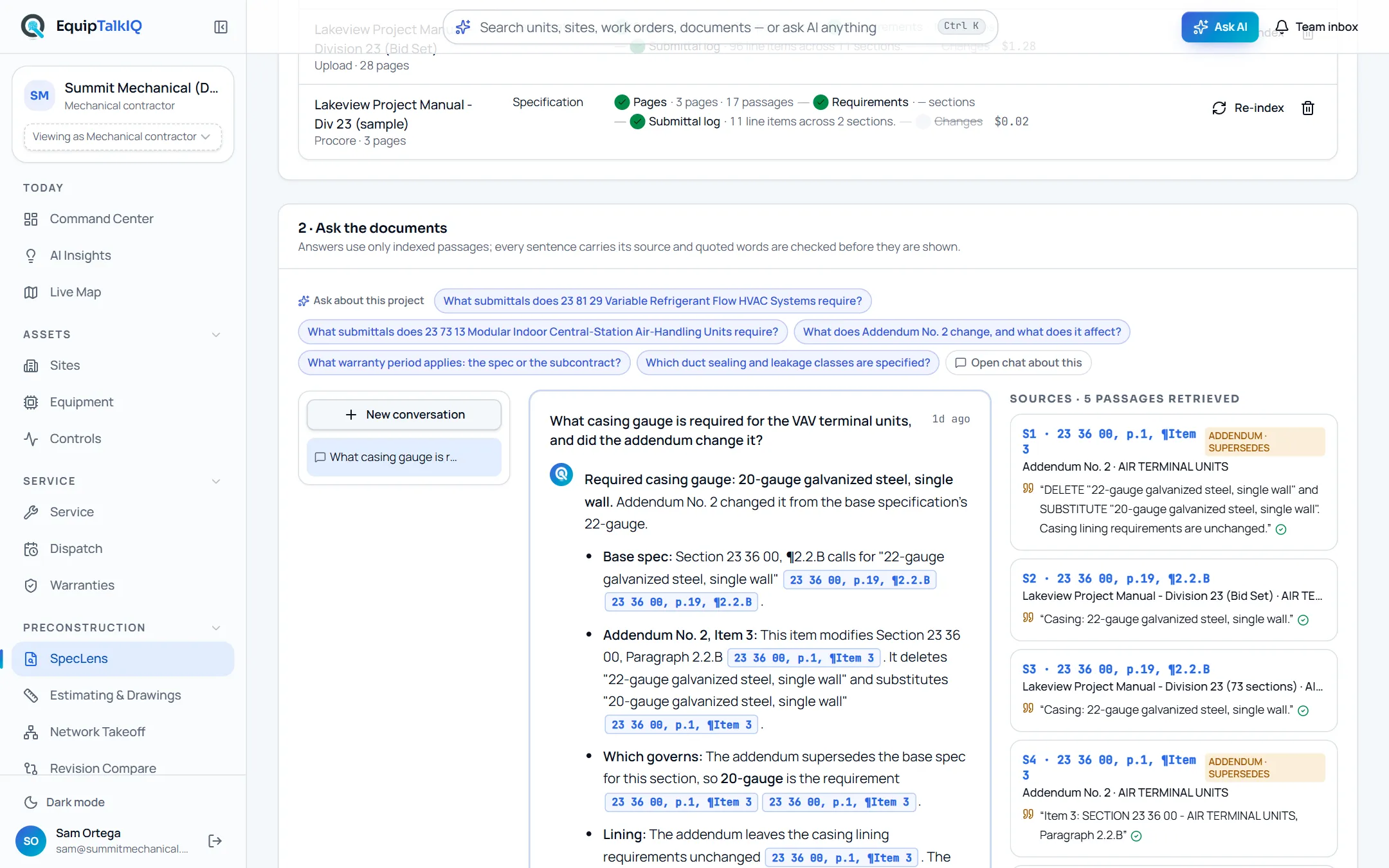
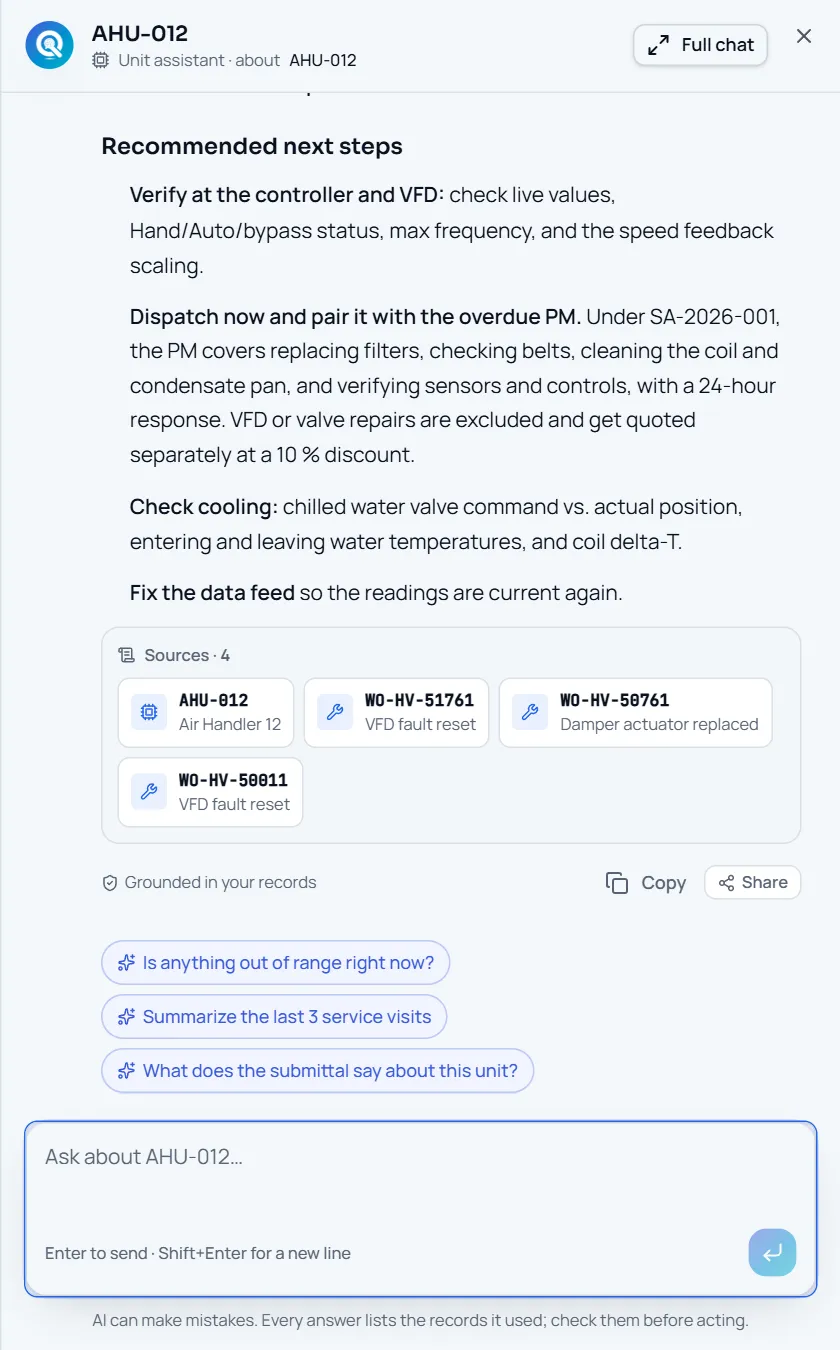
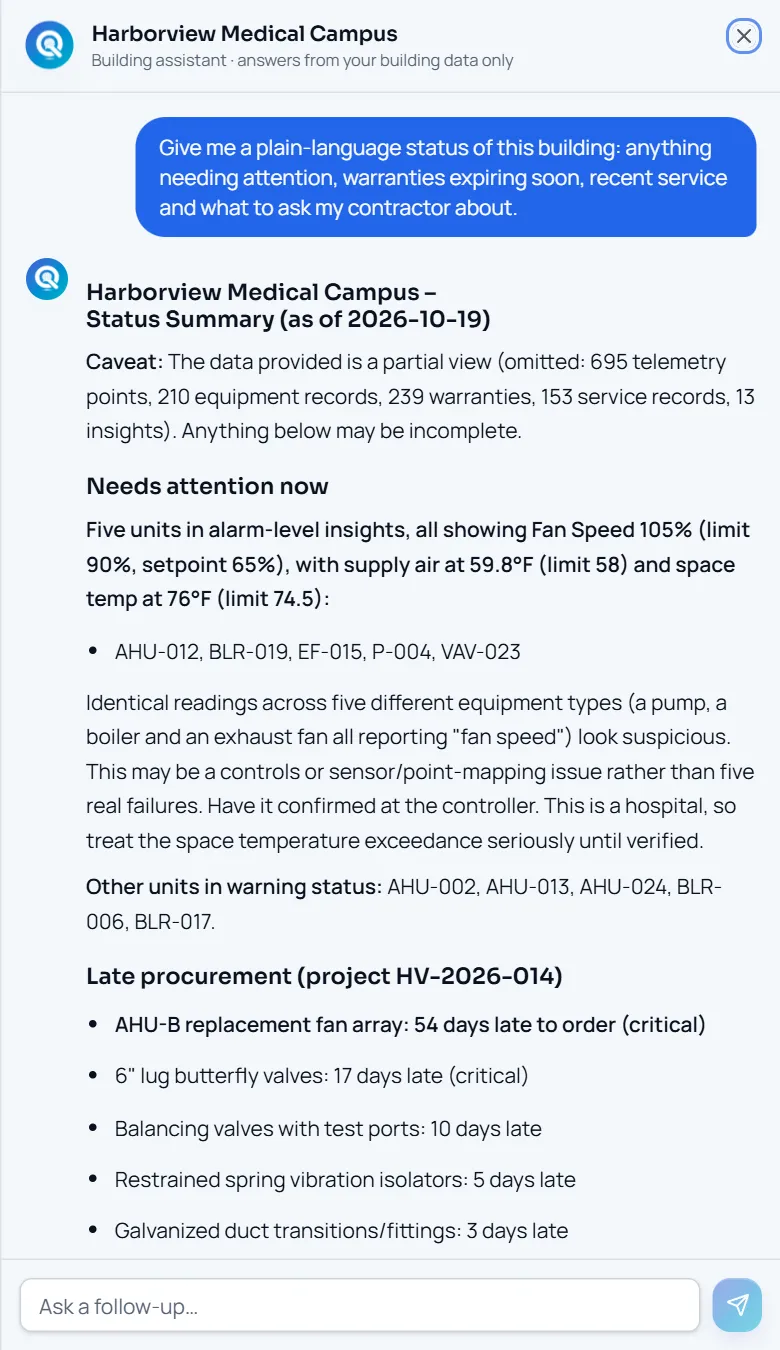
The site, equipment and portfolio assistants do not read your whole database. They start from a compact summary and retrieve records through capped tools that return record ids: service history, PM schedules, warranties, plans, documents, spec passages and workspace items. Under each answer, a Sources strip shows the records the answer actually cites, as cards that open the unit, work order, document or spec section in the app. A record the answer never mentions does not appear in Sources. The working line above the answer says what was checked and how many records were found, and the footer reads “Grounded in your records.” Every Ask button is a menu: 2–5 questions about the record you are on, plus “Open chat about this”, so the record a conversation is about is visible to you and to the model.
- Sources · n cards: unit, work order, document, spec section, email
- Working summary: “Checked service history · 3 work orders found”
- Unresolved tags come back as errors, never as silent guesses
EVIDENCE ON EVERY FINDING
Findings are detected,
not written.
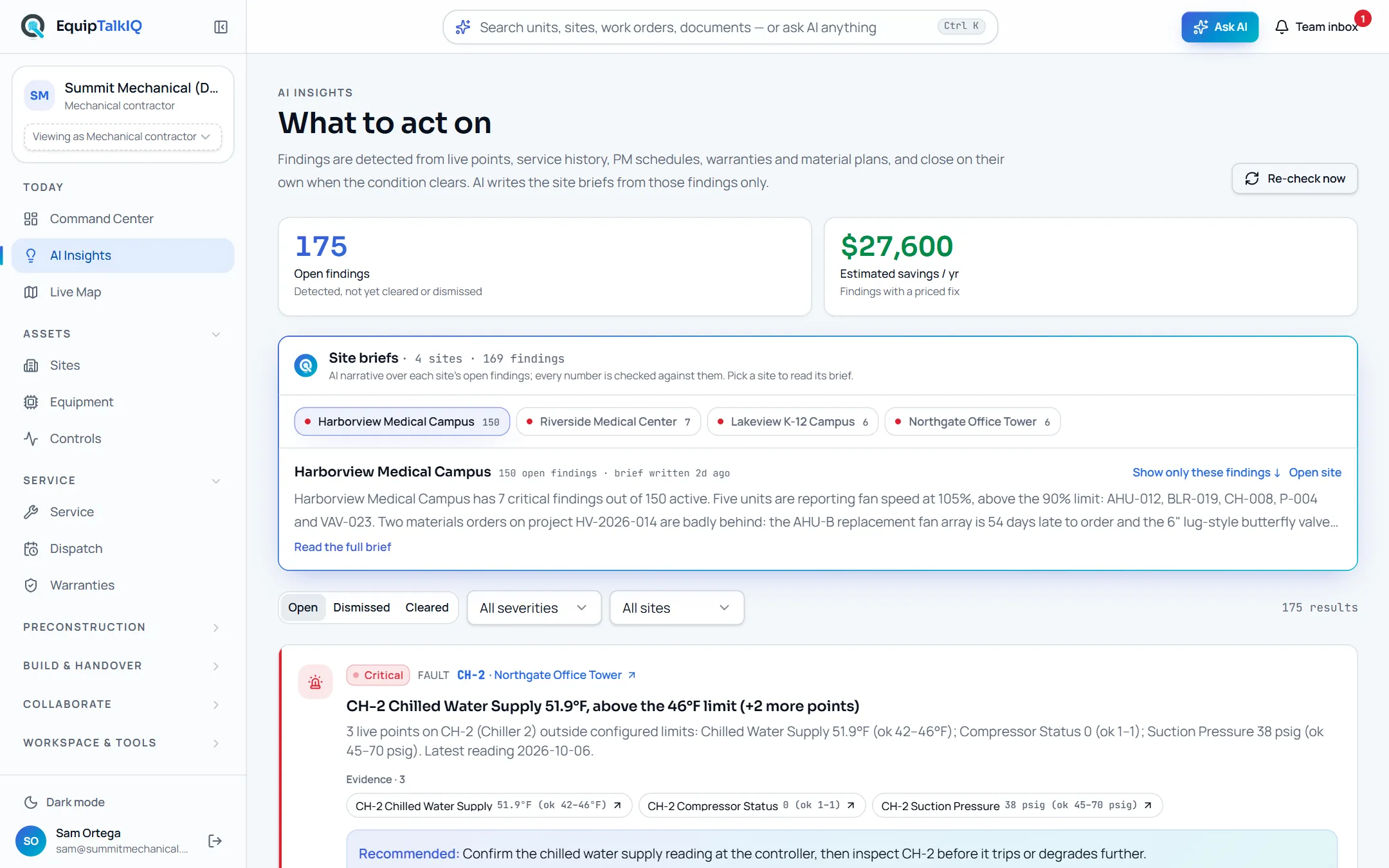
AI Insights are produced by tested detectors that run daily over live points, service history, PM schedules, warranties and material plans. Each finding is stored with the ids of the records that triggered it and shows them as an “Evidence · n” list. A finding resolves itself when the condition clears, and a teammate can only change its state through one audited function. The AI writes a short brief per site from those findings alone; a brief that mentions a number not present in the findings is dropped before anyone sees it.
- Deterministic detectors with unit tests, re-run on demand
- Evidence links on every finding, resolve-on-clear
- Site briefs are AI, labelled AI, and checked against the findings
COMPUTED VS. MODEL-WRITTEN
If a number was computed,
it says so.
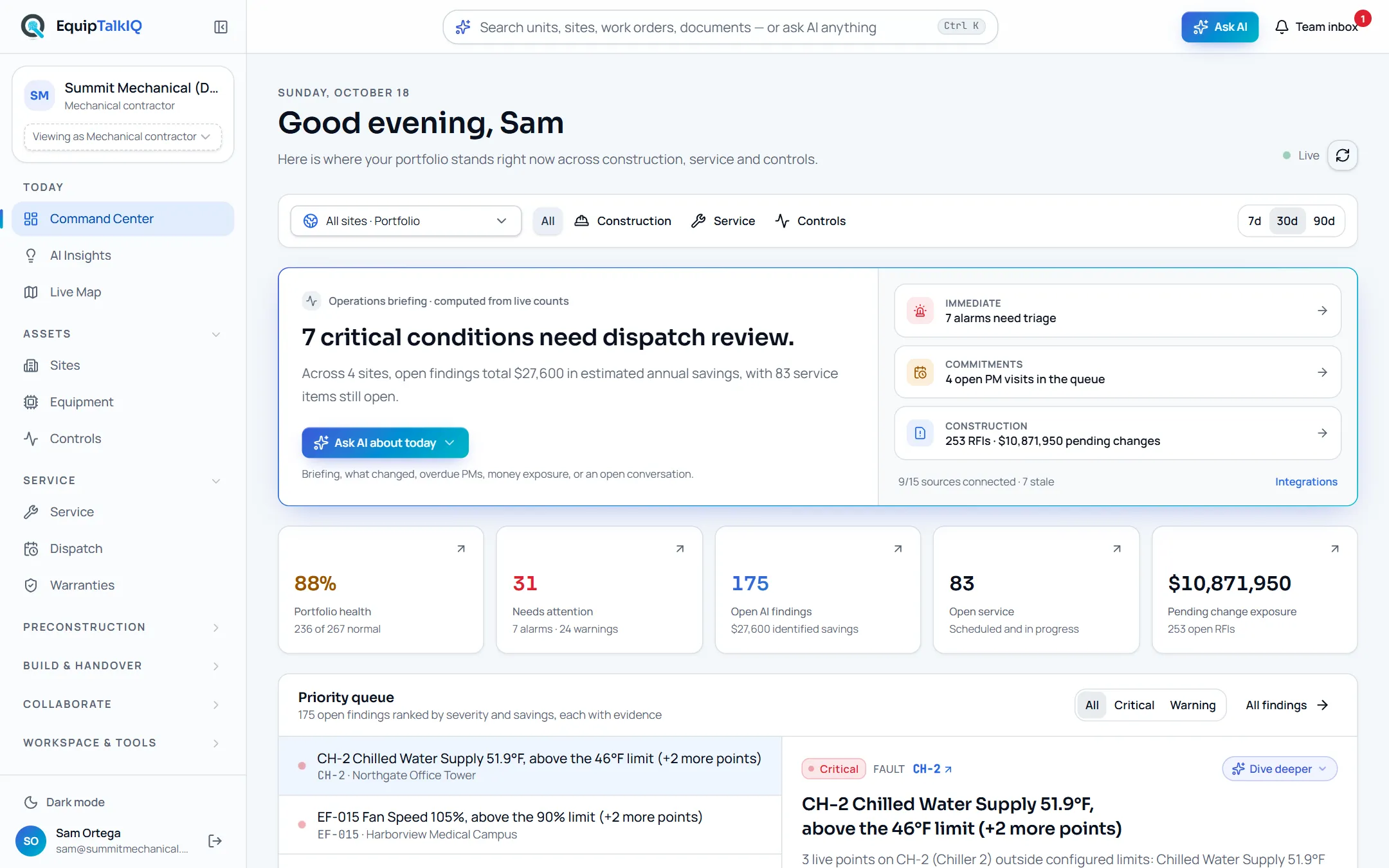
The Command Center briefing is labelled “computed from live counts” because it is: KPIs and summaries come from SQL functions, not from a model. Planning risk and cost math, dispatch fit (skill, travel, capacity, overlap, shift) and takeoff quantities come from tested code and the drawing’s own geometry, and every AI-proposed mark stays flagged until an estimator accepts it. The product reserves one colour, a cobalt-to-teal gradient, for things a model produced or will do: the Ask bar, assistant messages, AI buttons and the Sources strip. Nothing else wears it.
- “Operations briefing · computed from live counts”
- “AI proposes · estimators approve” on every drawing tab
- One AI colour, reserved for model output
ONE TENANT PER COMPANY
Your company’s data
is one tenant.
Every business table carries the company it belongs to, and row-level security checks membership on every read and write. A database trigger makes sure a row can only reference sites, projects, packages and rooms of its own company and that the company can never change. The AI reads with the caller’s own token, so the same rules scope what the model can see and where its conversation is stored. Demo explorers get private sandboxes inside the shared demo company and never see each other’s work.
- Row-level security on every table, keyed by company
- Same-company guard on every cross-table reference
- AI chat runs under the caller’s token, never a service key
ONE ASSISTANT PER AUDIENCE
Owners, GCs and reps
get their own assistant.
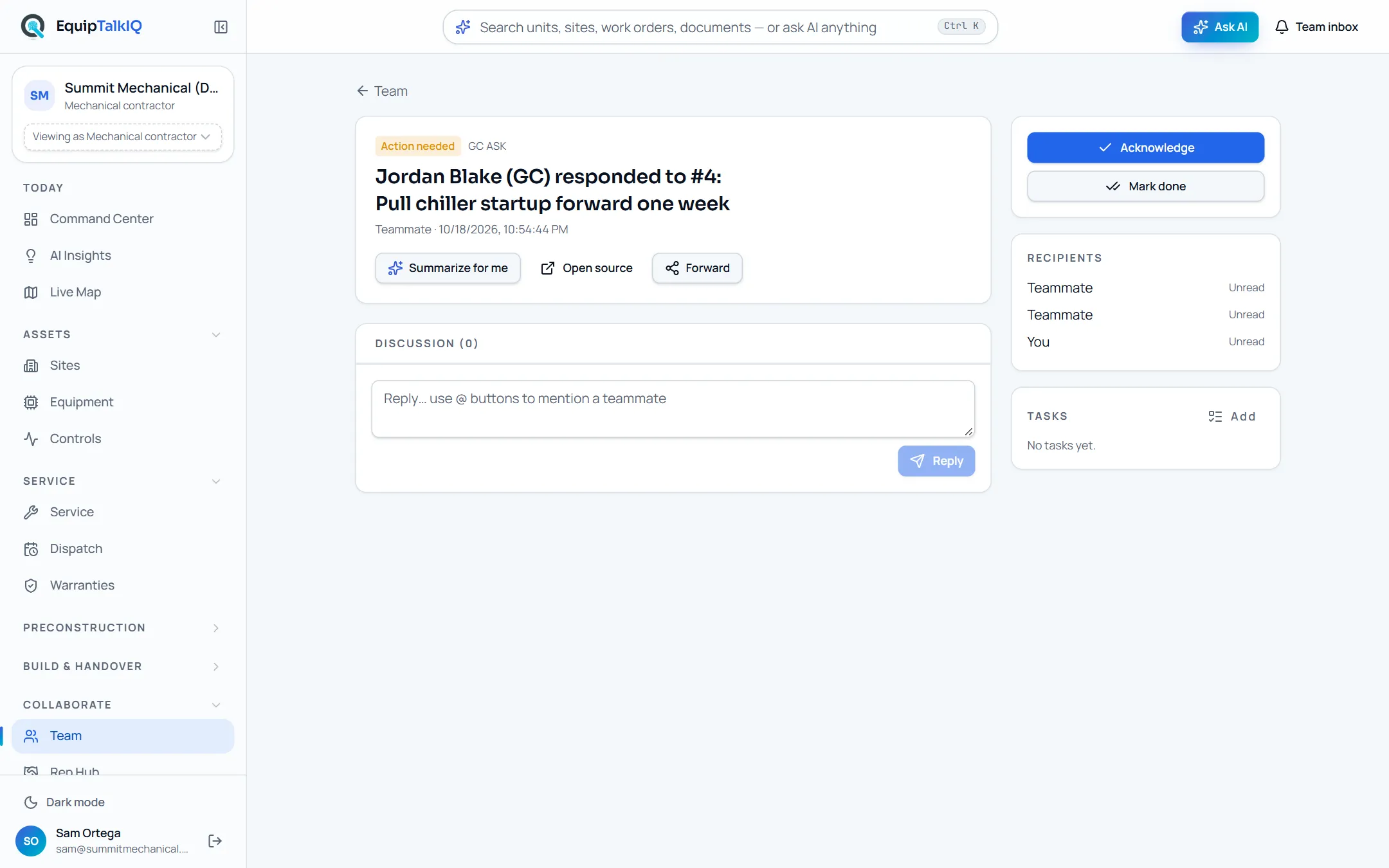
The company chat with its retrieval tools is only available to contractor staff. Owners, GCs and reps use a separate assistant that answers over a projection built for them: the owner’s building twin, the GC’s project view, the rep’s rooms, submittals and visits. That assistant has no tools into the contractor workspace, trims the projection by structure rather than cutting a string in half, names the record numbers it rests on (checked against the data before they are shown), and opens with “Answers use only what your account can see.” Every “Why?” button on an owner page is that assistant.
- Owner, GC and rep assistants over audience-specific projections
- No tools into the contractor’s company data; sources validated server-side
- Guests are outside company membership and read only what was granted
EVERY MODEL CALL IS METERED
AI spend has
receipts too.
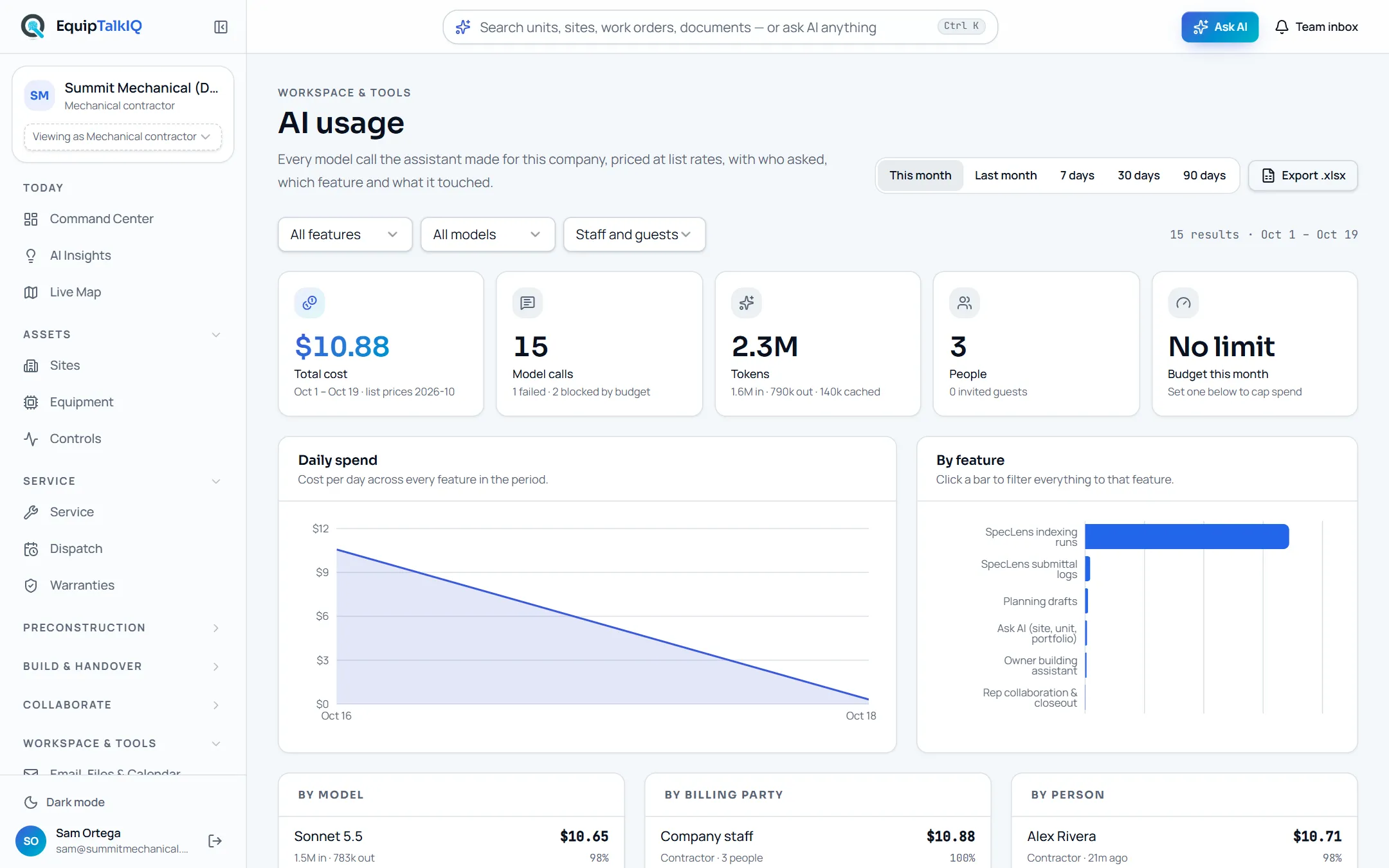
Each model call is recorded with who asked, their account type, the product feature, the model, tokens, the cost at the published list price, the outcome and the site, project, thread and records it touched. Admins see the breakdown on the AI usage page and export it. Each company has a monthly budget with a soft warning shown in the AI panel and a hard stop that refuses calls at the limit; a blocked call is visible to the user and counted on the page. Questions from invited owners, GCs and reps are billed to the company whose data they asked about and tagged with the asker’s type.
- One row per call: person, feature, model, tokens, USD at list, records touched
- Soft warning and hard stop per company, set by admins
- Invited guests shown separately, by account type
GUARDRAILS
What the AI will not do.
AI proposes. People approve.
Takeoff proposals become quantities only when an estimator accepts them. Dispatch proposals are validated and applied by the dispatcher. Planning suggestions are drafts until you accept. Submittals move through a rep → contractor → engineer chain. Warranty claims and RFIs are drafted, not filed.
AI never operates equipment.
Controls pages read points and compare them with expected ranges. Nothing in the product writes a setpoint or commands a controller.
Unknown tags are errors, not guesses.
When you ask about a unit the assistant cannot resolve, the tool returns an error and the answer says so. Filters are never silently dropped to make a result appear. In SpecLens, “the documents do not answer this” is a valid answer.
Inbound text is data.
Email bodies, documents and tool output are treated as data, never as instructions. AI answers render images only from this site and confirm before following outside links.
THE LABELS YOU WILL SEE
A short glossary of the trust signals in the app.
- Sources · n
- Record cards under an answer: the units, work orders, documents, spec sections and emails the answer cites. Opens the record.
- Evidence · n
- The records that triggered a finding. Findings are detected by code and resolve when the condition clears.
- Computed from live counts
- The number came from a SQL function or tested math, not from a model.
- AI proposes · estimators approve
- A model suggested it; nothing counts until a person accepts it. Rejected proposals are kept as “dropped” for the audit trail.
- Answers use only what your account can see
- The audience assistant for owners, GCs and reps, scoped to their projection of the data.
- Grounded in your records
- The footer on every company chat answer, with the scope and the number of sources.
- Budget this month
- The company’s AI allowance and spend on the usage page; a warning near the limit and a hard stop at it.
THE RECORD OUTLASTS THE PROJECT
Win the job with cited answers.
Then keep the building talking.
Explore EquipTalkIQ with sample project data: takeoff, specs, planning, turnover, service, dispatch and controls.
Bring your questions. Follow the sources.