
For mechanical contractors
The whole lifecycle, in the workspace your crews already carry.
Service, construction and controls teams get the full EquipTalkIQ: cited spec answers and linework-first takeoff before award, then one record per unit through construction, turnover, the service board, dispatch, warranties and live systems. The assistant sits beside every page and shows its sources.
Book a demoEQUIPTALKIQ / THE CONNECTED MECHANICAL PICTURE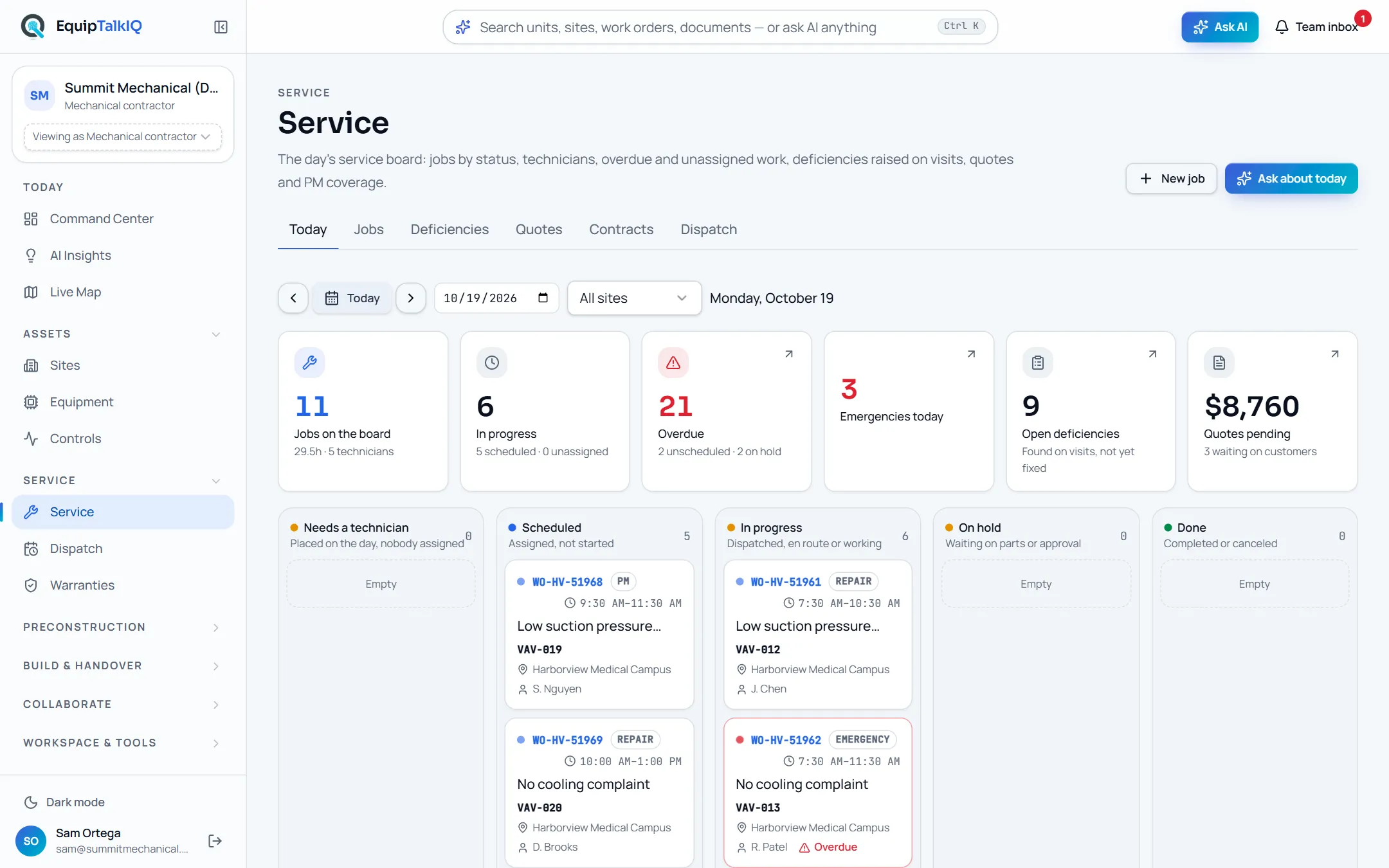
THE CONTRACTOR FLOW
From the first drawing to the next service call.
This is the path a contractor account walks in the app, in the order the work happens. Every step is a page in the demo.
- 01
Start the day in the Command Center
Command Center · Ask bar · ⌘KA briefing computed from live counts, the priority queue with evidence, planning risks, site comparison and the map. One Ask bar searches units, sites, work orders and documents or asks the portfolio AI. Scope the cockpit to a site or a single unit and share the URL.
- Briefing labelled “computed from live counts”
- Ask AI for the written briefing, with Sources
- Phone tab bar with Ask in the middle; dark mode for the control room
Command CenterAPP SCREEN / SAMPLE DATA 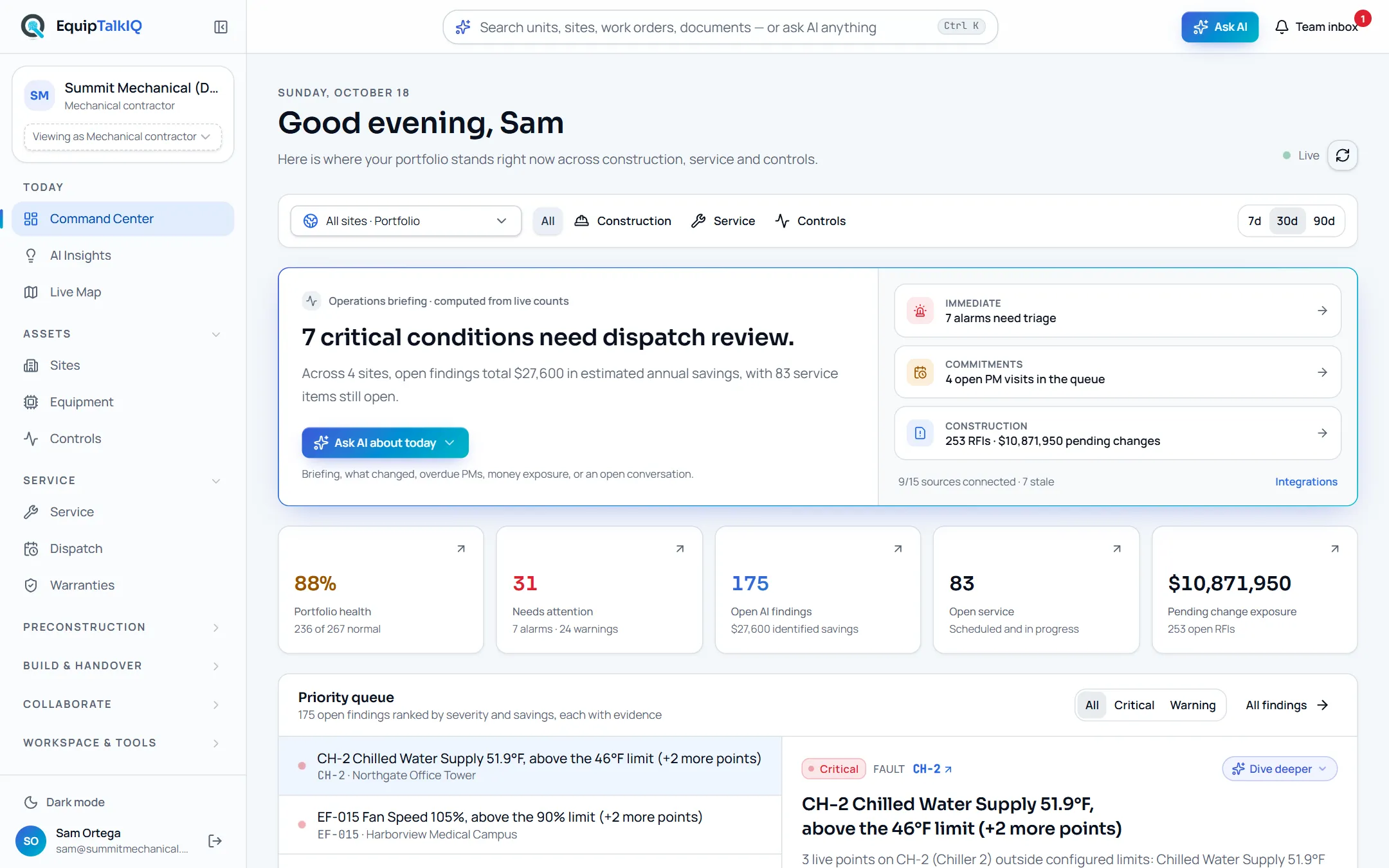
- 02
Run the service day and the dispatch board
Service · Dispatch · WarrantiesThe service board shows the day’s jobs by status, technicians, overdue and unassigned work, deficiencies raised on visits, quotes and PM coverage. Dispatch lays out every technician’s day or week: drag a job onto a person, see skill and travel fit, or let AI draft the schedule and approve it. Warranties show coverage by manufacturer, term, registration and labor, and claims are drafted from the job that found the failure.
- Jobs, deficiencies, quotes, contracts and a job page with timeline, forms, parts and photos
- Dispatch fit: skill, travel from the previous visit, capacity, overlap, shift
- Claims pre-filled by AI from the service record; you edit, then save
Dispatch · technicians by dayAPP SCREEN / SAMPLE DATA 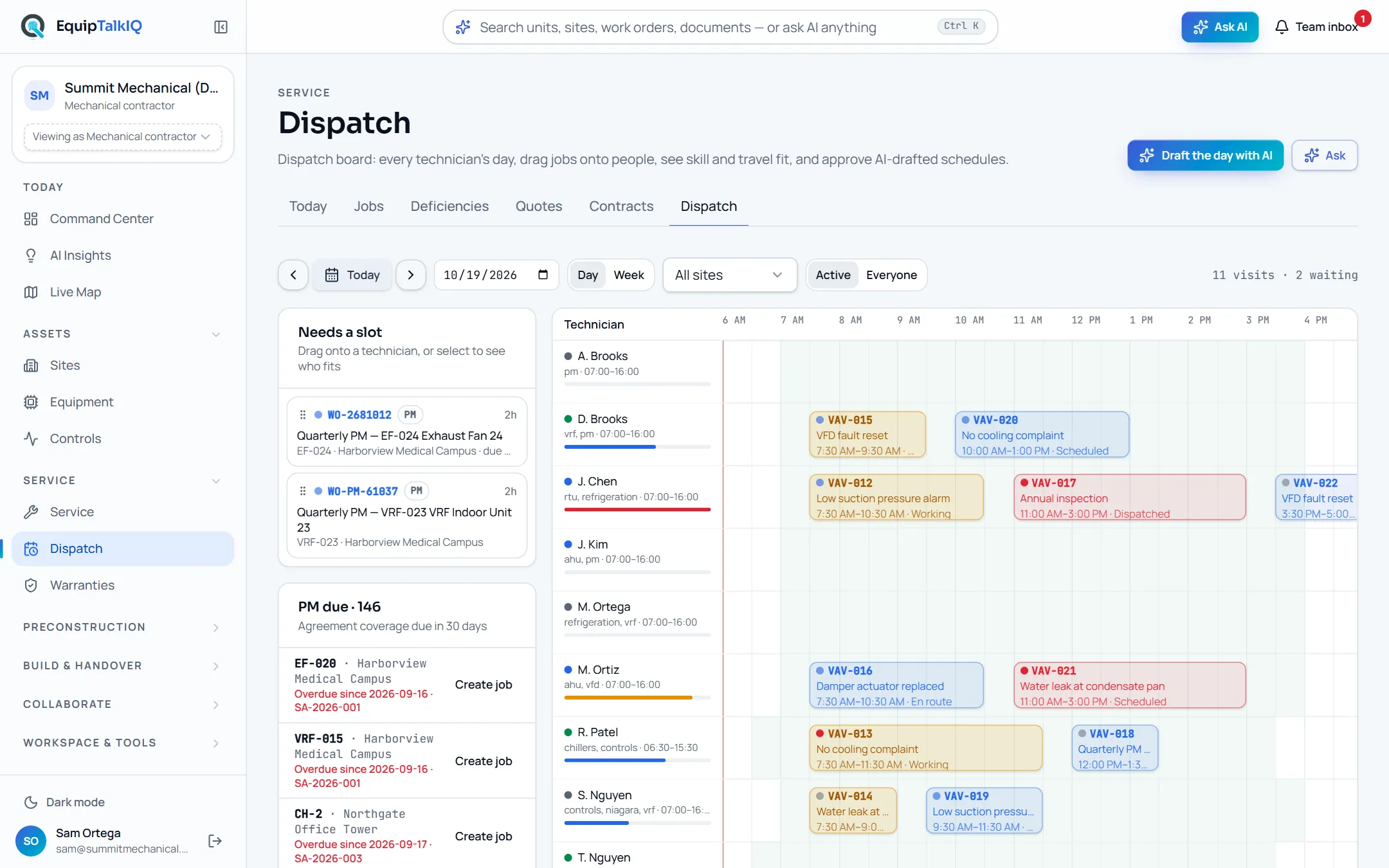
- 03
Win the job from the drawings and the specs
Estimating & Drawings · Network Takeoff · Revision Compare · SpecLensUpload a set and the drawing log reads itself: sheet numbers, scale, legends and schedules. Ducts and pipes become sized networks from the linework; AI names what it sees and estimators accept every quantity. Upload the next revision and every sheet is matched and every change listed. Upload the spec book once and SpecLens writes the submittal log, tracks addenda and answers with section, page and paragraph.
- Linework-first takeoff with an estimate on top
- Revision Compare: sheet matching, overlay, change list, affected quantities
- SpecLens: cited answers, requirements, submittal log, addenda, RFI and QA/QC drafts
SpecLens · cited spec answerAPP SCREEN / SAMPLE DATA 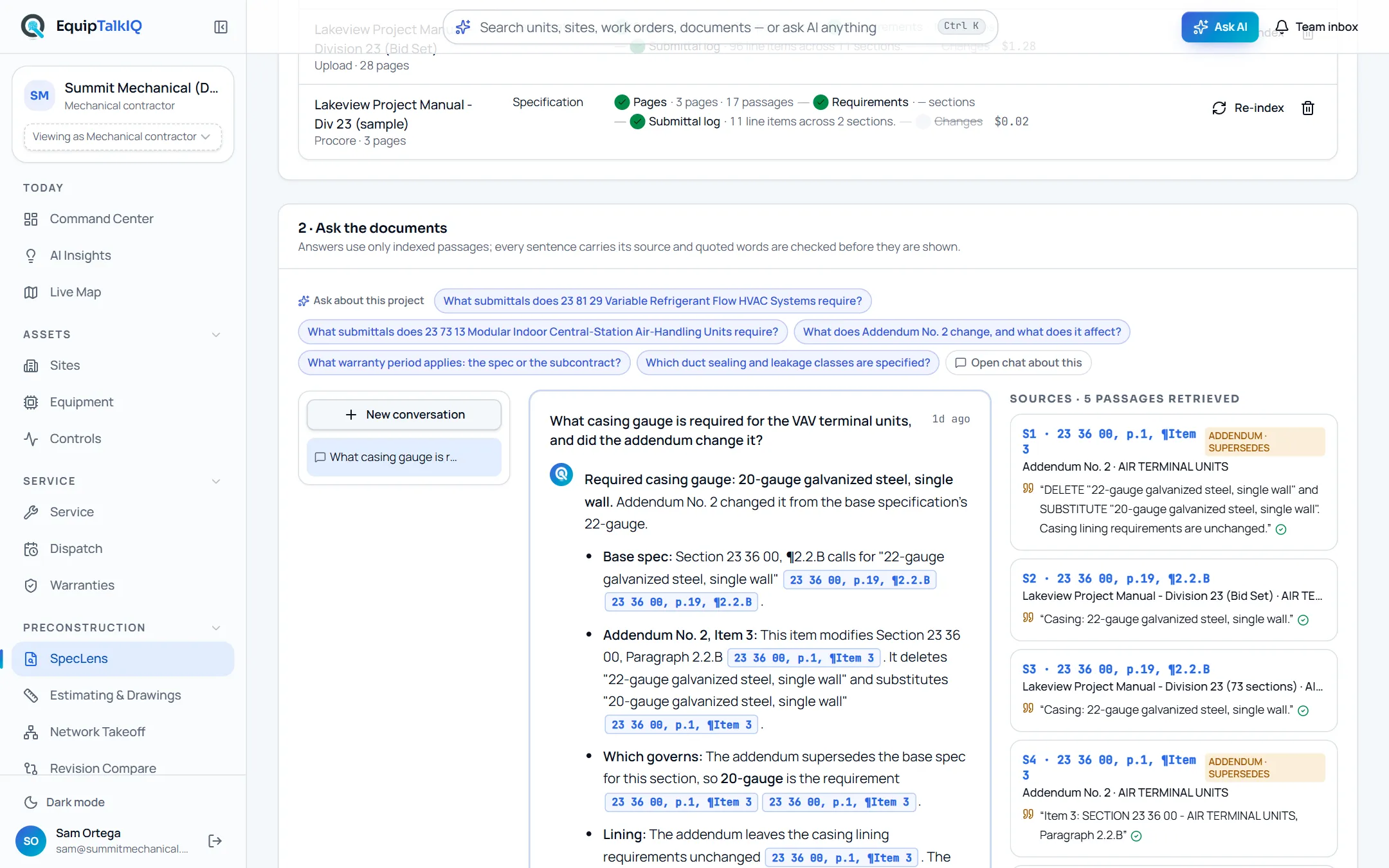
- 04
Plan the build and keep the documents with the project
Construction · PlanningProjects and documents, crews, materials, PM visits and budget in one plan. Risk and cost math is deterministic; AI drafts changes and you approve them.
- Editable labor, material and PM plans
- Deterministic risk and cost math
- AI suggestions require approval
Labor & material planningAPP SCREEN / SAMPLE DATA 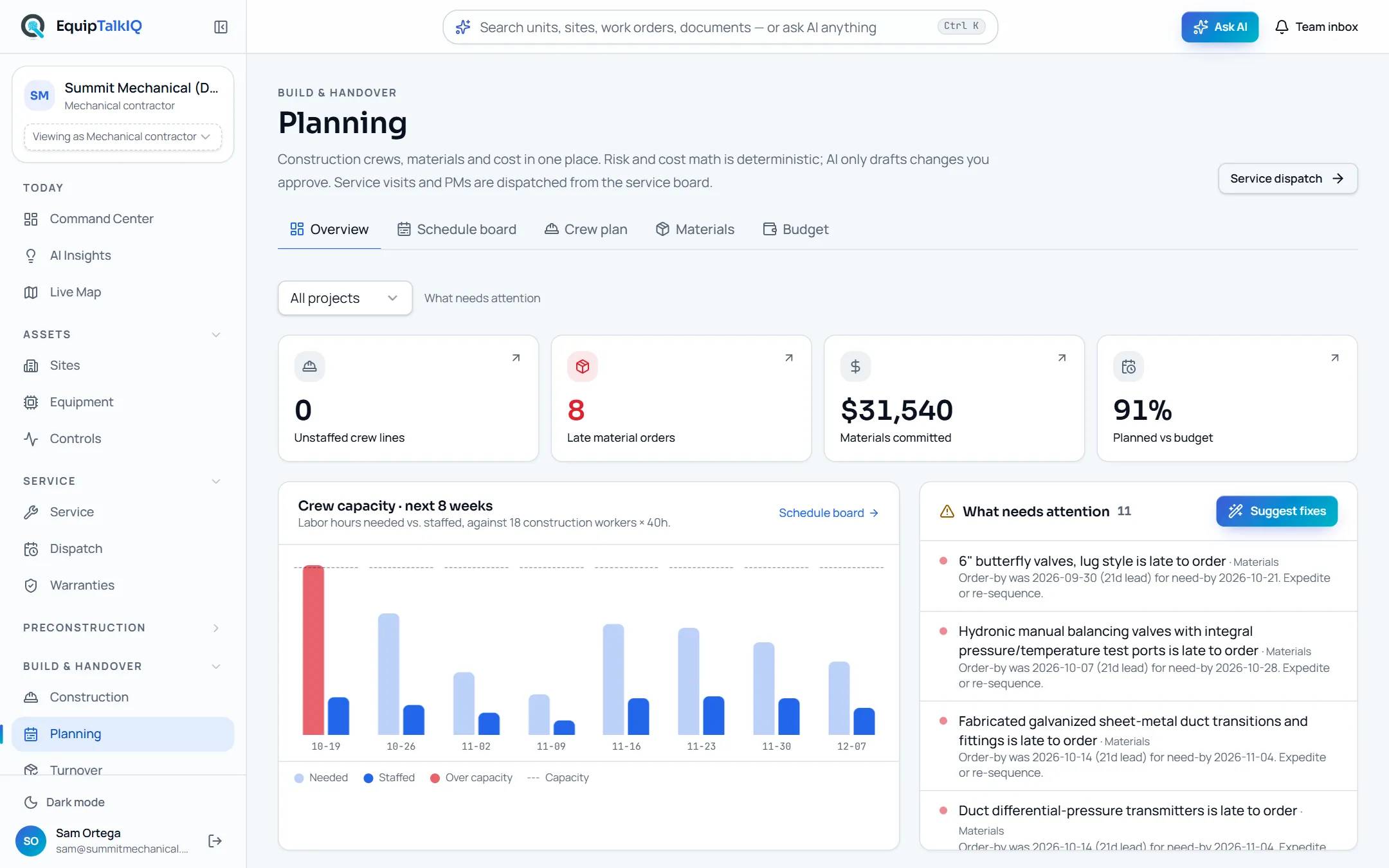
- 05
Give the GC and the reps their own view, not your books
GC Collaboration · Rep HubInvite a GC to a project and they get a workspace with the schedule you share, submittals, RFIs, change orders, closeout and tracked asks both sides see, each with a response SLA. Open a room per project and manufacturer for the rep: the equipment schedule with lead weeks and ship dates, submittals, cutsheets and IOMs, requests, and startup, commissioning, troubleshooting and installation visits whose reports land on each unit’s service history.
- GC asks: RFI, schedule, look-ahead, manpower, change order, submittal, closeout
- Weekly summary and RFI drafts the GC edits before sending
- Rep visits filed as completed service records per unit
GC project workspaceAPP SCREEN / SAMPLE DATA 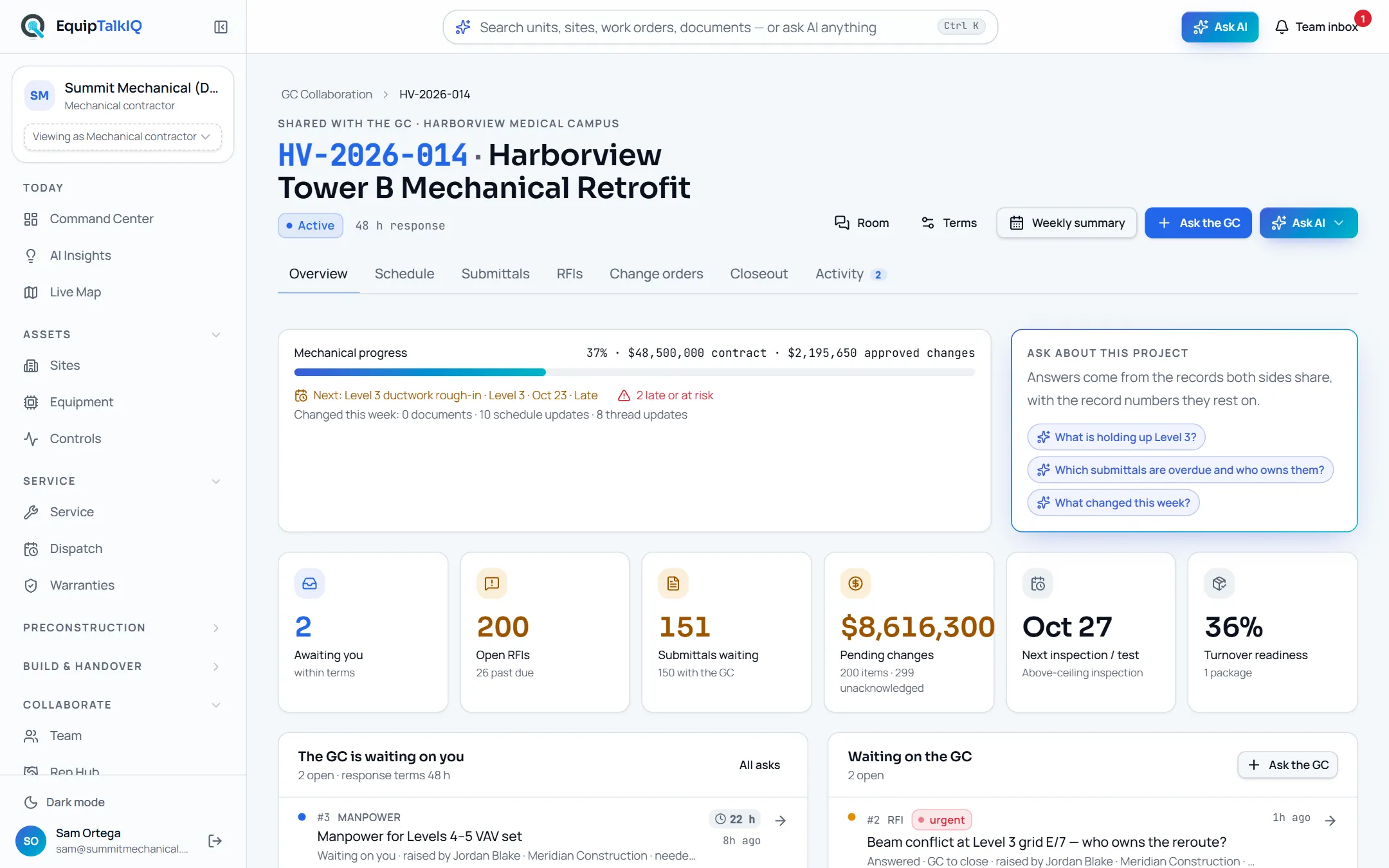
- 06
Hand the building over without losing the record
Turnover · Owner portalAssemble an organized package per building: equipment, manuals, warranties, training and service information. Share a secure, revocable link, invite owner logins or download a PDF binder. The owner’s twin keeps every unit, reading, warranty and completed visit for the life of the asset.
- Owner-ready sections, portal, PDF binder
- AI assembly, gap analysis and owner building summary
- Owner logins see only the package and the building
Building turnover packageAPP SCREEN / SAMPLE DATA 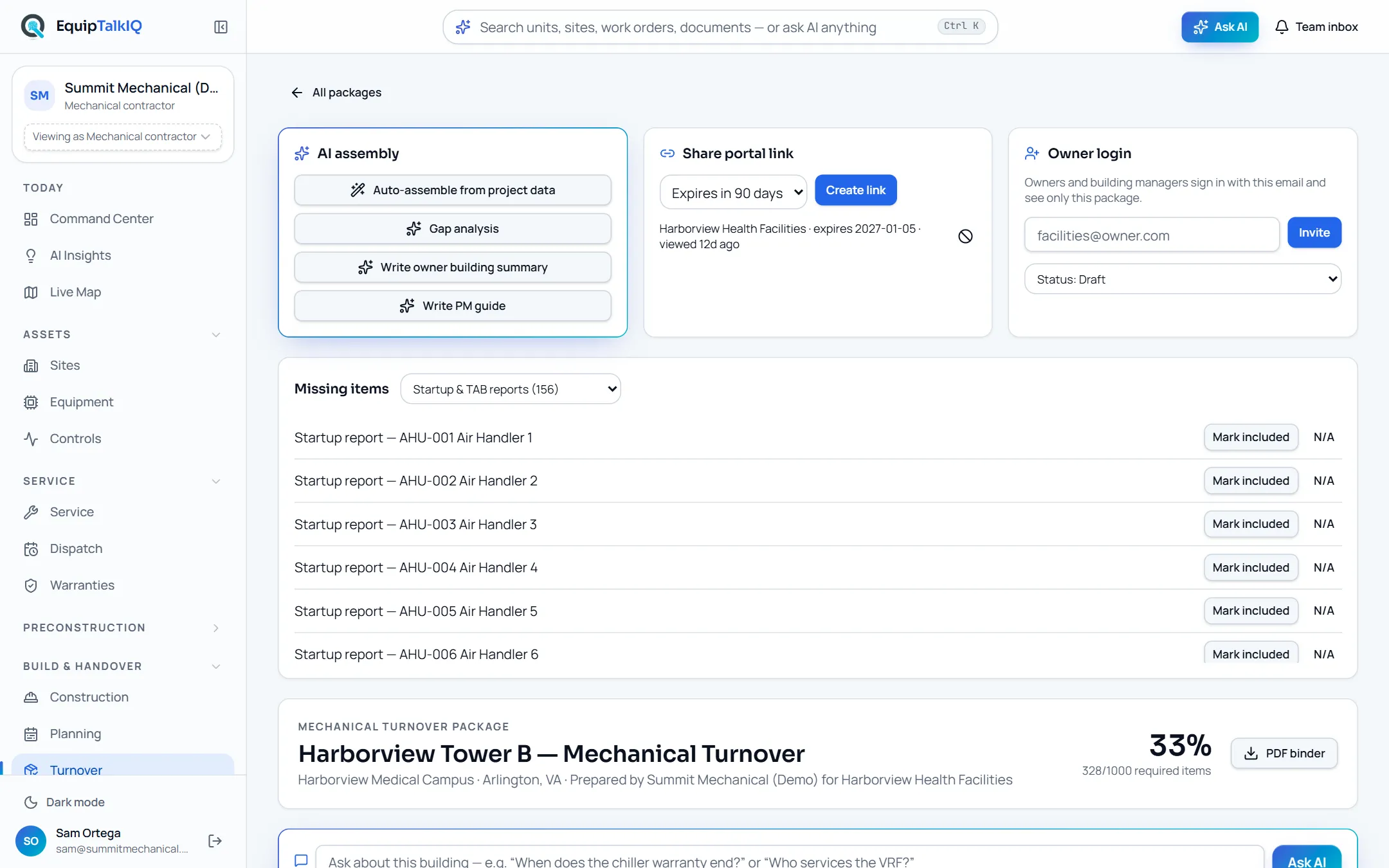
- 07
Watch the building and act on findings with evidence
Controls · AI Insights · Live Map · AI usageBAS points are checked against expected ranges and feed the insights engine. Findings carry their evidence, resolve when the condition clears, and the AI writes a site brief from the findings alone. Field crews show on one map shared with the Command Center. Admins see every model call priced at list on the AI usage page and set the monthly budget.
- Units needing attention first
- Findings with Evidence · n
- AI usage by person, feature and record; budgets with a hard stop
AI Insights with evidenceAPP SCREEN / SAMPLE DATA 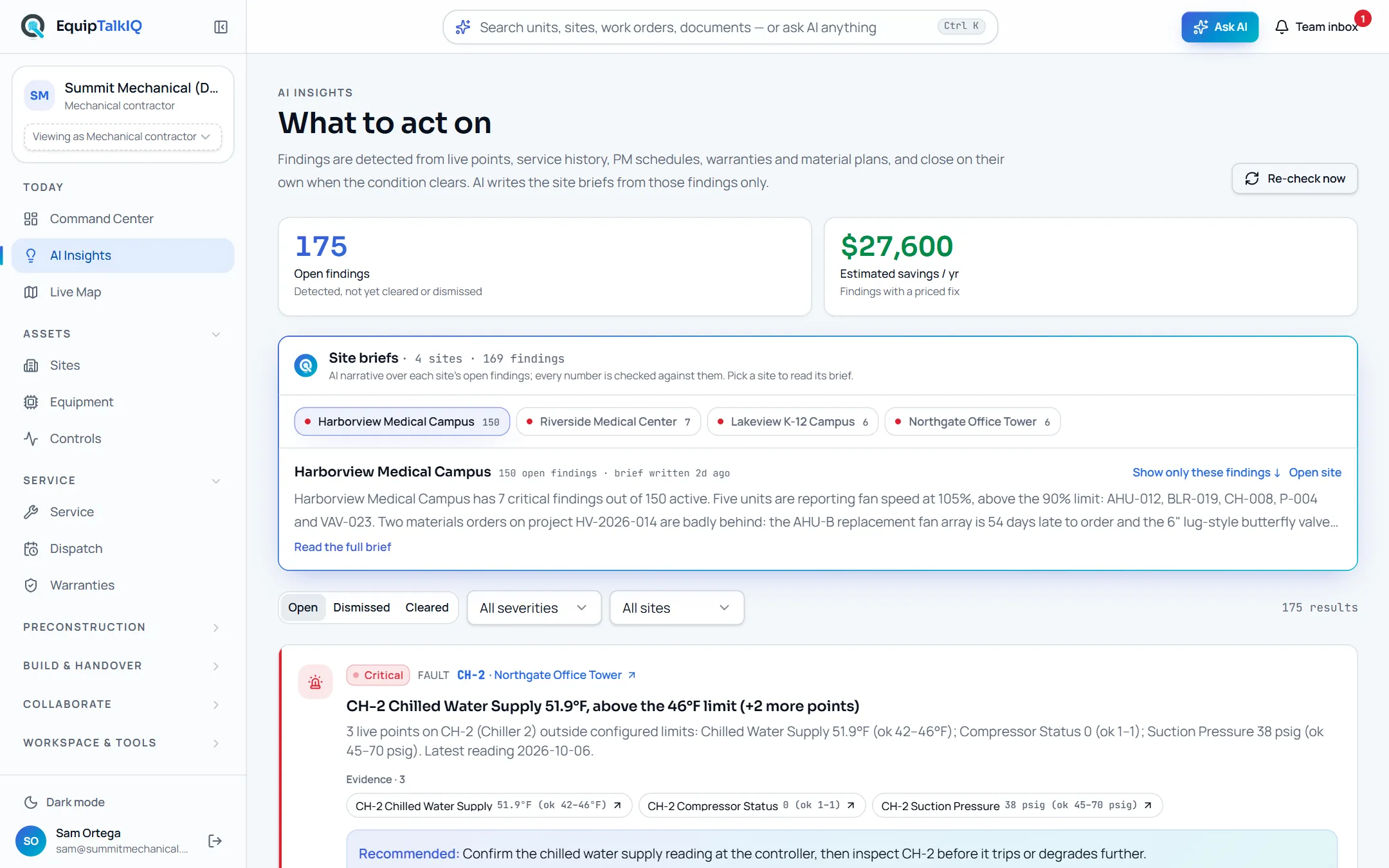
THE SIDEBAR
Seven groups. Everything the company does.
Contractor accounts see the whole navigation. Owners, GCs and reps see only their own pages.
INTELLIGENCE THAT TRAVELS
Ask. Understand.
Bring the team.
From a question at the unit to a conversation that moves the work forward.
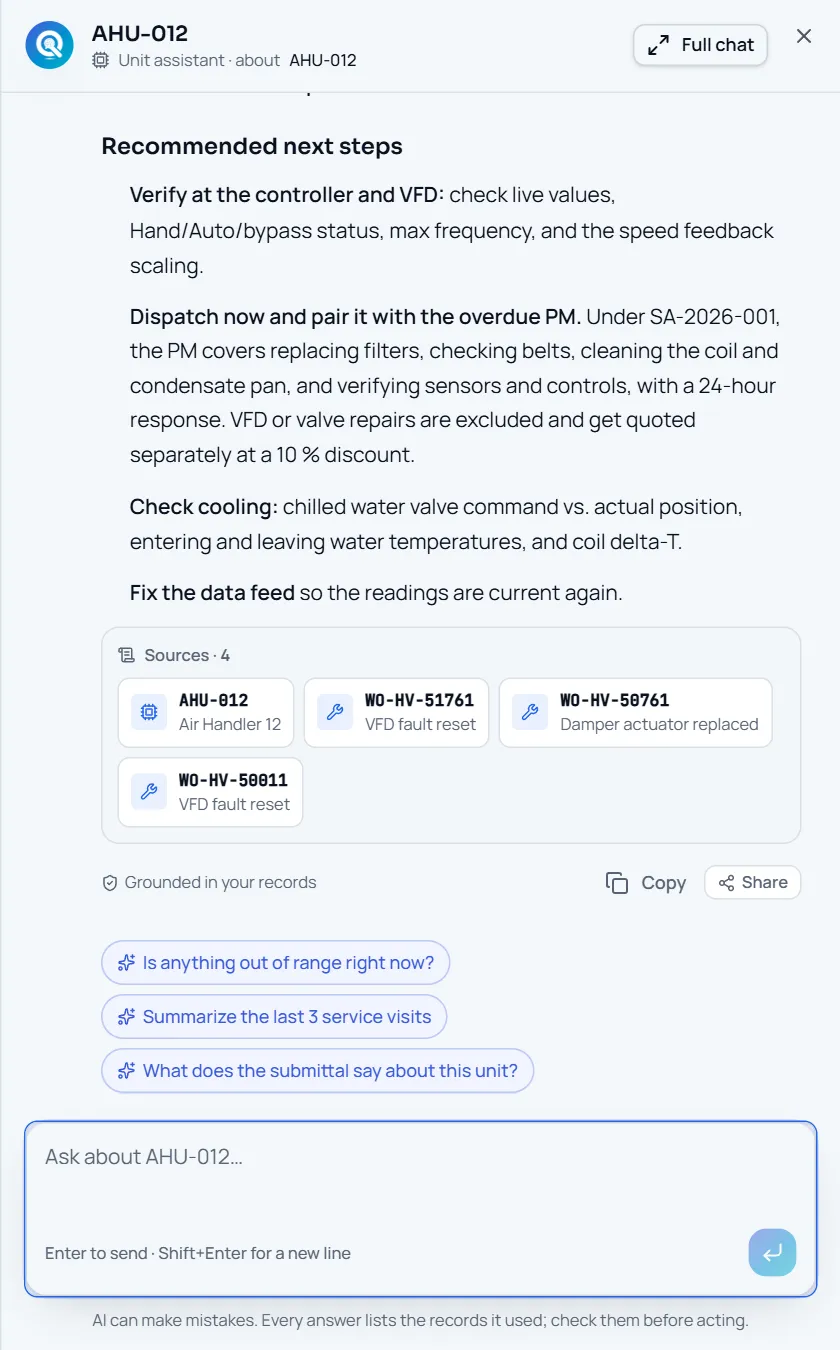
Not a chatbot. The unit’s own assistant.
Every Ask button is a menu of questions about the record you are on, plus “Open chat about this”. The assistant retrieves service history, agreements, warranties and documents through scoped tools and ends with a Sources strip naming the records it used.
- Ask menus with 2–5 context questions on every page
- Working summary, then the answer, then Sources · n
- Follow-up chips and “Grounded in your records”
Captured app screens with sample records. No external message is sent.
AGAINST DOCUMENT-ONLY TOOLS
Everything a document tool does before award. Then the part they can’t do.
Spec review AI and document-intelligence products for MEP contractors answer questions from drawings and specs, compare revisions and keep submittal logs. They are good at it, and they stop when the job is won. EquipTalkIQ matches that preconstruction work and carries the same record into construction, turnover, service, dispatch and controls.
“Available” means you can use it in the app today. “Coming” means it is being built now and is not in the demo yet. Demo telemetry and map movement are simulated; live source-system feeds are scoped per customer.
THE RECORD OUTLASTS THE PROJECT
Win the job with cited answers.
Then keep the building talking.
Explore EquipTalkIQ with sample project data: takeoff, specs, planning, turnover, service, dispatch and controls.
Bring your questions. Follow the sources.