
Construction · Addenda and spec changes
See what every addendum changed, and everything it touches.
Name the spec an addendum modifies when you upload it. Each change is tied to the paragraph it names, the old and new text sit side by side, and the log lines and answers built on that paragraph are flagged for review.
Available today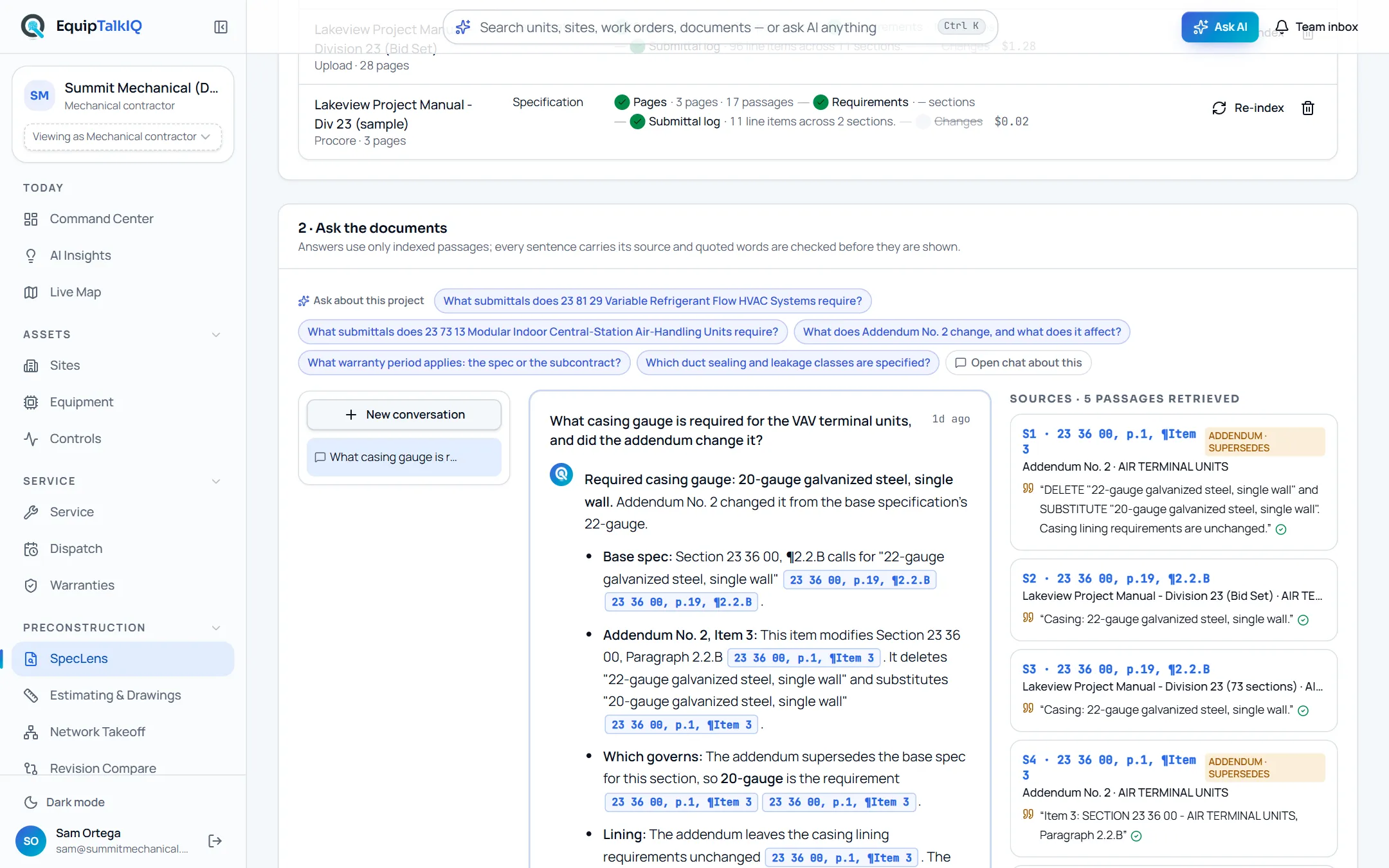
What changes
Today
- Addenda arrive as directives against paragraphs you have to find yourself.
- The submittal log and earlier answers quietly go out of date.
- A scope change is found after the number is in.
With EquipTalkIQ
- Each addendum item is tied to the paragraph it modifies.
- Was and now sit side by side, each linked to its page.
- Log lines and answers resting on a changed paragraph are flagged for review.
How it works
4 steps, in the app as it ships.
Upload it and name what it revises
Documents · Modifies which spec? / New version of…Upload the addendum or the revised spec and pick the version it changes. The changes are tracked as soon as it has been read; nobody has to start a run.
Read the change list
4 · Changes from addenda and revisionsEvery change is listed by section and paragraph: an addendum item, or a paragraph added, removed or changed. Click Was or Now to open either page at that paragraph.
Clear what it touched
n log lines, n answers to reviewSubmittal log lines and stored answers that cite a changed paragraph, its parent or its sub-paragraphs are marked “Needs review” with a note naming the change. Mark each log line reviewed once you have checked it.
SpecLens · submittal logAPP SCREEN / SAMPLE DATA 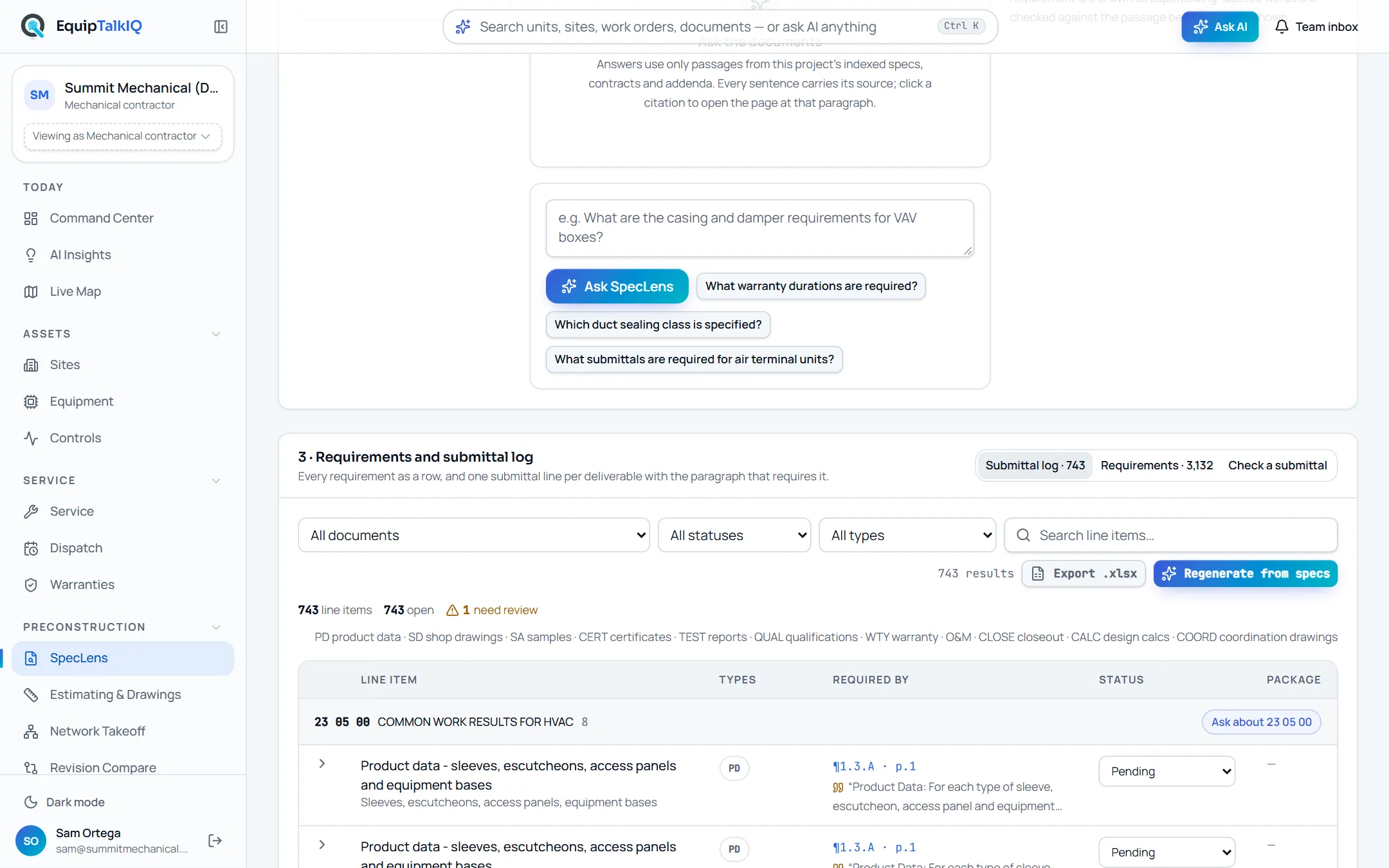
The submittal log, with the count of lines that need review above it
Ask AI for the scope impact
Summarize scope impactOptional: AI writes a short scope-impact note on each change. The tracked text stays the source of truth; the summary is an aid beside it.
Receipts
What you can check for yourself.
The comparison is not a model
Changes are found by comparing paragraphs, with no model call. Our test addendum was read and tracked for $0.05, and the tracking itself cost nothing.
The Changes sectionBoth pages, one click away
Every change links the old passage and the new one, so the paragraph can be checked on each page.
“Was ·” and “Now ·” on each changeEach flag names its change
A flagged log line or answer carries a note saying which change touched it.
“Needs review” on log lines and answersAI only summarizes
Scope-impact summaries are marked as AI and sit beside the tracked text. They never replace it.
Summarize scope impactWhat it won’t do
- Use a model to decide what changed.
- Rewrite the submittal log or earlier answers; it flags them for a person.
- Judge what a change means for your price: it shows the change, you weigh it.
Every AI answer, finding and draft follows the same rules. How the AI earns trust · Security
Who it’s for
The people on this screen.
- Estimators
- Project managers
- Project engineers
Works with
- Submittal logIn the app
Lines that cite a changed paragraph are flagged for review.
- Cited spec answersIn the app
Stored answers on a changed paragraph are flagged, and new answers mark the addendum as superseding.
- Drawing compareIn the app
Drawing reissues are compared sheet by sheet on their own page.
Questions
Worth asking.
Do I have to say which spec an addendum changes?
Yes, once, when you upload it: pick the spec it modifies. After that the changes are tracked on their own. You can also compare any two indexed documents by hand.
Is AI deciding what changed?
No. The comparison is deterministic: paragraph against paragraph, or each addendum item against the paragraph its heading names. AI only writes optional scope-impact summaries.
What gets flagged?
Submittal log lines and stored answers that cite a changed paragraph, its parent paragraph or its sub-paragraphs. Each flag names the change.
What about a full reissue of the spec?
Upload it as a new version of the earlier one. Paragraphs added, removed and changed are listed by section.
Does it cover drawings?
Drawing revisions have their own compare page: sheets are paired with their last issue and the changes are listed per sheet.
Keep exploring
Related on the same record.
Cited spec answers
Ask the spec book. Every answer quotes section, page and paragraph.
ConstructionDrawing compare
Every sheet matched to its last revision, with the changes listed in words.
ConstructionSubmittal log and check
A submittal log written from the spec, and a compliance check per requirement.
See it on your own work.
We load your sites, units and documents during the pilot, so the walkthrough is on your own kind of work. The 90-day pilot is $9,000, credited to your first year if you continue.