
AI · Usage and budgets
Know what the AI costs, call by call, before the month ends.
Every model call is recorded with who asked, which feature, the model, tokens, the cost at list price and the records it touched. Admins see the breakdown, set a monthly budget with a warning and a hard stop, and export it all.
Available today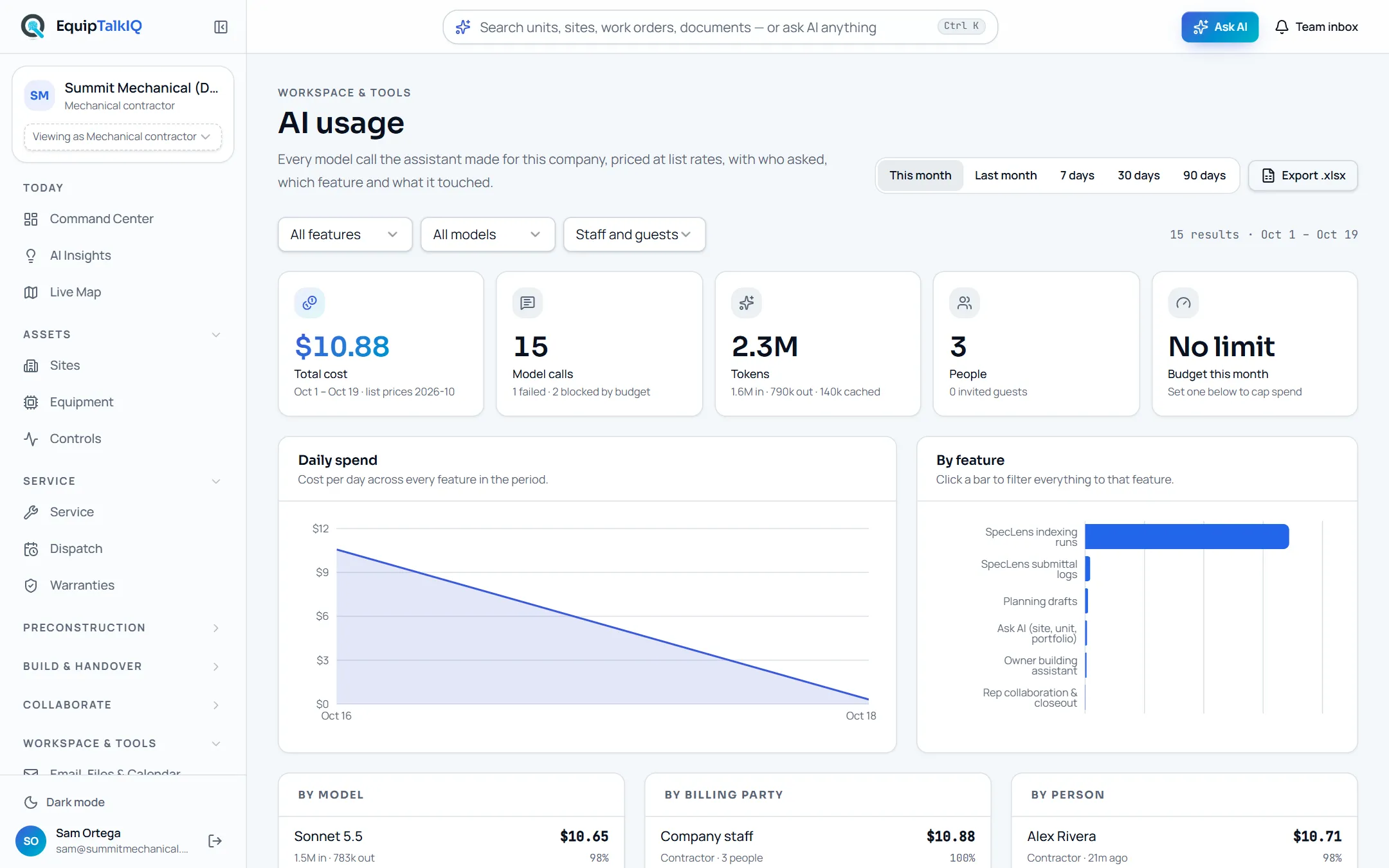
What changes
Today
- AI cost arrives as one number on someone else’s invoice.
- Nobody can say which feature, person or project drove it.
- An overrun shows up after the money is spent.
With EquipTalkIQ
- Every call is a row: person, feature, model, tokens, cost and records touched.
- Spend breaks down by feature, model, person, billing party, site and project.
- A monthly budget warns near the limit and can stop new calls at it.
How it works
4 steps, in the app as it ships.
Every call is recorded
AI usage · Total cost, Model calls, Tokens, PeopleEach request to the model writes one record: who asked and their account type, the product feature, the model, tokens in and out, the cost at that model’s list price, whether it succeeded, failed or was blocked, and the site, project and conversation it belonged to.
Break it down
By feature · By model · By person · By site · By projectPick a period and filter by feature, model, person or billing party. Click a bar to narrow everything to one feature. Most expensive runs lists the costliest conversations and background document runs, each with a link to open it.
Set the monthly budget
Monthly budget · Warn at (% of limit) · Hard stop at the limitOwners and admins set a monthly limit in dollars and the point to warn at. The warning shows under the AI chat. With the hard stop on, a call at the limit is refused before any tokens are spent and counted as blocked.
Export it
Export .xlsxDownload a spreadsheet with the summary breakdowns and one line per call, including its status and the records it touched.
Receipts
What you can check for yourself.
Priced at list, and dated
Cost uses the published list price of the model that answered, and the card says which price list applied.
The Total cost cardBlocked calls are counted
Calls refused by the budget and calls that failed are counted beside the rest.
The Model calls cardInvited guests shown apart
Questions from invited owners and reps are billed to your company and shown under their own billing party.
By billing party · Invited guestsThe warning reaches the person asking
Near the limit, the chat shows the month’s spend against the budget; at the limit it says new requests are paused.
The note under the AI chatOne line per call, exported
The spreadsheet holds every call with person, feature, model, tokens, cost, status, site, project and records.
Export .xlsx · Calls sheetWhat it won’t do
- Charge you automatically for going over: nothing is billed without you choosing it.
- Let a call through at the limit while the hard stop is on.
- Show the cost breakdown to everyone: it is for company owners and admins.
Every AI answer, finding and draft follows the same rules. How the AI earns trust · Security
Works with
- Ask with sourcesIn the app
Every unit, site and portfolio question is a metered call.
- Specs, takeoff and draftsIn the app
Spec indexing and logs, takeoff runs, plans, claims and briefs are metered the same way.
- Owner and rep assistantsIn the app
Guest questions are billed to the company whose data they asked about.
Questions
Worth asking.
How is a call priced?
At the published list price of the model that answered, for the tokens it used. The price list is versioned, so the page shows which one applied.
What happens at the budget limit?
With the hard stop on, which is the default, new calls are refused before any tokens are spent and recorded as blocked. People asking see that the month’s budget is reached.
Are we charged automatically if we go over?
No. Your plan includes an AI allowance sized for normal use. If you need more, you choose a higher allowance or a fixed-price pack; nothing is charged automatically.
Who can see the usage page?
Company owners and admins. They are also the only people who can change the budget.
Do invited owners and reps cost us?
Their questions are billed to the company whose building or rooms they asked about, and shown under Invited guests so you can see them separately.
Keep exploring
Related on the same record.
See it on your own work.
We load your sites, units and documents during the pilot, so the walkthrough is on your own kind of work. The 90-day pilot is $9,000, credited to your first year if you continue.