
Across the record · Owner portal
Hand the owner a building record that stays current after closeout.
Invite an owner to a building and they see its equipment, readings, warranties, completed service, recommendations and delivered turnover documents, with an assistant that answers from that building only. Your pricing, labor and internal notes never reach them.
Available today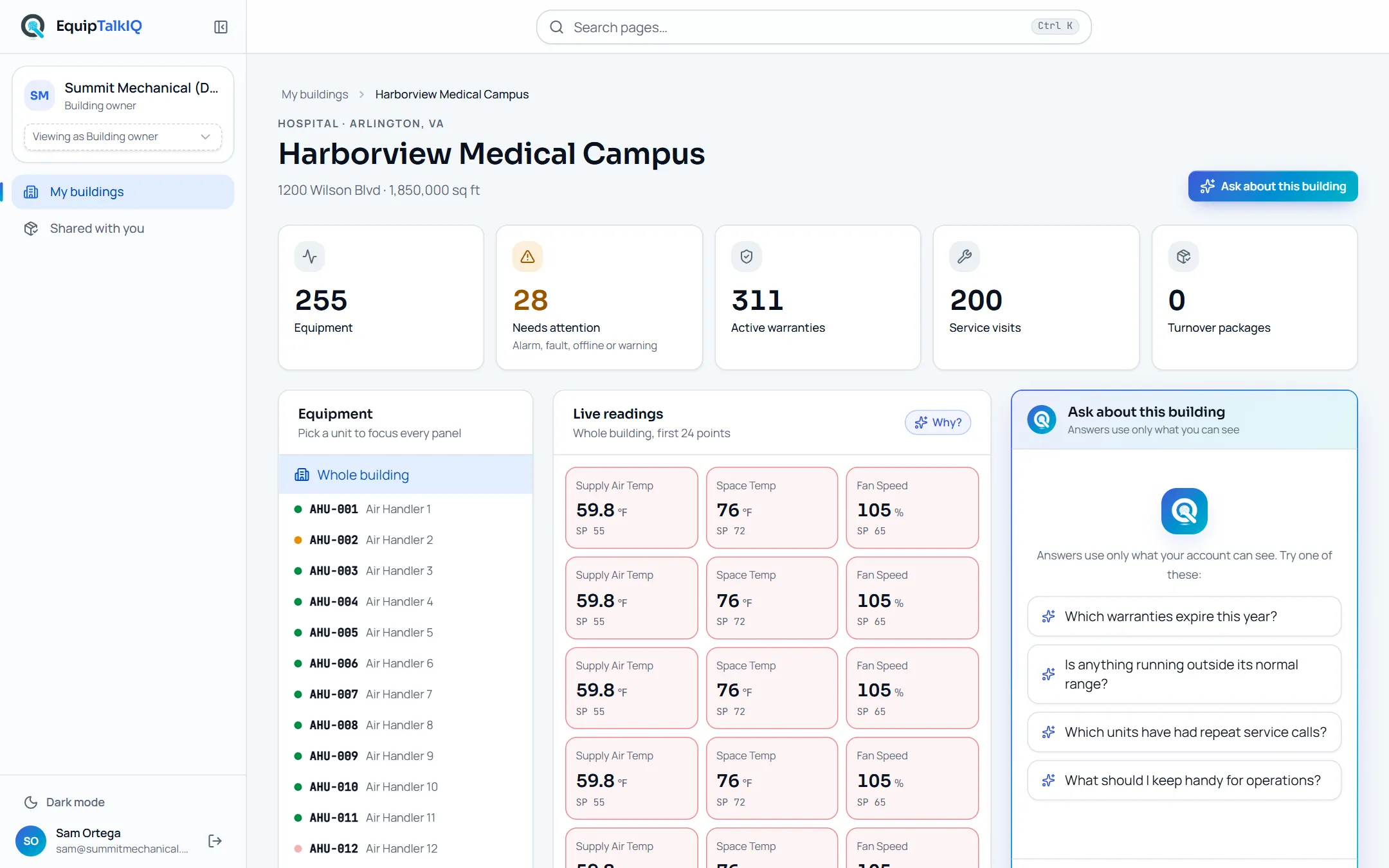
What changes
Today
- At closeout the owner gets a binder, and the record stops there.
- Every warranty or service question comes back to your office as a call.
- Sharing a system with an owner risks showing your pricing and notes.
With EquipTalkIQ
- The owner sees the building’s equipment, readings, warranties and completed service.
- The building assistant answers their questions from that building only.
- Pricing, budgets, labor, internal notes and rep information stay with you.
How it works
4 steps, in the app as it ships.
Preview the owner’s view
View as Building OwnerOpen any building exactly as its owner would see it, before you invite anyone.
Invite the owner
Invite a building ownerChoose the building and enter the owner’s email. They get that building only: at once if they already have an account, or when they sign up with that address.
The owner reads the building
My buildings · <building>Equipment as a tree with indoor units under their outdoor units, readings with out-of-range values marked, warranties with expiry and registration, completed service, recommendations and turnover documents. Picking a unit focuses every panel on it.
Owner view · service historyAPP SCREEN / SAMPLE DATA 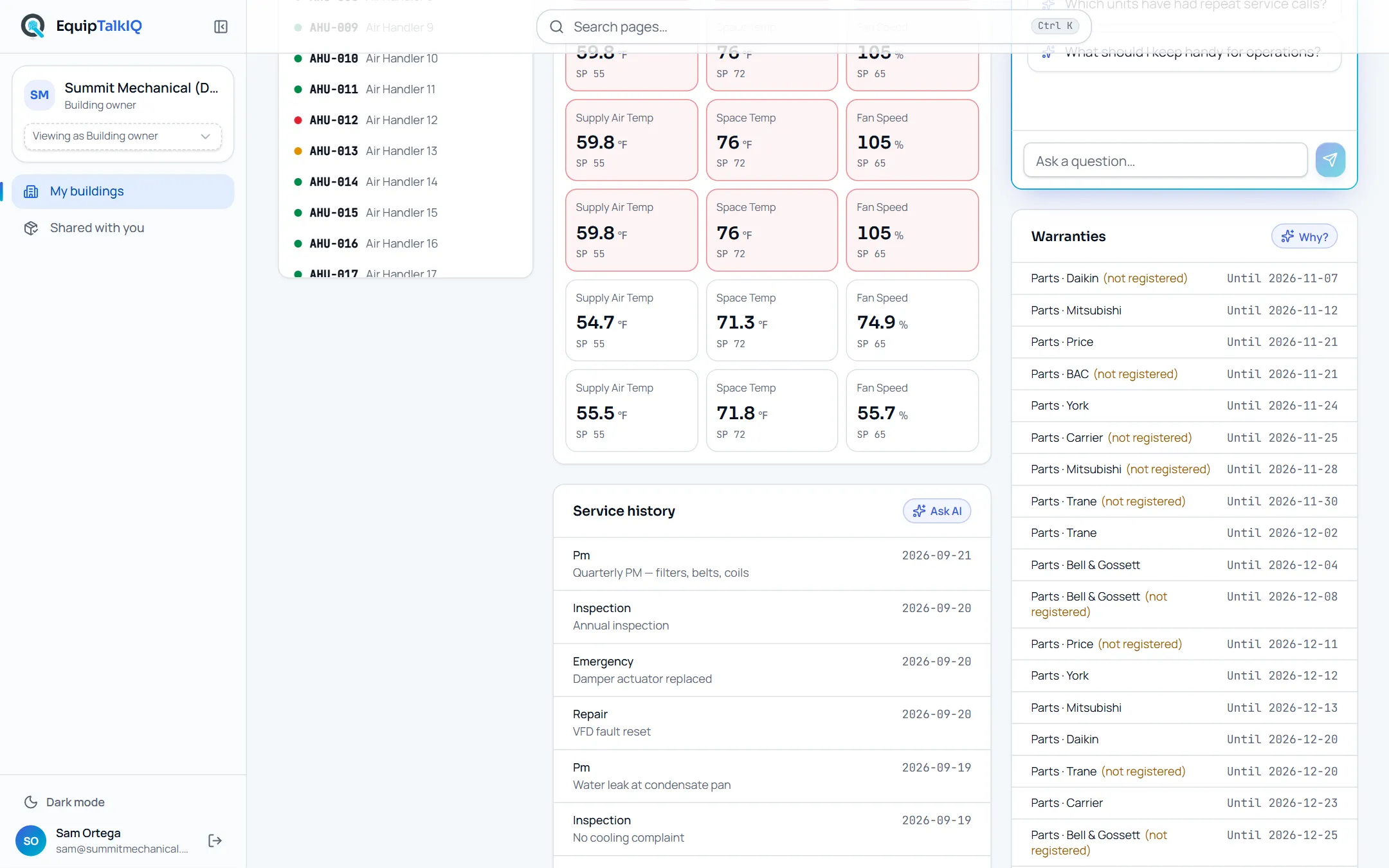
Owner view · readings, service history and warranties with registration status
The owner asks
Ask about this buildingSuggested questions, such as which warranties expire this year, or the owner’s own. The assistant answers from the building’s own records and nothing else in your account.
Owner assistant answerAPP SCREEN / SAMPLE DATA 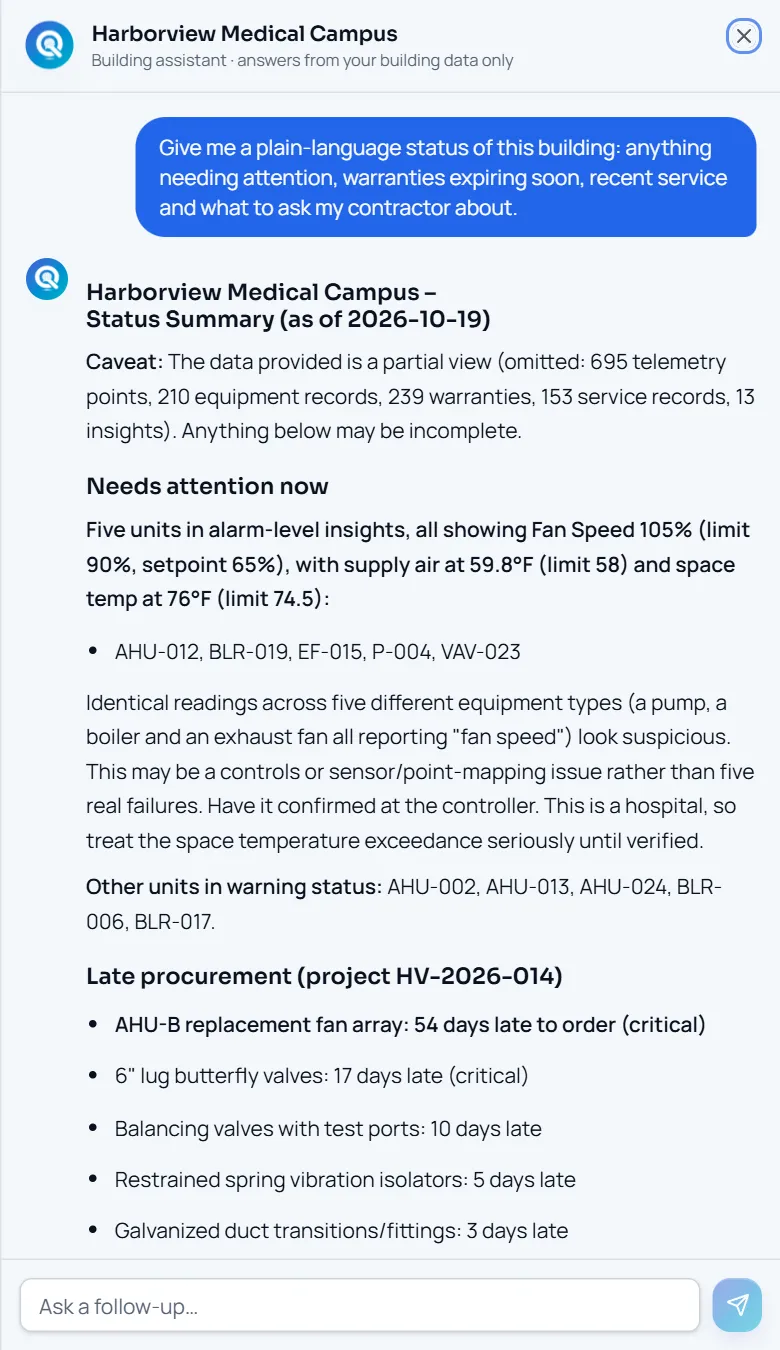
The building assistant’s plain-language status of one building
Receipts
What you can check for yourself.
Owners see a projection, not your books
The owner view is built from a database projection of the building that leaves out pricing, budgets, labor, internal notes and rep information.
View as Building OwnerOne building per invite
An owner invite grants one building. Owners are never members of your company.
Invite a building ownerThe assistant stays in the building
Answers come from that building’s data only, and the panel says so.
“Answers use only what you can see”Turnover documents stay free
Delivered turnover packages stay open to the owner whether or not they subscribe.
Turnover documentsWhat it won’t do
- Show an owner your pricing, labor, budgets or internal notes.
- Put delivered turnover documents behind a paywall.
- Make the owner a seat on your account.
Every AI answer, finding and draft follows the same rules. How the AI earns trust · Security
Who it’s for
The people on this screen.
- Building owners
- Facility managers
- Service managers
Works with
- Turnover packagesIn the app
Delivered packages appear on the owner’s building.
- Equipment recordIn the app
The owner’s units, readings and service come from your record of the building.
Questions
Worth asking.
What does it cost the owner?
Your plan includes owner access for an included period per building. After that, the owner subscribes per building to keep the living record and the assistant; talk to us for the price. Delivered turnover documents stay free.
What happens if the owner does not subscribe?
They keep the building’s name and address, every delivered turnover package and the share links you sent. The equipment record, readings and the assistant pause.
What can the owner never see?
Your pricing, budgets, labor, internal notes and rep information. The owner view is a projection of the building that leaves them out.
What does the assistant answer from?
The building’s equipment, readings, warranties, service, recommendations and turnover documents, and nothing from your wider account.
Who invites the owner?
You do, from View as Building Owner: choose the building and enter their email. They see that building only.
Keep exploring
Related on the same record.
Turnover packages
An owner-ready package per project, shared by a link you can revoke.
Across the recordEquipment record
One record per unit: points, findings, service, warranty and documents.
AIAsk with sources
Ask from any record. Every answer lists the records it used.
See it on your own work.
We load your sites, units and documents during the pilot, so the walkthrough is on your own kind of work. The 90-day pilot is $9,000, credited to your first year if you continue.